


1、申请模板消息首先我们应该知道,模板消息是需要申请的。这个申请就其本身来说是很easy的(我前一天晚上申请的,显示需要2--3个工作日,结果第二天早上就发现已经开通了,所以说腾讯官方还是比较给力的哈)。
但是我们在申请时还是有一些东西要注意,这个在官方的文档有非常详细的说明。

这个我建议你好好看看。选择行业的时候可要谨慎些,因为这个一个月只可以修改一次。
那么,我们来看看在哪里申请?

这里我已经申请过了。
申请之后就耐心等待,审核通过之后再功能这一栏里就会出现模板消息的菜单。你可以看看我上面的截图,就在第三项。
2、添加模板消息审核通过之后,我们就可以添加模板消息,进行开发了。
这个很简单:

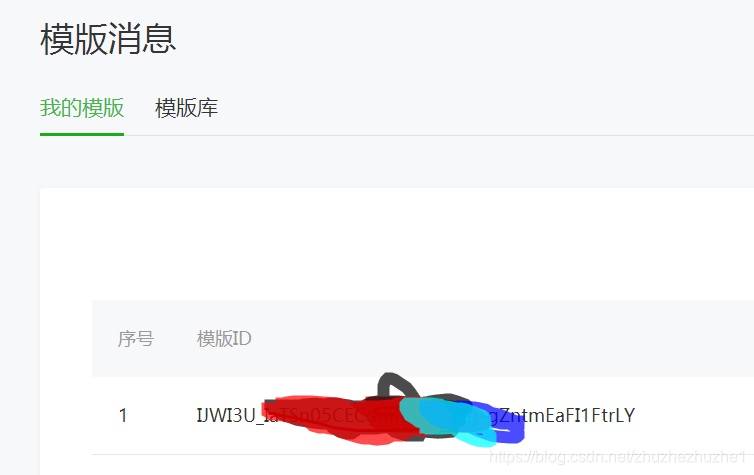
我们点击模板消息进入后,直接在模板库中选择你需要的消息模板添加就可以了,添加之后就会在我的模板中。会有一个模板id,这个模板id在我们发送消息的时候会用到。
3、消息发送功能开发接下来我们就看看如何发送模板消息:
这个是官方文档:
我呢,也来说说我的实现吧。为了更方便,我会直接将相关代码贴出来。
文档中我们可以看到接口地址如下:
http请求方式:POSThttps://api.weixin.qq.com/cgi-bin/message/template/send?access_token=ACCESS_TOKEN这里我们首先需要的就是access_token了,这个在这里就不多说了。通过你的appid和secret就可以获取。
【获取access_token:】
关于相关参数,我直接就将官方文档贴来了(文档写的很清楚):
POST数据示例如下:
{"touser":"OPENID","template_id":"ngqIpbwh8bUfcSsECmogfXcV14J0tQlEpBO27izEYtY","url":"http://weixin.qq.com/download","miniprogram":{"appid":"xiaochengxuappid12345","pagepath":"index?foo=bar"},"data":{"first":{"value":"恭喜你购买成功!","color":"#173177"},"keyword1":{"value":"巧克力","color":"#173177"},"keyword2":{"value":"39.8元","color":"#173177"},"keyword3":{"value":"2014年9月22日","color":"#173177"},"remark":{"value":"欢迎再次购买!","color":"#173177"}}}参数说明
参数是否必填说明touser是接收者openidtemplate_id是模板IDurl否模板跳转链接(海外帐号没有跳转能力)miniprogram否跳小程序所需数据,不需跳小程序可不用传该数据appid是所需跳转到的小程序appid(该小程序appid必须与发模板消息的公众号是绑定关联关系,暂不支持小游戏)pagepath否所需跳转到小程序的具体页面路径,支持带参数,(示例index?foo=bar),暂不支持小游戏data是模板数据color否模板内容字体颜色,不填默认为黑色注:url和miniprogram都是非必填字段,若都不传则模板无跳转;若都传,会优先跳转至小程序。开发者可根据实际需要选择其中一种跳转方式即可。当用户的微信客户端版本不支持跳小程序时,将会跳转至url。
返回码说明
在调用模板消息接口后,会返回JSON数据包。正常时的返回JSON数据包示例:
{"errcode":0,"errmsg":"ok","msgid":200228332}相信看完以上文档,基本上没有什么问题了。
以下是我的部分代码:
//获取tokenStringtoken=saveAndFlushAccessTokenUtil.getToken();StringpostUrl="https://api.weixin.qq.com/cgi-bin/message/template/send?access_token="+token;JSONObjectjsonObject=newJSONObject();jsonObject.put("touser","发送到用户的openid");//openidjsonObject.put("template_id","你的模板id");jsonObject.put("url","http://www.baidu.com");JSONObjectdata=newJSONObject();JSONObjectfirst=newJSONObject();first.put("value","hello");first.put("color","#173177");JSONObjectkeyword1=newJSONObject();keyword1.put("value","hello");keyword1.put("color","#173177");JSONObjectkeyword2=newJSONObject();keyword2.put("value","hello");keyword2.put("color","#173177");JSONObjectkeyword3=newJSONObject();keyword3.put("value","hello");keyword3.put("color","#173177");JSONObjectremark=newJSONObject();remark.put("value","hello");remark.put("color","#173177");data.put("first",first);data.put("keyword1",keyword1);data.put("keyword2",keyword2);data.put("keyword3",keyword3);data.put("remark",remark);jsonObject.put("data",data);Stringstring=HttpClientUtils.sendPostJsonStr(postUrl,jsonObject.toJSONString());JSONObjectresult=JSON.parseObject(string);interrcode=result.getIntValue("errcode");if(errcode==0){//发送成功System.out.println("发送成功");}else{//发送失败System.out.println("发送失败");}下面是http请求工具类:
packagecar.repair.common.util;importlombok.extern.slf4j.Slf4j;importorg.apache.http.HttpEntity;importorg.apache.http.ParseException;importorg.apache.http.client.ClientProtocolException;importorg.apache.http.client.methods.CloseableHttpResponse;importorg.apache.http.client.methods.HttpPost;importorg.apache.http.entity.ContentType;importorg.apache.http.entity.StringEntity;importorg.apache.http.impl.client.CloseableHttpClient;importorg.apache.http.impl.client.HttpClients;importorg.apache.http.util.EntityUtils;importjava.io.IOException;/@authorzhuzhe@date2017/12/11HttpClient工具类/@Slf4jpublicclassHttpClientUtils{/以jsonString形式发送HttpPost的Json请求,String形式返回响应结果@paramurl@paramjsonString@return/publicstaticStringsendPostJsonStr(Stringurl,StringjsonString)throwsIOException{if(jsonString==null||jsonString.isEmpty()){returnsendPost(url);}Stringresp="";StringEntityentityStr=newStringEntity(jsonString,ContentType.create("text/plain","UTF-8"));CloseableHttpClienthttpClient=HttpClients.createDefault();HttpPosthttpPost=newHttpPost(url);httpPost.setEntity(entityStr);CloseableHttpResponseresponse=null;try{response=httpClient.execute(httpPost);HttpEntityentity=response.getEntity();resp=EntityUtils.toString(entity,"UTF-8");EntityUtils.consume(entity);}catch(ClientProtocolExceptione){log.error(e.getMessage());}catch(IOExceptione){log.error(e.getMessage());}finally{if(response!=null){try{response.close();}catch(IOExceptione){log.error(e.getMessage());}}}if(resp==null||resp.equals("")){return"";}returnresp;}/发送不带参数的HttpPost请求@paramurl@return/publicstaticStringsendPost(Stringurl)throwsIOException{//1.获得一个httpclient对象CloseableHttpClienthttpclient=HttpClients.createDefault();//2.生成一个post请求HttpPosthttppost=newHttpPost(url);CloseableHttpResponseresponse=null;try{//3.执行get请求并返回结果response=httpclient.execute(httppost);}catch(IOExceptione){log.error(e.getMessage());}//4.处理结果,这里将结果返回为字符串HttpEntityentity=response.getEntity();Stringresult=null;try{result=EntityUtils.toString(entity);}catch(ParseException|IOExceptione){log.error(e.getMessage());}returnresult;}}
收到消息,我就不自己弄图了。这里附上官方图片一张:
转载请务必保留此出处(原作者):
版权声明:本文为原创文章,允许转载,转载时请务必以超链接形式标明文章原始出处、作者信息和本声明。










