


使用微信小程序的canvas做了个人签名的功能,支持导出为图片和清空的功能。为了提供用户体验,在性能优化上做了很大提升。最后的保存图片是先保存为本地临时文件,然后上传服务器,从服务器请求预览。下面先上图,再公布代码
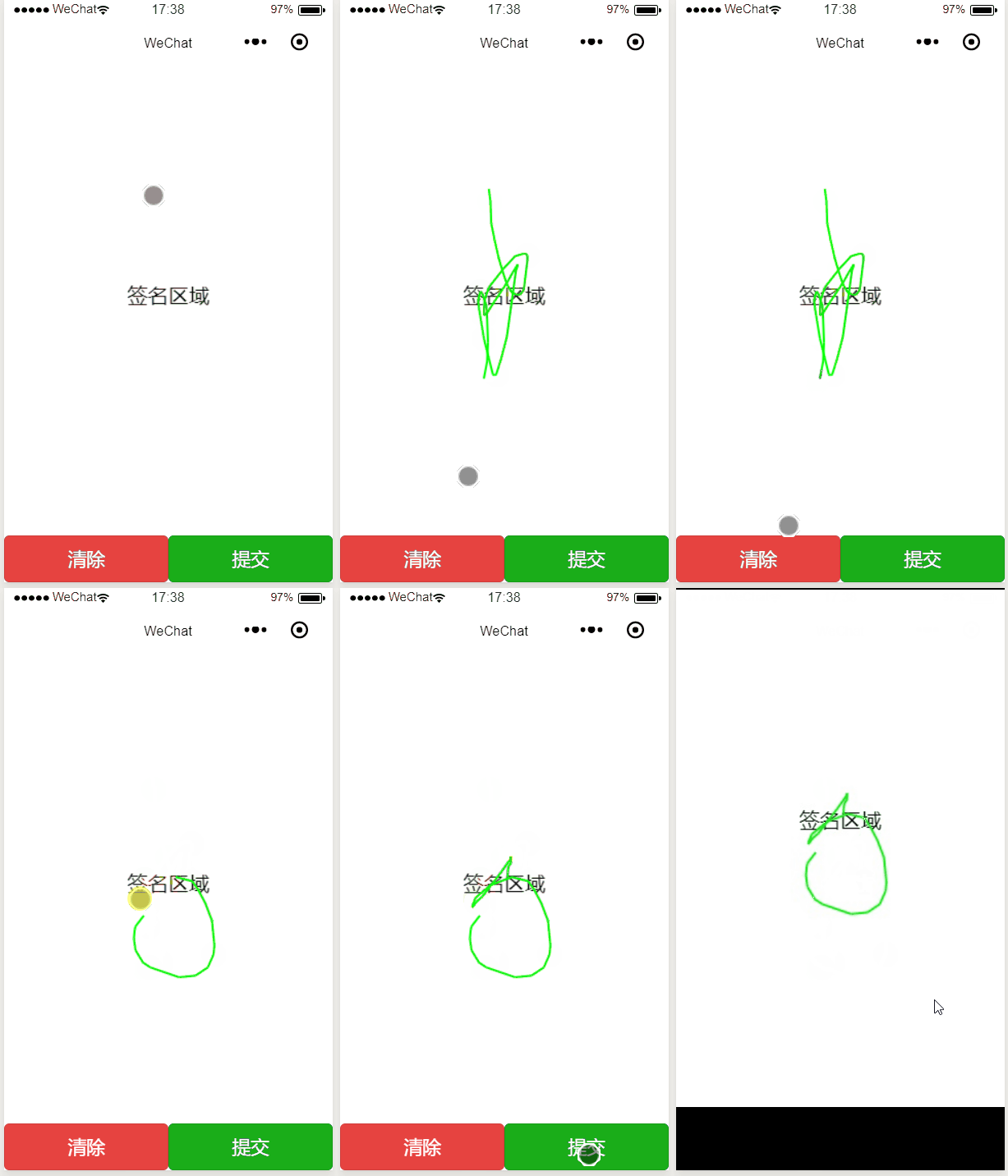
wxml代码为
<!--index.wxml--><view class="container"> <canvas canvas-id="firstCanvas" id='firstCanvas' bindtouchstart="bindtouchstart" bindtouchmove="bindtouchmove"></canvas> <view class="btn"> <button type="warn" bindtap='clear'> 清除 </button> <button type="primary" bindtap='export'> 提交 </button> </view></view>js代码为
//index.js//获取应用实例const app = getApp()Page({ data: { context: null, index: 0, height: 0, width: 0 }, /**记录开始点 */ bindtouchstart: function(e) { this.data.context.moveTo(e.changedTouches[0].x, e.changedTouches[0].y) }, /**记录移动点,刷新绘制 */ bindtouchmove: function(e) { this.data.context.lineTo(e.changedTouches[0].x, e.changedTouches[0].y); this.data.context.stroke(); this.data.context.draw(true); this.data.context.moveTo(e.changedTouches[0].x, e.changedTouches[0].y); }, /**清空画布 */ clear: function() { this.data.context.clearRect(0, 0, this.data.width, this.data.height); this.data.context.draw(); this.data.context.setStrokeStyle('#00ff00') this.data.context.setLineWidth(2) this.data.context.setFontSize(20) let str = "签名区域"; this.data.context.fillText(str, Math.ceil((this.data.width - this.data.context.measureText(str).width) / 2), Math.ceil(this.data.height / 2) - 20) this.data.context.draw() }, /**导出图片 */ export: function() { const that=this; this.data.context.draw(false, wx.canvasToTempFilePath({ x: 0, y: 0, width: that.data.width, height: that.data.height, destWidth: that.data.width, destHeight: that.data.height, fileType: 'jpg', canvasId: 'firstCanvas', success(res) { wx.uploadFile({ url: 'http://192.168.0.157:8089/uppic', filePath: res.tempFilePath, name: 'file', success(res) { var url = "http://192.168.0.157:8089/pic?name=" + res.data wx.previewImage({ // current: url, // 当前显示图片的http链接 urls: [url], // 需要预览的图片http链接列表 fail(f) { console.log(2) console.error(f) }, success(s) { console.log(1) console.log(s) } }) }, fail(err) { wx.showToast({ title: '上传失败', icon: 'none', duration: 2000 }) } }) }, fail() { wx.showToast({ title: '导出失败', icon: 'none', duration: 2000 }) } })) }, onLoad: function(options) { console.log(options.id); if (options.id) { wx.showToast({ title: '姓名' + options.id, icon: 'success', duration: 2000 }) } }, onShow: function() { let query = wx.createSelectorQuery(); const that = this; query.select('#firstCanvas').boundingClientRect(); query.exec(function(rect) { let width = rect[0].width; let height = rect[0].height; that.setData({ width, height }); const context = wx.createCanvasContext('firstCanvas') that.setData({ context: context }) context.setStrokeStyle('#00ff00') context.setLineWidth(2) context.setFontSize(20) let str = "签名区域"; context.fillText(str, Math.ceil((width - context.measureText(str).width) / 2), Math.ceil(height / 2) - 20) context.draw() }); }, onShareAppMessage: (res) => { if (res.from === 'button') { console.log("来自页面内转发按钮"); console.log(res.target); } else { console.log("来自右上角转发菜单") } return { title: '手动签名', path: '/pages/index/index?id=测试', // imageUrl: "/images/1.jpg", success: (res) => { console.log("转发成功", res); }, fail: (res) => { console.log("转发失败", res); } } }})












