


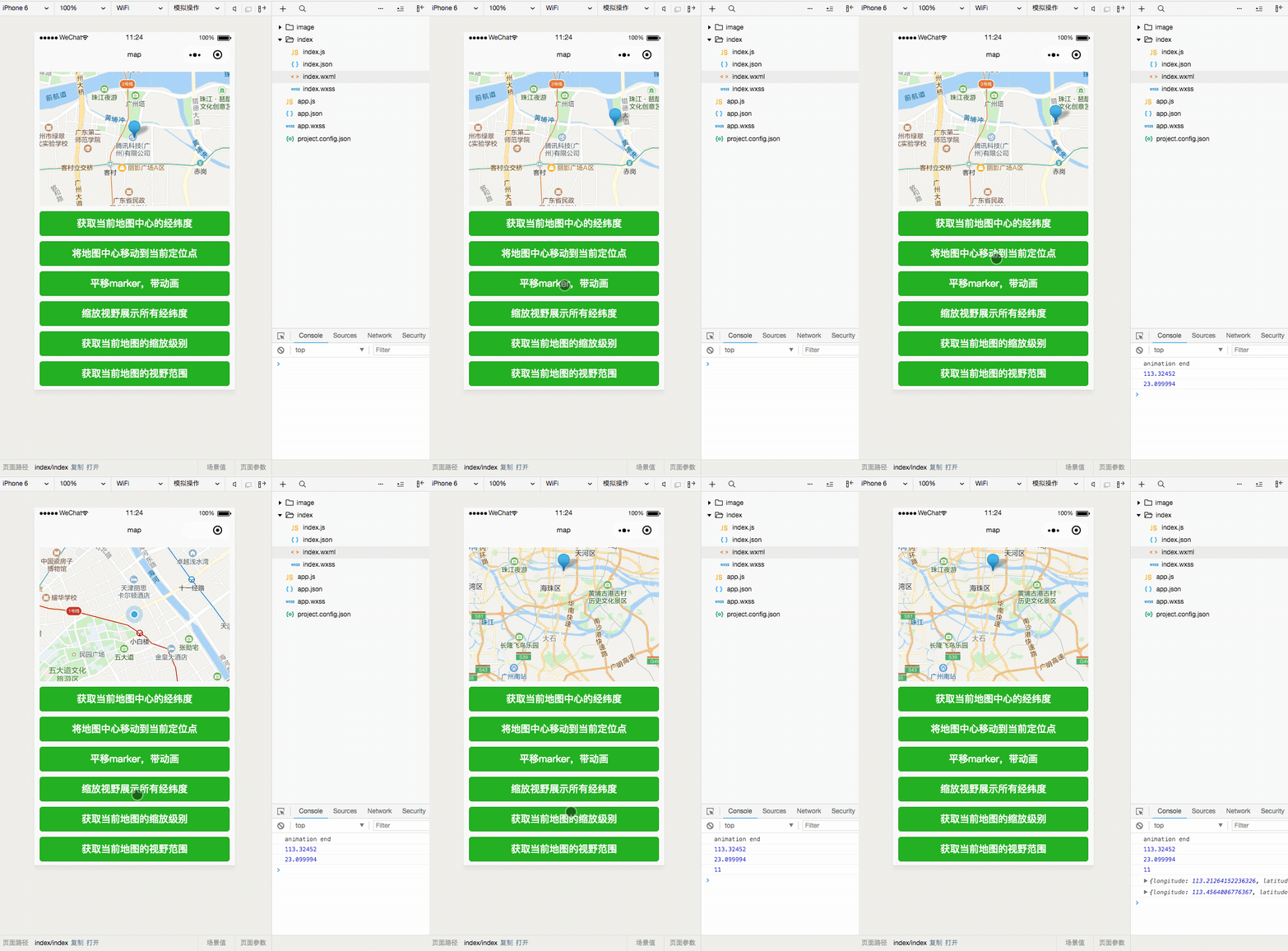
效果展示
wx.createMapContext(string mapId, Object this)
创建 map 上下文 MapContext 对象。
参数 string mapId
MapContext
MapContext 实例,可通过 wx.createMapContext 获取。
mapContext 通过 id 跟一个
方法
MapContext.getCenterLocation()
获取当前地图中心的经纬度。返回的是 gcj02 坐标系,可以用于 wx.openLocation()
getCenterLocation参数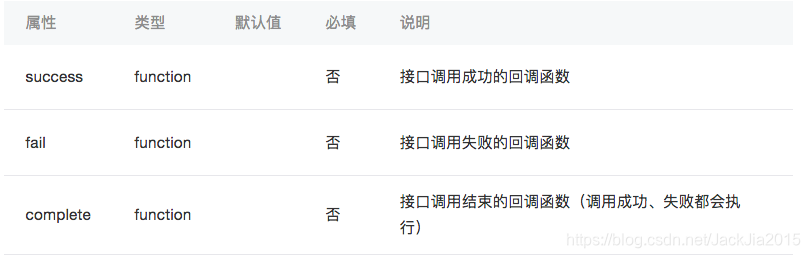
object.success 回调函数参数Object res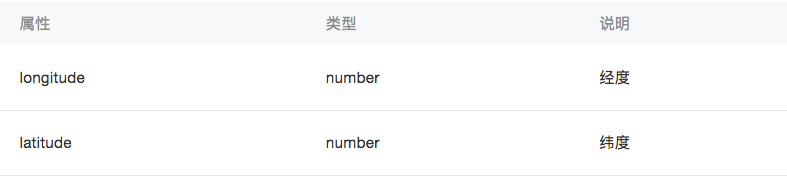
MapContext.moveToLocation()
将地图中心移动到当前定位点。需要配合map组件的show-location使用
MapContext.translateMarker(Object object)
平移marker,带动画
translateMarker参数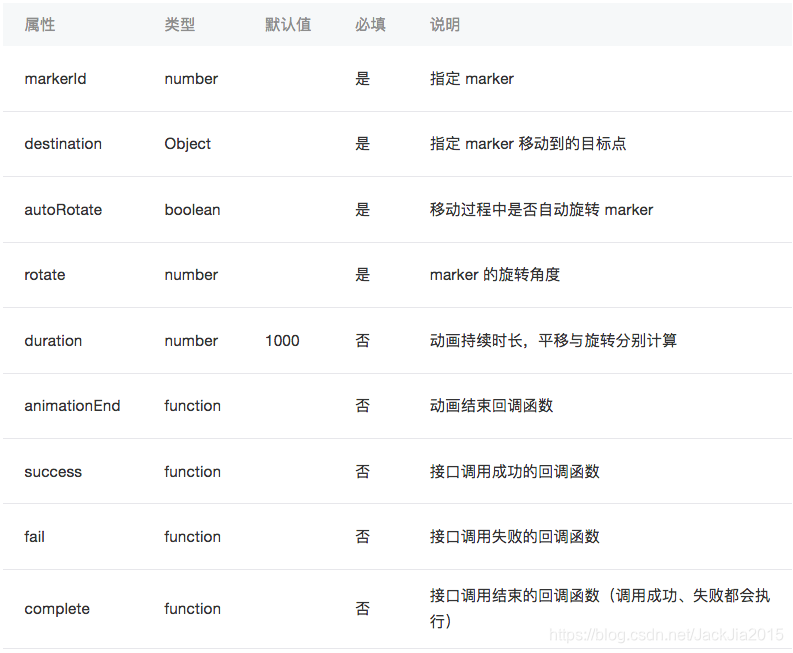
object.destination 的结构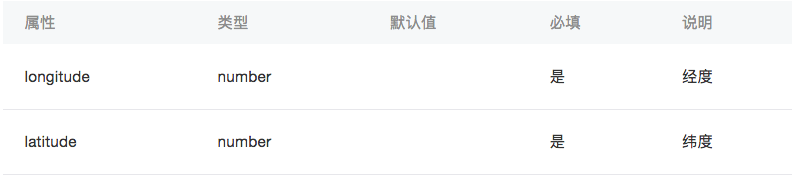
MapContext.includePoints(Object object)
缩放视野展示所有经纬度
includePoints参数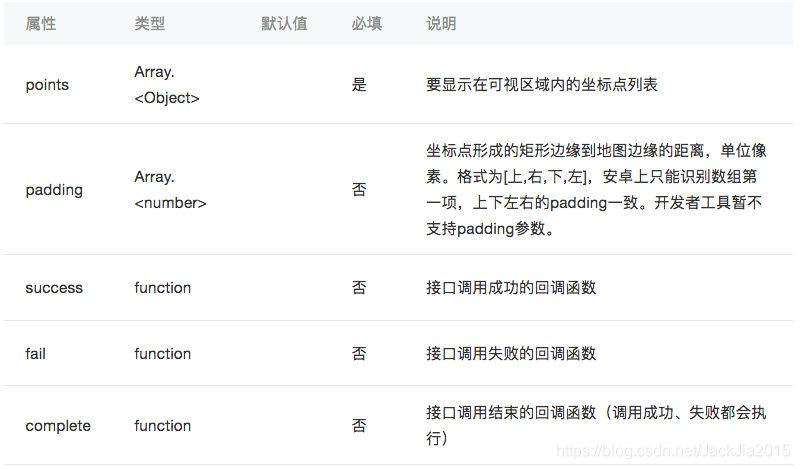
object.points 的结构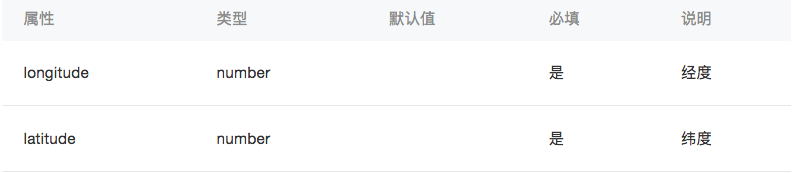
MapContext.getRegion()
获取当前地图的视野范围
getRegion参数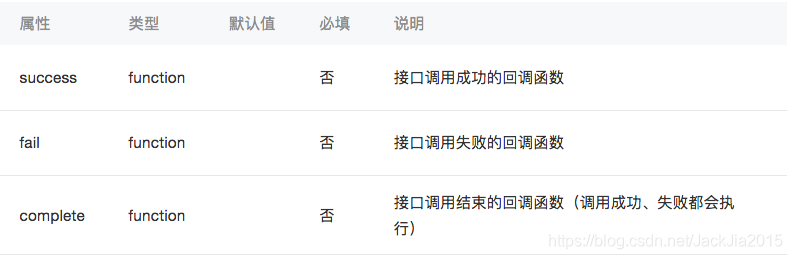
object.success 回调函数参数Object res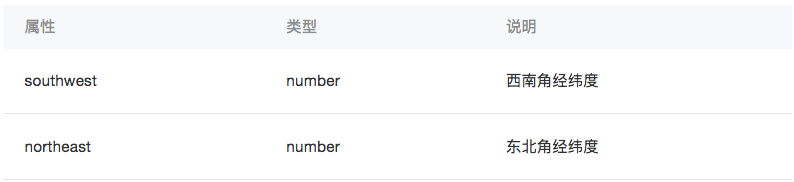
MapContext.getScale()
获取当前地图的缩放级别
getScale参数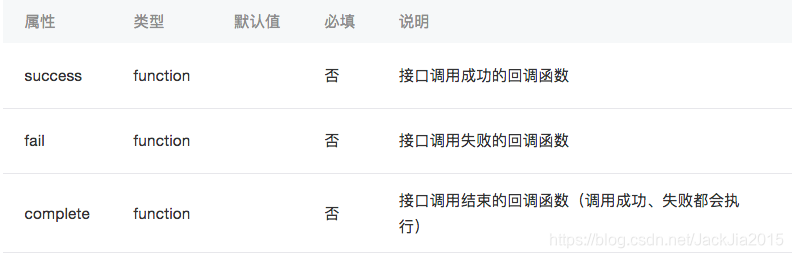
object.success 回调函数参数Object res
示例:
效果展示
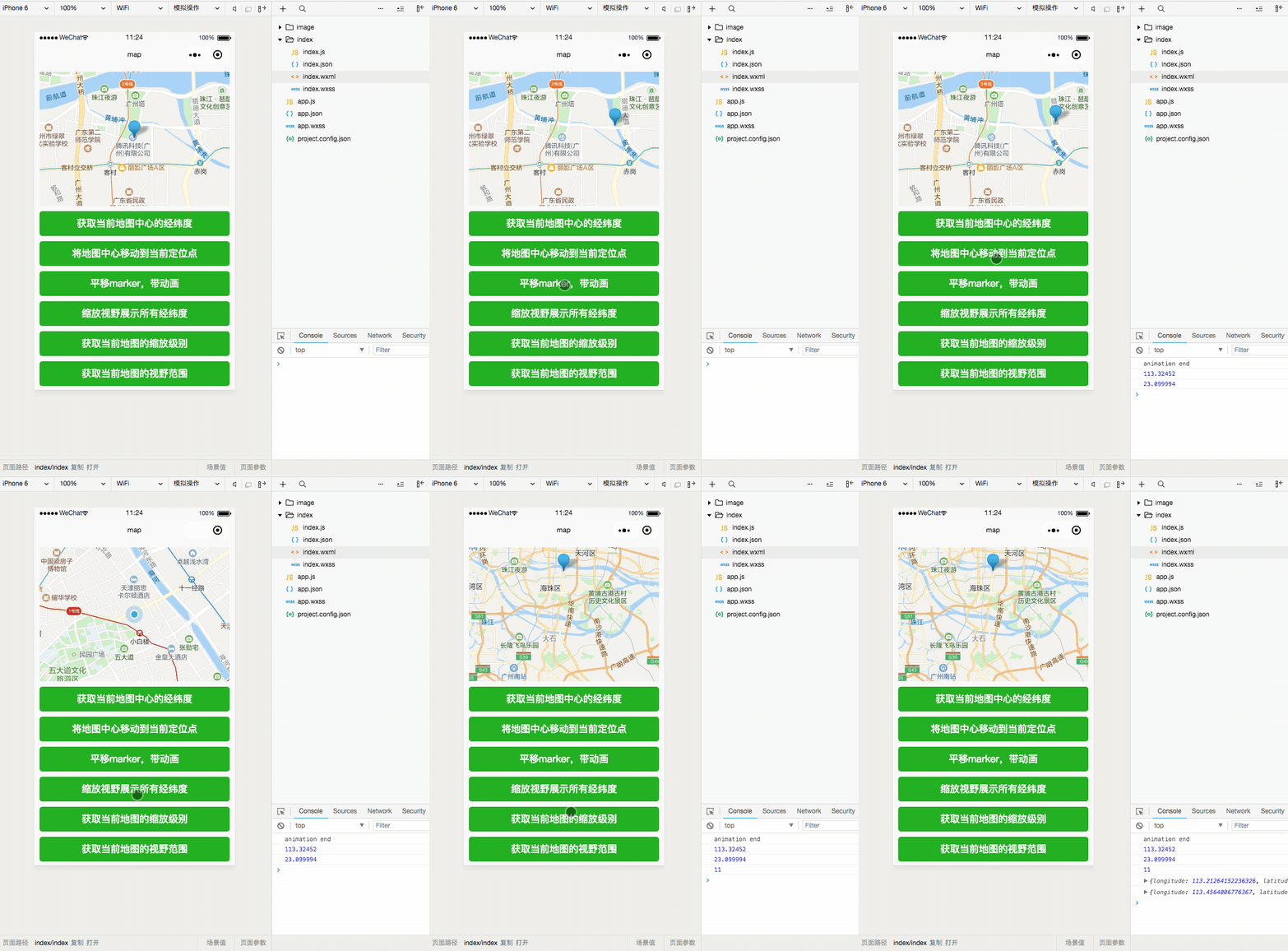
代码
index.wxml
<map id="myMap" style="width: 710rpx; height: 250px;" latitude="{{latitude}}" longitude="{{longitude}}" markers="{{markers}}" show-location></map><button bindtap="getCenterLocation" type="primary">获取当前地图中心的经纬度</button><button bindtap="moveToLocation" type="primary">将地图中心移动到当前定位点</button><button bindtap="translateMarker" type="primary">平移marker,带动画</button><button bindtap="includePoints" type="primary">缩放视野展示所有经纬度</button><button bindtap="scaleClick" type="primary">获取当前地图的缩放级别</button><button bindtap="getRegionClick" type="primary">获取当前地图的视野范围</button>index.wxss
map{ margin: 20rpx;}button{ margin: 20rpx;}index.js
Page({ data: { latitude: 23.099994, longitude: 113.324520, markers: [{ id: 1, latitude: 23.099994, longitude: 113.324520, name: '腾讯' }], }, onReady: function (e) { //创建 map 上下文 MapContext 对象。 this.mapCtx = wx.createMapContext('myMap') }, //获取当前地图中心的经纬度 getCenterLocation: function () { this.mapCtx.getCenterLocation({ success: function(res){ console.log(res.longitude) console.log(res.latitude) } }) }, //将地图中心移动到当前定位点 moveToLocation: function () { this.mapCtx.moveToLocation() }, //平移marker,带动画 translateMarker: function() { this.mapCtx.translateMarker({ markerId: 1, autoRotate: true, duration: 1000, destination: { latitude:23.10229, longitude:113.3345211, }, animationEnd() { console.log('animation end') } }) }, //缩放视野展示所有经纬度 includePoints: function() { this.mapCtx.includePoints({ padding: [10], points: [{ latitude:23.10229, longitude:113.3345211, }, { latitude:23.00229, longitude:113.3345211, }] }) }, //获取当前地图的缩放级别 scaleClick: function(){ this.mapCtx.getScale({ success: function (res) { console.log(res.scale) } }) }, //获取当前地图的视野范围 getRegionClick: function () { this.mapCtx.getRegion({ success: function (res) { console.log(res.southwest) console.log(res.northeast) } }) }})












