


代码地址如下:
http://www.demodashi.com/demo/12121.html
一、准备工作
软件环境:微信开发者工具
官方下载地址:https://mp.weixin.qq.com/debug/wxadoc/dev/devtools/download.html
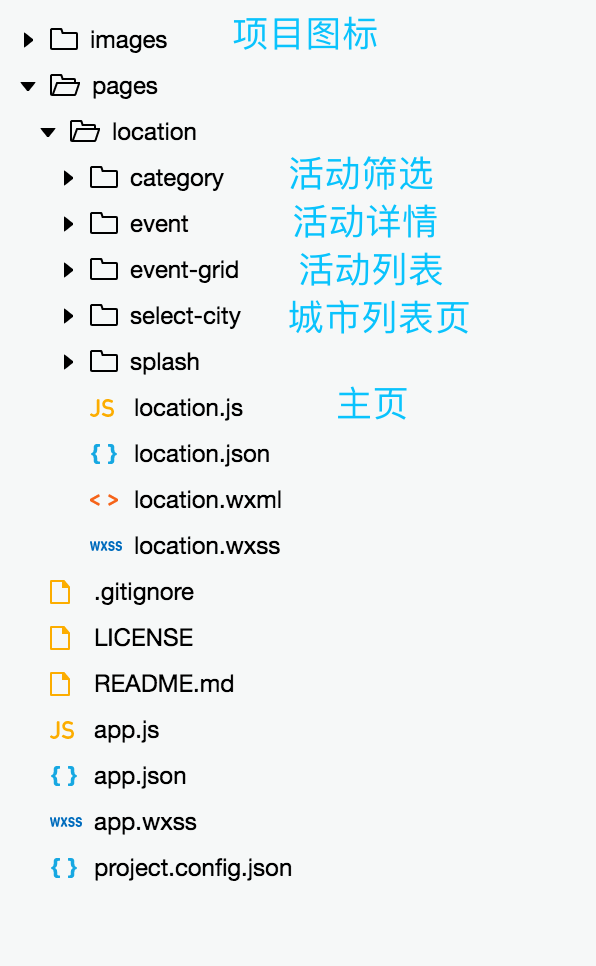
项目目录结构
二、程序实现步骤
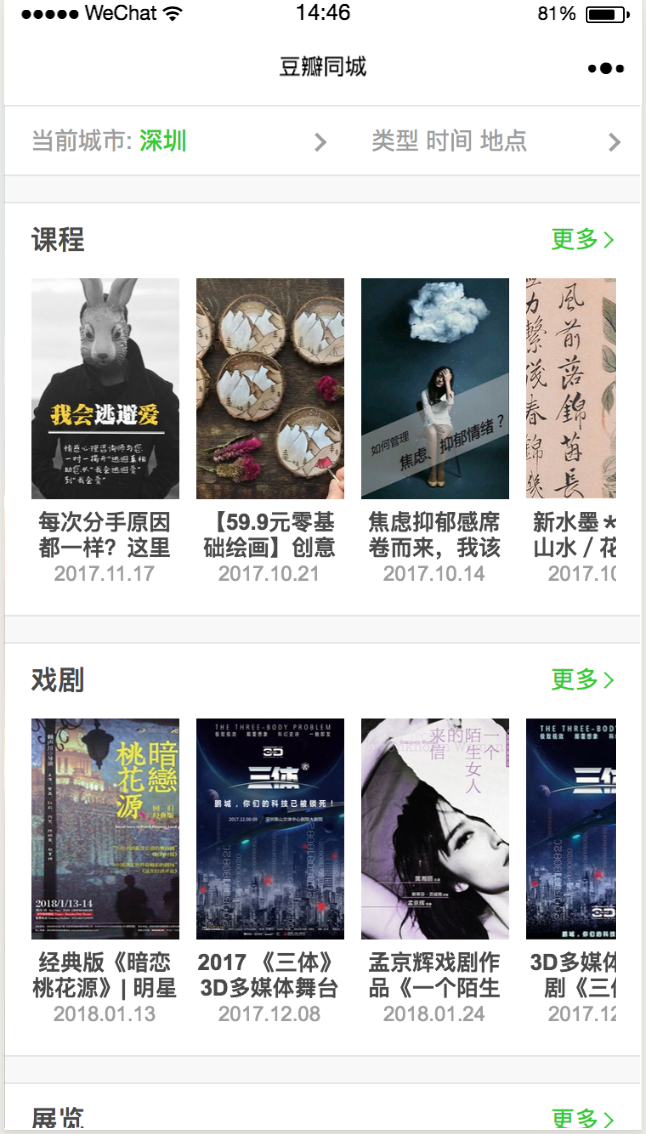
主页从微信用户信息获取用户所在的城市,如果用户所在城市支持同城活动,则分类显示该城市的活动列表,没有则显示深圳的活动列表。
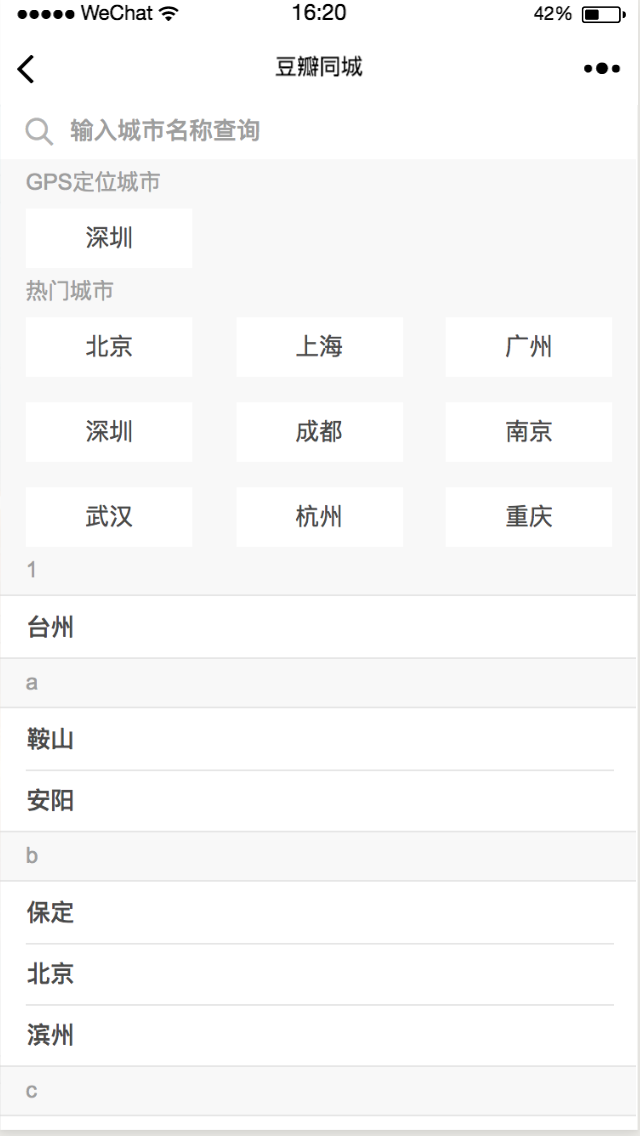
// 获取用户所在的城市uidif (typeof app.globalData.userInfo.city == "string") { var cityUid = app.globalData.userInfo.city.toLowerCase(); app.globalData.cityUid = cityUid;}/** 处理城市信息 */processLocationListData(data) { var locs = {}; for (let idx in data) { var loc = data[idx]; locs[loc.uid] = loc; } // 默认加载当前城市的活动,如果不支持当前城市,则默认加载深圳的活动 var cityUid = app.globalData.cityUid; var currentLoc = null; if (!locs[cityUid]) { currentLoc = locs[defaultUid]; } else { currentLoc = locs[cityUid]; } app.globalData.locId = currentLoc.id; app.globalData.city = currentLoc.name; app.globalData.locs = locs; // 获取当前城市名称,如果当前城市不再列表中,则显示深圳 this.setData({ "city": app.globalData.city, "currentLoc": currentLoc }); // 获取当前城市的活动列表 this.getEventByLocationId(currentLoc.id);}城市切换页,用户点击城市后返回主页并且加载该城市的活动列表。城市列表按照首字母分类排序,支持拼音搜索跟中文搜索。
data: { hotCityUid: ["beijing", "shanghai", "guangzhou", "shenzhen", "chengdu", "nanjing", "wuhan", "hangzhou", "chongqing"], hotCity: [], letterList: [], cityList: {}},/** 处理城市信息 */processCityListData: function (locs) { if (locs && typeof locs == "object") { // 提取热门城市 var hotCity = this.data.hotCityUid.map(function (item, index, input) { return locs[item]; }); // 按字母顺序排序 var keys = Object.keys(locs); keys.sort(); // 提取所有城市并按首字母归类 var cityList = {}; var letterList = []; for (let idx in keys) { var key = keys[idx]; var letter = key.substring(0, 1); var city = locs[key]; if (!cityList[letter]) { cityList[letter] = []; letterList.push(letter); } cityList[letter].push(city); } console.log("cityList: " + cityList); this.setData({ "hotCity": hotCity, "letterList": letterList, "cityList": cityList }); }},城市列表页面布局
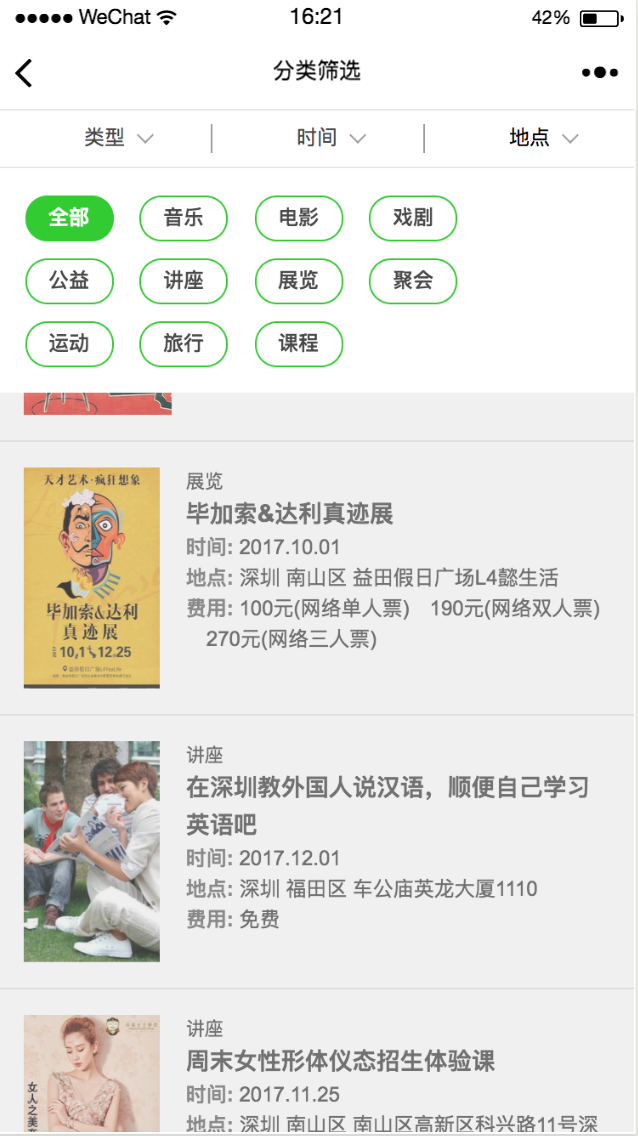
<text class="hot-city-title">热门城市</text><view class="hot-city"> <view class="hot-city-content"> <block wx:for="{{hotCity}}" wx:for-item="city"> <text class="city-box" data-id="{{city.id}}" data-name="{{city.name}}" data-uid="{{city.uid}}" bindtap="bindCityTap">{{city.name}}</text> </block> </view></view><view class="city-list"> <block wx:for="{{letterList}}" wx:for-item="letter"> <text class="list-title">{{letter}}</text> <view class="list-content"> <block wx:for="{{cityList[letter]}}" wx:for-item="city"> <text class="city-block" data-id="{{city.id}}" data-name="{{city.name}}" data-uid="{{city.uid}}" bindtap="bindCityTap">{{city.name}}</text> </block> </view> </block></view>分类筛选支持按活动类型、活动时间筛选,点击筛选类别之后重新加载数据。
onLoad: function (options) { // 页面初始化 options为页面跳转所带来的参数 var locId = options.locId; var eventType = options.type; // 初始化活动类型列表 var typeCategory = { "all": { "id": "all", "name": "all", "title": "全部" }, "music": { "id": "music", "name": "music", "title": "音乐" }, "film": { "id": "film", "name": "film", "title": "电影" }, "drama": { "id": "drama", "name": "drama", "title": "戏剧 " }, "commonweal": { "id": "commonweal", "name": "commonweal", "title": "公益" }, "salon": { "id": "salon", "name": "salon", "title": "讲座 " }, "exhibition": { "id": "exhibition", "name": "exhibition", "title": "展览" }, "party": { "id": "party", "name": "party", "title": "聚会" }, "sports": { "id": "sports", "name": "sports", "title": "运动" }, "travel": { "id": "travel", "name": "travel", "title": "旅行" }, "course": { "id": "course", "name": "course", "title": "课程" } }; // 初始化活动日期类型列表 var dateCategory = { "future": { "id": "future", "name": "future", "title": "全部" }, "today": { "id": "today", "name": "today", "title": "今天" }, "tomorrow": { "id": "tomorrow", "name": "tomorrow", "title": "明天" }, "weekend": { "id": "weekend", "name": "weekend", "title": "周末" }, "week": { "id": "week", "name": "week", "title": "近期" }, }; // 全局保存的活动类型信息 var g_eventCategory = app.globalData.eventCategory; this.setData({ "locId": locId, "type": eventType, "eventCategory": typeCategory, "current": this.data.type, "typeCategory": typeCategory, "dateCategory": dateCategory, "g_eventCategory": g_eventCategory }); // 请求活动列表 this.getEventListData();},/** 选择类型 */handleType: function (event) { this.setData({ "eventCategory": this.data.typeCategory, "current": this.data.type, "showCategory": true }); this.resetMenuTap(); this.setData({ "isTypeTap": true }); console.log("handleType");},/** 点击某个子类型 */handleCategory: function (event) { var id = event.currentTarget.dataset.id; var readyData = { "showCategory": false }; this.data.isTypeTap && (readyData["type"] = id); this.data.isDateTap && (readyData["date"] = id); this.setData(readyData); this.getEventListData(); this.resetMenuTap();},筛选标签切换布局
<view class="session-header"> <text class="type-tab {{type == 'all'?'tab-normal':'tab-HL'}}" bindtap="handleType">{{type == 'all'?'类型':g_eventCategory[type].title }}</text> <text class="time-tab {{date == 'future'?'tab-normal':'tab-HL'}}" bindtap="handleTime">{{date == 'future' ? '时间' : dateCategory[date].title}}</text> <text class="loc-tab" bindtap="handleLoc">地点</text> </view> <view wx:if="{{showCategory}}" class="category-session"> <view class="type-category-session"> <block wx:for="{{eventCategory}}" wx:for-item="category"> <text class="category {{current == category.id ? 'category-HL': ''}}" catchtap="handleCategory" data-id="{{category.id}}" data-name="{{category.name}}" data-title="{{category.title}}">{{category.title}}</text> </block> </view> <view class="category-cover" bindtap="handleCoverTap"></view> </view>活动详情页显示的内容比较多,图片下载,查看位置,拨打电话的功能微信小程序原生支持,很快就做出来了。这里要说的是发表评论的左右切换动画效果,活动评论不支持上传到服务器。
/** 用户点击感兴趣,执行动画 */handleWish: function (event) { this.setData({ "action": "wish", "beforeAnimation": "left", "value": "" }); var animation = wx.createAnimation({ duration: 400, timingFunction: 'linear' }) animation.translateX(375).step() this.setData({ animationData: animation.export() }) setTimeout(function () { this.reset(); }.bind(this), 400);},/** 用户点击要参加,执行动画 */handleJoin: function (event) { this.setData({ "action": "join", "beforeAnimation": "right", "value": "" }); var animation = wx.createAnimation({ duration: 400, timingFunction: 'linear' }) animation.translateX(-375).step() this.setData({ animationData: animation.export() }); setTimeout(function () { this.reset(); }.bind(this), 400);},/** 动画完成后,恢复状态 */reset: function () { var animation = wx.createAnimation({ duration: 0, timingFunction: 'linear' }) animation.translateX(0).step(); this.setData({ "beforeAnimation": "", animationData: animation.export() });},感兴趣与要参加页面布局
<view class="container"> <view class="session-header {{action}}-session"> <text class="wish" bindtap="handleWish">感兴趣</text> <text class="join" bindtap="handleJoin">要参加</text> </view> <view class="session-content {{beforeAnimation}}" animation="{{animationData}}"> <text class="title">{{title}}</text> <text class="some-count">{{somecount}}</text> <textarea class="textarea" placeholder-class="placeholder" placeholder="写点评论吧..." focus="true" data-action="{{action}}" bindinput="handleInput" value="{{value}}" /> <button class="confirm" size="default" type="primary" bindtap="handleComfirm" data-action="{{action}}">确定</button> </view></view>三、运行效果

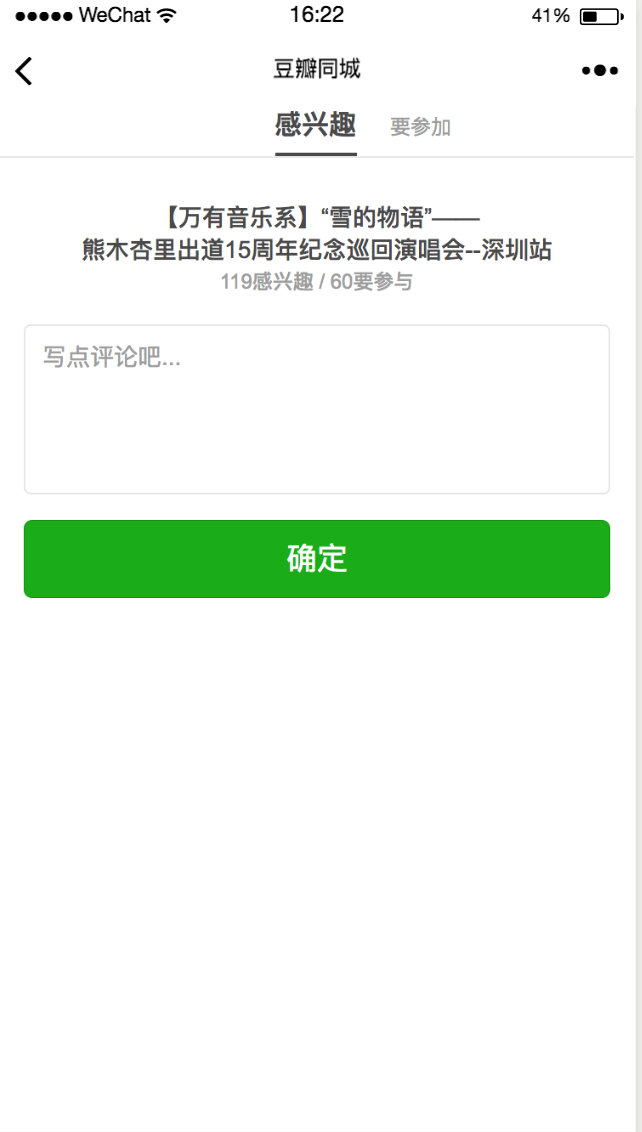 微信小程序 - 豆瓣同城
代码地址如下:
http://www.demodashi.com/demo/12121.html
注:本文著作权归作者,由demo大师代发,拒绝转载,转载需要作者授权













