


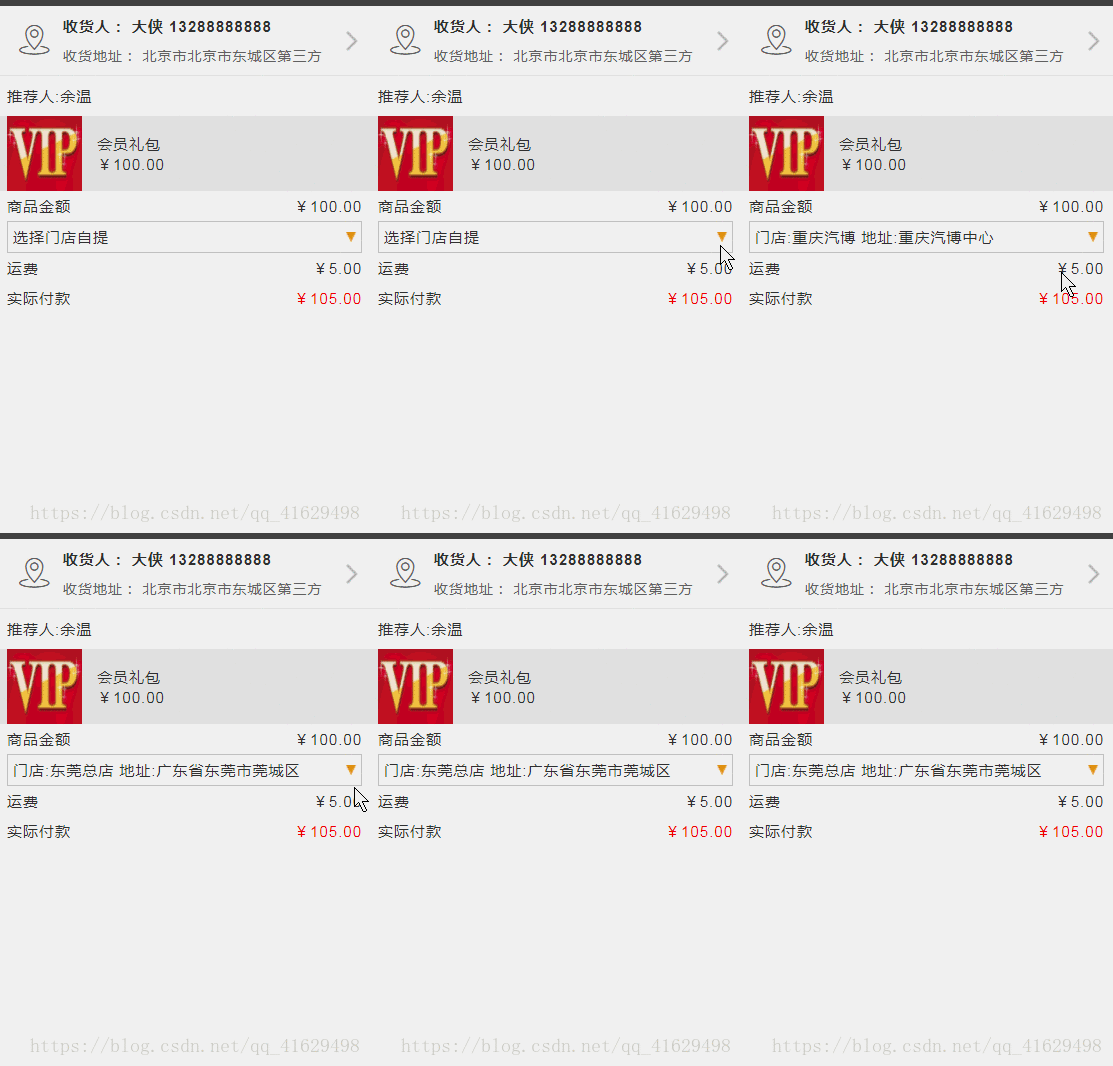
小程序中是没有h5中的下拉 标签的 所以要实现下拉功能就必须自己动手写拉
这里为了更清楚的显示层级 就把源码直接复制过来了
view class='list-msg' view class='list-msg1' text商品金额/text text¥99.00/text /view!--下拉框 -- view class='list-msg2' bindtap='bindShowMsg' text{{tihuoWay}}/text image style='height:20rpx;width:20rpx;' src='/images/down.png'/image /view view class='list-msg1' text运费/text text/text免邮/view view class='list-msg1' text实际付款/text text style='color:red'¥99.00/text /view!-- 下拉需要显示的列表 -- view class="select_box" wx:if="{{select}}" view class="select_one" bindtap="mySelect" data-name="重庆分店"重庆分店/view view class="select_one" bindtap="mySelect" data-name="东莞南城分店"东莞南城分店/view view class="select_one" bindtap="mySelect" data-name="东莞总店"东莞总店/view /view/view下面是js代码
Page({ /** * 页面的初始数据 */ data: { select: false, tihuoWay: '门店自提' }, /** * 生命周期函数--监听页面加载 */ onLoad: function (options) { }, bindShowMsg() { this.setData({ select:!this.data.select }) }, mySelect(e) { var name = e.currentTarget.dataset.name this.setData({ tihuoWay: name, select: false }) }, /** * 用户点击右上角分享 */ onShareAppMessage: function () { }}).list-msg { padding: 0 20rpx; background-color: #fff; position: relative;}.list-msg1 { height: 60rpx; display: flex; align-items: center; justify-content: space-between;}.list-msg .list-msg2 { height: 60rpx; display: flex; align-items: center; justify-content: space-between; border: 1px solid #ccc; padding: 0 10rpx;}.select_box { background-color: #eee; padding: 0 10rpx; width: 93%; position: absolute; top: 130rpx; z-index: 1; overflow: hidden; animation: myfirst 0.5s;}@keyframes myfirst { from { height: 0rpx; } to { height: 210rpx; }}.select_one { height: 60rpx; line-height: 60rpx; border-bottom: 1px solid #ccc;}












