


效果图如下:
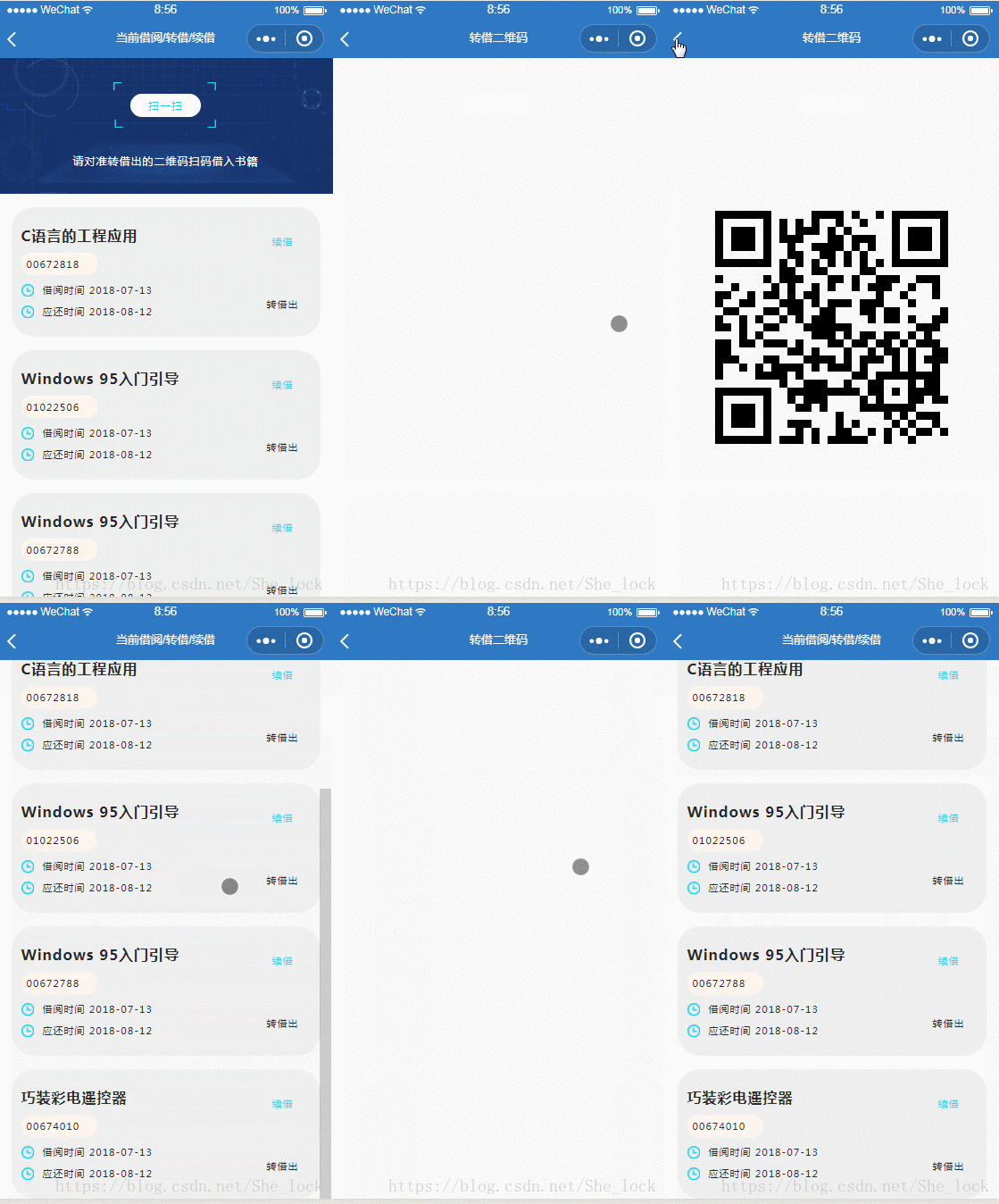
实现
wxml
!-- 存放二维码的图片--view class='container' image bindtap="previewImg" mode="scaleToFill" src="{{imagePath}}"/image/view!-- 画布,用来画二维码,只用来站位,不用来显示--view class="canvas-box" canvas hidden="{{canvasHidden}}" style="width: 686rpx;height: 686rpx;background:#f1f1f1;" canvas-id="mycanvas" //viewwxss
.container { display: flex; align-items: center; justify-content: center;width: 100%;height: 100%;}.container image { width: 686rpx; height: 686rpx; background-color: #f9f9f9;}.canvas-box { position: fixed; top: 999999rpx; left: 0;}js
var QR = require("../../../lib/qrcode.js");Page({ /** * 页面的初始数据 */ data: {canvasHidden: false,imagePath: '', }, /** * 生命周期函数--监听页面加载 */ onLoad: function(options) { //option为上个页面传递过来的参数var jiaoyanCode = 'sorry,jiaoyanCode is loss';//if (options) {//jiaoyanCode = options.jiaoyanCode;//}console.log(jiaoyanCode);var size = this.setCanvasSize(); //动态设置画布大小this.createQrCode(jiaoyanCode, "mycanvas", size.w, size.h); }, //适配不同屏幕大小的canvas setCanvasSize: function() { var size = {}; try { var res = wx.getSystemInfoSync(); var scale = 750 / 686; //不同屏幕下canvas的适配比例;设计稿是750宽 686是因为样式wxss文件中设置的大小 var width = res.windowWidth / scale; var height = width; //canvas画布为正方形 size.w = width; size.h = height; } catch (e) { // Do something when catch error console.log("获取设备信息失败" + e); } return size; }, /** * 绘制二维码图片 */ createQrCode: function(url, canvasId, cavW, cavH) { //调用插件中的draw方法,绘制二维码图片 QR.api.draw(url, canvasId, cavW, cavH); setTimeout(() = { this.canvasToTempImage(canvasId); }, 1000); }, /** * 获取临时缓存照片路径,存入data中 */ canvasToTempImage: function() { var that = this;//把当前画布指定区域的内容导出生成指定大小的图片,并返回文件路径。 wx.canvasToTempFilePath({ canvasId: 'mycanvas', success: function(res) { var tempFilePath = res.tempFilePath; console.log(tempFilePath); that.setData({ imagePath: tempFilePath, // canvasHidden:true }); }, fail: function(res) { console.log(res); } }); },/** * 点击图片进行预览 */previewImg: function (e) {var img = this.data.imagePath;console.log(img);wx.previewImage({current: img, // 当前显示图片的http链接urls: [img] // 需要预览的图片http链接列表});},})qrcode.js 可以去 这里 下载。
详细源码请查看 https://github.com/demi520/wxapp-qrcode
PS:鉴于有个别网友私信反应还是出不来二维码图片,这里特地上传了一份源码。源码如下:https://download.csdn.net/download/She_lock/11982918
特别说明:这份源码和这篇文章分享的源码几乎一模一样,下载导入即可运行。能不下载自己调试就自己调试,省的还得花5积分。










