


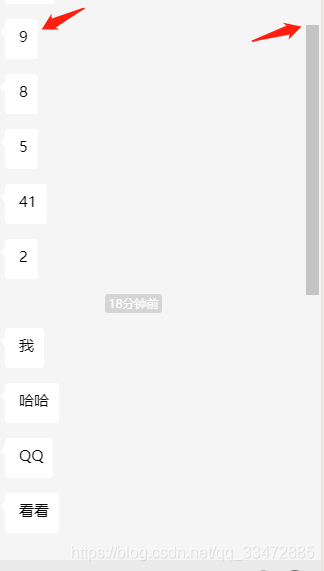
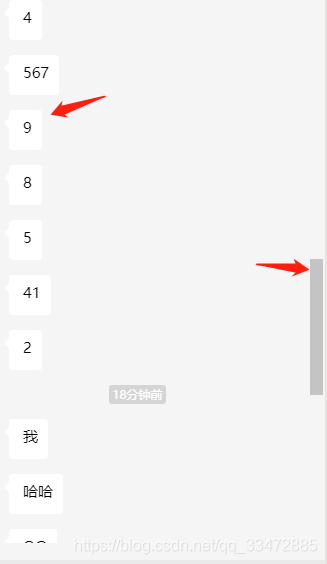
效果图(感觉有用的可以继续看下去)
主要思路
主要通过通过index给接口中的数据加上一个id,但不能为数字,所以加上一个‘chat’拼接字符串。
<scroll-view class="main" scroll-y="true" scroll-into-view="{{getindexid}}" bindscrolltoupper="scrollup" scroll-top="{{scrollTop}}" > <view wx:for="{{connectchat}}" wx:key="index" bindtap="closefoot" id="{{'chat'+index}}"> 聊天内容。。。。 </view> </scroll-view>对应的js
data = { first: 1, scrollTop: 99999,// 触底 params: { page: 1 }, // 滚动条到顶部是触发 scrollup() { if (this.pagination <= this.params.page * 20) { wx.stopPullDownRefresh() return false // 当小于总数时返回, } this.params.page = this.params.page + 1 this.connecting() this.getindexid = '' this.$apply() }接口中对数据处理
async connecting(e) { let res = await wepy.request({ url:...}) if (res) { 。。。(对数组处理可能要倒叙) this.connectchat = [...barr, ...this.connectchat] // 聊天内容,数组拼接 this.first = this.first + 1 if (this.first === 2) { this.pageScrollToBottom()// 只为了执行一次进入页面触底 } else { this.getindexnum = res.list.length // 第2次调接口获取到接口中数组的大小(为了后面定点到的index) } if (this.params.page >= 2) { let a = this.getindexnum - 1 this.getindexid = 'chat' + a //这里将调到的id ,对应的scroll-into-view="{{getindexid}}" } this.$apply() } } pageScrollToBottom() { this.scrollTop = this.scrollTop - 1 // 减一了,才会触发scroll-top触底。首次进入调用。 }第一次写博客,如不好大家见谅!(刚出来不到3个月,慢慢写点小程序的前端)










