


完成的效果如下: 
看起来好像很简单但是也是几经波折,所以特意记录下来
非微信小程序的解决方案
如果不是微信小程序,而且HTML代码,还是比较好实现的,美工提供了三套图标 
通过background-image引入图标,然后通过更换class实现点击图标更换效果,这里不细表了


微信小程序存在的问题
不知道何种原因,在微笑小程序中,wxss文件是无法访问本地静态资源的,所以也就无法通过background-image引入图标
于是想办法,办法就是,采用字体符号
于是从阿里巴巴矢量图标库找到对应的图标 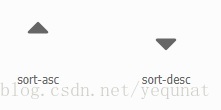
然后设置css如下
.icon-order-up::before { .active { color: #ff8d68; } .inactive { color: #333333; } font-size: 28rpx; content: "e7fe";}.icon-order-down::after { .active { color: #ff8d68; } .inactive { color: #333333; } font-size: 28rpx; position: absolute; right: 0rpx; content: "e74d";}页面如下
<!--占据整个屏幕宽度的资源列表项--><style lang="less">.item-list { .sort { background-color: #f3f4f5; padding: 26rpx 55rpx 26rpx 55rpx; display: flex; justify-content: space-between; font-size: 28rpx; view { display: flex; } } .sort-item { position: relative; } .inactive { color: #333333; } .active { color: #ff8d68; } .list { display: flex; flex-wrap: wrap; margin: 0rpx 35rpx 36rpx 35rpx; view { display: flex; flex-wrap: wrap; } }}</style><script>import wepy from 'wepy'import Grid from './grid'export default class ItemList extends wepy.component { data = { sortList: [{ title: '人气', active: true, asc: true, desc: false }, { title: '上架时间', active: false, asc: true, desc: false }] } props = { list: {} } components = { grid: Grid } methods = { orderBy (index) { console.log(this.sortList) if (this.sortList[index].active === true) { this.sortList[index].asc = !this.sortList[index].asc this.sortList[index].desc = !this.sortList[index].desc } else { this.sortList[index].active = true this.sortList[index].asc = true this.sortList[index].desc = false for (var i = 0, len = this.sortList.length; i < len; i++) { if (i !== index) { this.sortList[i].active = false } } } this.$apply() } }}</script><template> <view class="item-list"> <view class="sort"> <black wx:for={{sortList}}> <view class="sort-item {{item.active?'active':'inactive'}}" @tap="orderBy({{index}})"> <view class="">{{item.title}}</view> <view class="iconfont icon-order-up {{item.active&&item.desc?'active':'inactive'}}"></view> <view class="iconfont icon-order-down {{item.active&&item.asc?'active':'inactive'}}"></view> </view> </black> </view> <view class="list"> <repeat for="{{list}}" key="index" index="index" item="item"> <grid :item.sync="item"></grid> </repeat> </view> </view></template>









