


微信小程序开发两个月了.大家的项目都在不断迭代.已经不是小程序.这时候就会遇到多层回调嵌套的问题.有些目不忍视了.迫不得已引入es6-promise.在微信小程序内测的时候promise不需要手动引入,后来被微信移除了.看看效果. 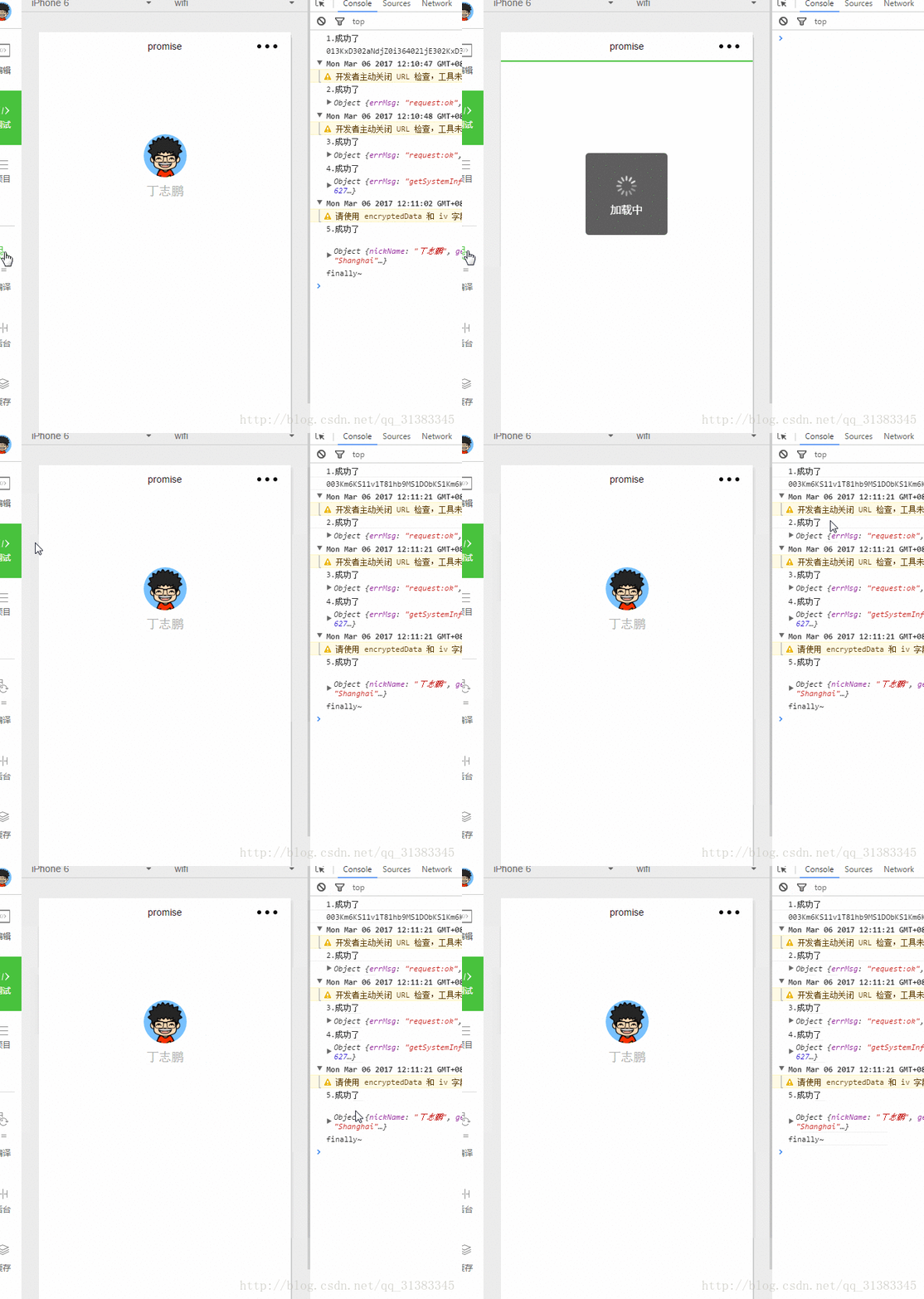
promise详细的介绍我就不说了.有很多大神写过.
阮一峰 promise入门
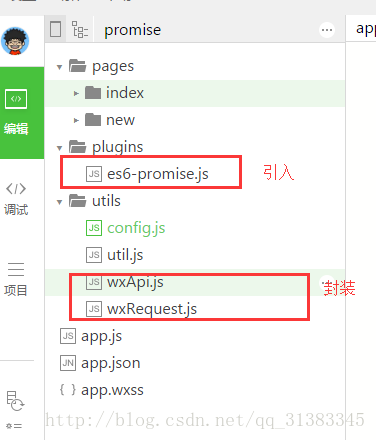
看看目录,引入es6-promise就可以用了.
1.网络请求 wxRequest.js
这里只写了get和post.
我经常会在网络请求的时候用微信原生showToast(),所以最后加了finally,方便hideToast()
var Promise = require('../plugins/es6-promise.js')function wxPromisify(fn) { return function (obj = {}) { return new Promise((resolve, reject) = { obj.success = function (res) { //成功 resolve(res) } obj.fail = function (res) { //失败 reject(res) } fn(obj) }) }}//无论promise对象最后状态如何都会执行Promise.prototype.finally = function (callback) { let P = this.constructor; return this.then( value = P.resolve(callback()).then(() = value), reason = P.resolve(callback()).then(() = { throw reason }) );};/** * 微信请求get方法 * url * data 以对象的格式传入 */function getRequest(url, data) { var getRequest = wxPromisify(wx.request) return getRequest({ url: url, method: 'GET', data: data, header: { 'Content-Type': 'application/json' } })}/** * 微信请求post方法封装 * url * data 以对象的格式传入 */function postRequest(url, data) { var postRequest = wxPromisify(wx.request) return postRequest({ url: url, method: 'POST', data: data, header: { "content-type": "application/x-www-form-urlencoded" }, })}module.exports = { postRequest: postRequest, getRequest: getRequest}2.微信其他API wxApi.js
var Promise = require('../plugins/es6-promise.js')function wxPromisify(fn) { return function (obj = {}) { return new Promise((resolve, reject) = { obj.success = function (res) { //成功 resolve(res) } obj.fail = function (res) { //失败 reject(res) } fn(obj) }) }}//无论promise对象最后状态如何都会执行Promise.prototype.finally = function (callback) { let P = this.constructor; return this.then( value = P.resolve(callback()).then(() = value), reason = P.resolve(callback()).then(() = { throw reason }) );};/** * 微信用户登录,获取code */function wxLogin() { return wxPromisify(wx.login)}/** * 获取微信用户信息 * 注意:须在登录之后调用 */function wxGetUserInfo() { return wxPromisify(wx.getUserInfo)}/** * 获取系统信息 */function wxGetSystemInfo() { return wxPromisify(wx.getSystemInfo)}module.exports = { wxPromisify: wxPromisify, wxLogin: wxLogin, wxGetUserInfo: wxGetUserInfo, wxGetSystemInfo: wxGetSystemInfo}3.用法
promise应用场景很多,下面是promise最基本的用法,在then()中returnpromise对象.
这样有效解决了回调嵌套的问题.让代码看起来更优雅.可读性更高.
var util = require('../../utils/util')var wxApi = require('../../utils/wxApi')var wxRequest = require('../../utils/wxRequest')import config from '../../utils/config'//获取应用实例var app = getApp()Page({ data: { userInfo: {} }, onLoad: function () { var that = this; wx.showToast({ title: '加载中', icon: 'loading', duration: 10000 }) //1.获取code var wxLogin = wxApi.wxLogin() wxLogin().then(res = { console.log('1.成功了') console.log(res.code) var url = config.getOpenidUrl; var params = { appid: "wxed7******2d465", secret: "e9c5e4c******09ecc5ebd811", js_code: res.code, grant_type: "authorization_code" } //2.获取openid return wxRequest.getRequest(url, params) }). then(res = { console.log('2.成功了') console.log(res) var url = app.globalData.ip + config.searchDgUrl var data = util.json2Form({ phoneNumber: '15971908021' }) //3.获取绑定手机号码 return wxRequest.postRequest(url, data) }). then(res = { console.log('3.成功了') console.log(res) //4.获取系统信息 var wxGetSystemInfo = wxApi.wxGetSystemInfo() return wxGetSystemInfo() }). then(res = { console.log('4.成功了') console.log(res) //5.获取用户信息 var wxGetUserInfo = wxApi.wxGetUserInfo() return wxGetUserInfo() }). then(res = { console.log('5.成功了') console.log(res.userInfo) that.setData({ userInfo: res.userInfo }) }) .finally(function (res) { console.log('finally~') wx.hideToast() }) }})代码下载地址
微信小程序开发专栏
我的博客,欢迎交流!










