


最终展示以及相关代码
1.最终效果展示
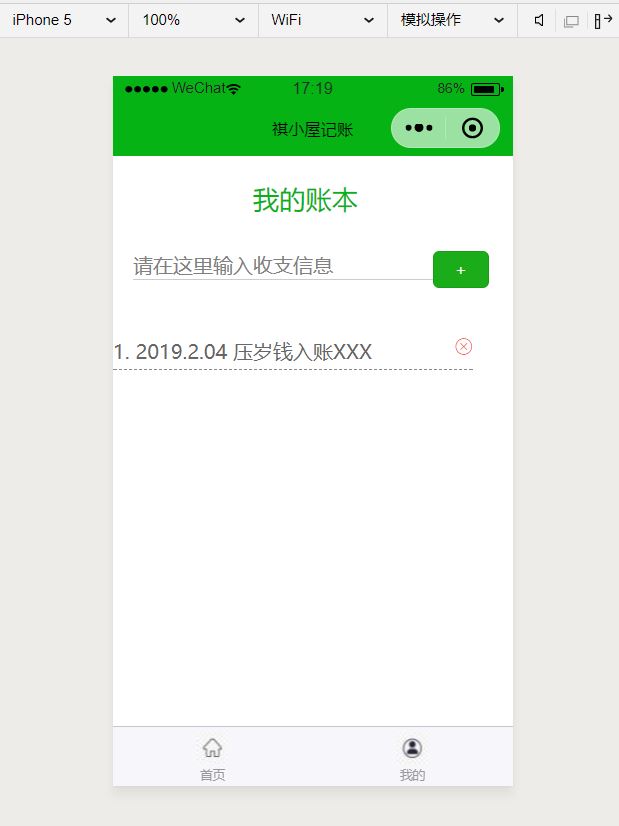
最终效果展示已经根据最初要求使用视频拍摄在抖音上,下面是相关页面展示图片: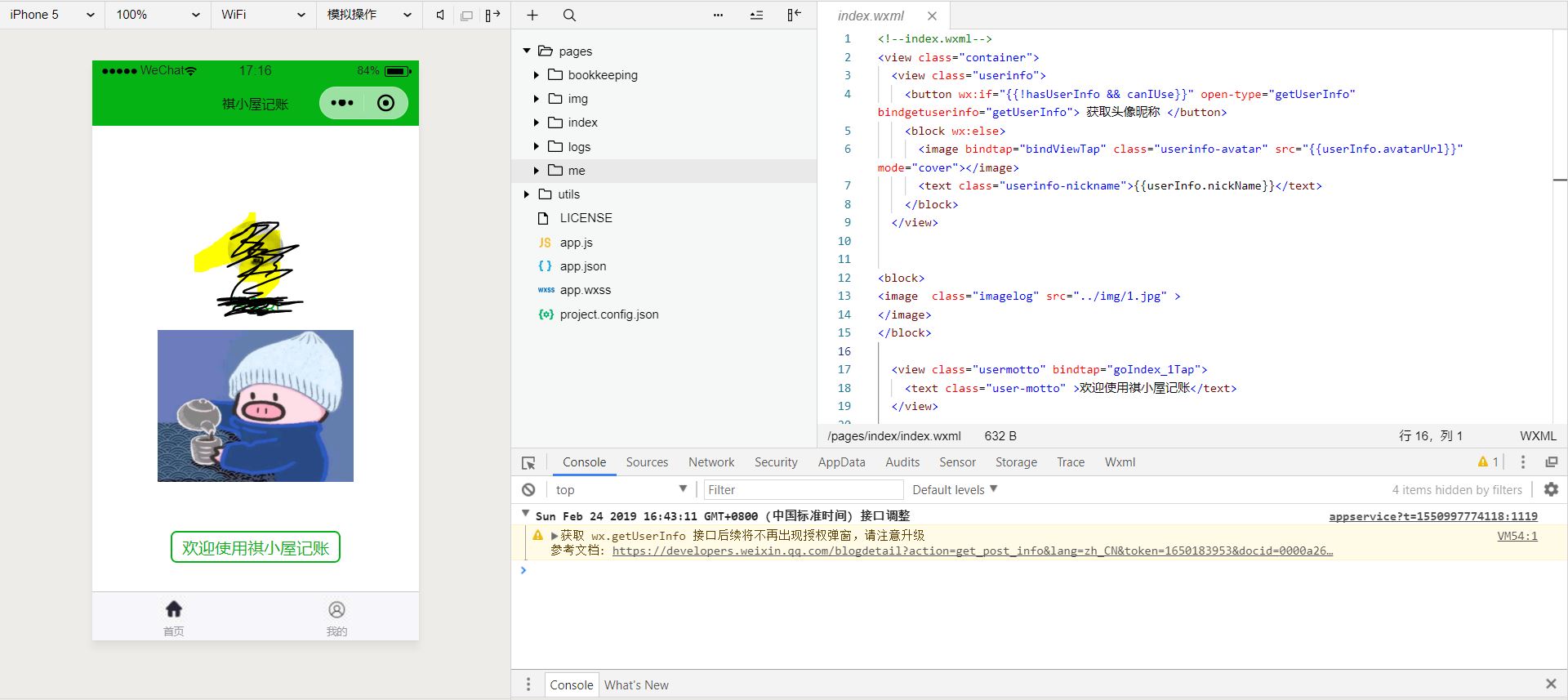
2.相关代码
本次开发主要页面则是首页界面以及记账界面以及实现页面跳转,以及记账内容保存。
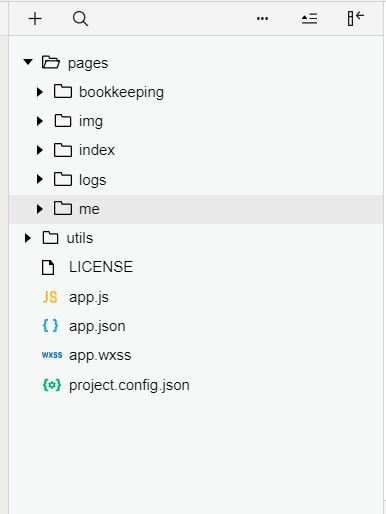
index定义首页界面,部分代码如下:
//index.js//获取应用实例const app = getApp()Page({ data: { userInfo: {}, hasUserInfo: false, canIUse: wx.canIUse('button.open-type.getUserInfo') }, goIndex_1Tap: function (event) { wx.navigateTo({ url: '../bookkeeping/bookkeeping', }) }, //事件处理函数 bindViewTap: function () { wx.navigateTo({ url: '../logs/logs' }) }, onLoad: function () { if (app.globalData.userInfo) { this.setData({ userInfo: app.globalData.userInfo, hasUserInfo: true }) } else if (this.data.canIUse) { // 由于 getUserInfo 是网络请求,可能会在 Page.onLoad 之后才返回 // 所以此处加入 callback 以防止这种情况 app.userInfoReadyCallback = res = { this.setData({ userInfo: res.userInfo, hasUserInfo: true }) } } else { // 在没有 open-type=getUserInfo 版本的兼容处理 wx.getUserInfo({ success: res = { app.globalData.userInfo = res.userInfo this.setData({ userInfo: res.userInfo, hasUserInfo: true }) } }) } }, getUserInfo: function (e) { console.log(e) app.globalData.userInfo = e.detail.userInfo this.setData({ userInfo: e.detail.userInfo, hasUserInfo: true }) }})
!--index.wxml--view class="container" view class="userinfo" button wx:if="{{!hasUserInfo && canIUse}}" open-type="getUserInfo" bindgetuserinfo="getUserInfo" 获取头像昵称 /button block wx:else image bindtap="bindViewTap" class="userinfo-avatar" src="{{userInfo.avatarUrl}}" mode="cover"/image text class="userinfo-nickname"{{userInfo.nickName}}/text /block /view blockimage class="imagelog" src="../img/1.jpg" /image/block view class="usermotto" bindtap="goIndex_1Tap" text class="user-motto" 欢迎使用祺小屋记账/text /view/view
记账界面主要在me文件中,部分代码如下:
//index.js//获取应用实例var app = getApp()function _item() { this.Key = "" this.Title = "" this.Parse = function (e) { return { key: this.Key, data: this.Title } }}var WANT_KEY = "WANT_"Page({ data: { motto: '你想要的都会有', userInfo: {}, items: [], inputTitle: '', }, // 输入的内容 bindInputTitle: function (e) { // console.log(this.data.inputTitle) this.setData({ inputTitle: e.detail.value }) }, deleteIt: function (e) { var index = e.target.id var item = this.data.items[index] wx.removeStorageSync(item.Key) this.data.items.splice(index, 1) this.setData({ items: this.data.items }) }, addWant: function () { console.log('addWant') var item = new _item() item.Key = WANT_KEY + String(Date.now()) item.Title = this.data.inputTitle this.data.items.push(item) this.setData({ items: this.data.items }) wx.setStorage(item.Parse()) this.setData({ inputTitle: "" }) }, onLoad: function () { console.log('onLoad') var that = this //调用应用实例的方法获取全局数据 app.getUserInfo(function (userInfo) { //更新数据 that.setData({ userInfo: userInfo }) }) var res = wx.getStorageInfoSync() var items = [] res.keys.map(function (key) { if (key.indexOf(WANT_KEY) == 0) { var item = new _item() item.Key = key item.Title = wx.getStorageSync(key) items.push(item) } }) this.setData({ items: items }) }})
!--pages/keep/keep.wxml--!--index.wxml--view class="title"我的账本/viewview class="container" view class="pure-g" view class="pure-u-20-24" input bindinput="bindInputTitle" value="{{inputTitle}}" placeholder="请在这里输入收支信息" / /view view class="pure-u-4-24" button type="primary" size="mini" bindtap="addWant" + /button /view /view/viewview class="container" style="align-items:left;" view class="pure-g main-items" scroll-view scroll-y="true" block wx:for="{{items}}" wx:for-item="item" wx:key="items" view class="item" text{{index + 1}}. {{item.Title}}/text icon class="delete" type="cancel" size="15" bindtap="deleteIt" id="{{index}}"/ /view /block /scroll-view /view/view
3.开发想法与实际差距
最初,刚刚开始放寒假时自己对于开发这个东西是怀着十分高兴的心情的,自己也设想了许多功能,但是不知不觉寒假过去了,自己最终做出来的作品只是达到了自己当时最低的要求,寒假被自己荒废了,新学期马上就要开始了,自己不能荒废,要完善自己的小程序至发布。
自己小程序类似于平常家庭记账本,把记账簿变成了手机微信记账簿。
这和自己当初设想有着很大差距,自己想要实现分类回收,数据的加减,总收入支出的计算还有待提升,在新学期里,想要完成相关功能,最好实现相关发布工作。










