实现一个加法计数器(点击加号数字+1)
1.项目结构
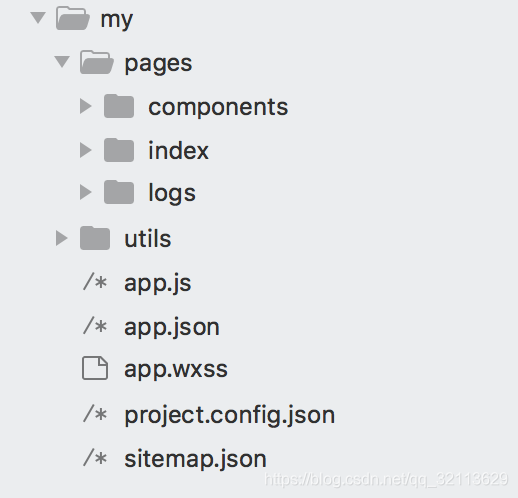
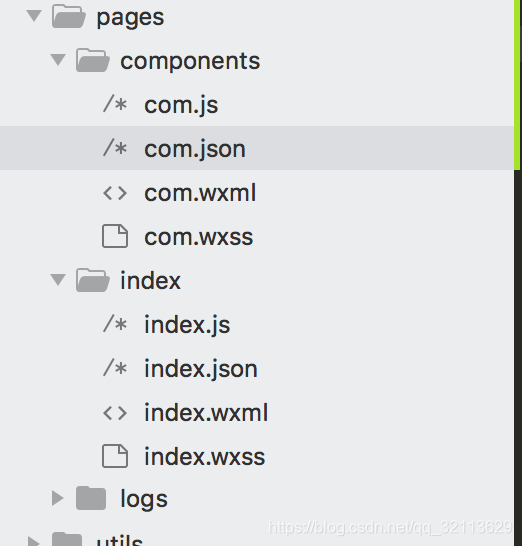
2、页面效果(点击加号 数字加一,max变成99 ),max值为子组件传递过来。
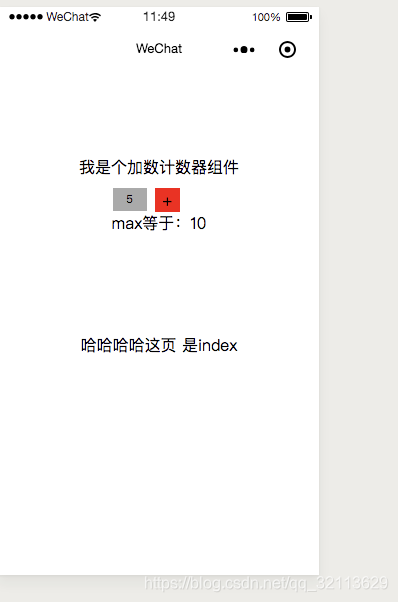
3.组件com代码
wxss:
.quantityViewStyle { display:flex; border:0rpx solid #DADADA; border-radius:6rpx; width: 220rpx;}.minusStyle { height:58rpx; width:60rpx; border-right:0rpx solid #DADADA; display:flex; justify-content:center; align-items:center;}.plusStyle { height:58rpx; width:60rpx; display:flex; justify-content:center; align-items:center; background:red;}.inputViewStyle { height:58rpx; width:100rpx; border-right:0rpx solid #DADADA;}.inputStyle { width:80rpx; height:54rpx; text-align:center; font-size:26rpx; background:#aaa;}wxml:
子组件绑定 点击事件 plus()
view class="quantityViewStyle" view class="inputViewStyle" input class="inputStyle" value="{{num}}" type="number"/ /view view class="plusStyle" bindtap="plus" style="color:{{num==max?'#DADADA':white}}"+/view/viewjson:
{ "component": true}js:
在点击事件 plus()中使用 子传父 唯一方式 this.triggerEvent(’指定事件名'、obj{detail对象},事件选项)
Component({ properties: { // 这里定义了innerText属性,属性值可以在组件使用时指定 num: { type: Number, value: 5, }, max: { type: Number, value: 99 } }, data: { ajaxData:null }, methods: { // 加法 plus() { // 加值小于最大值,才允许加法运算 var num = this.data.num + 1; console.log(this.data.max) if (num = this.data.max) { this.setData({ num: num }) var passIndexData = { ajaxData:this.data.ajaxData,//可以定义在 data里面 num:num, max:this.data.max//也可以定义在properties里(但是得有类型) } this.triggerEvent('custom', passIndexData)//这的custom 要和父组件绑定的事件名相同 } } }})4.父级组件
wxml: 父级向子组件传值如下 在组件标签 定义属性 并且附带参数值
!--index.wxml--view class="container" !-- com 里定义的 num max 是父组件 往 子组件传值 -- text style="margin-bottom:10px;"我是个加数计数器组件/text com bindcustom="onPageInputChange"/// this.triggerEvent('custom', passIndexData) !-- com num="{{indexNum}}" max="{{max}}" bindcustom="onPageInputChange"/ -- view style="margin-top:100px;"哈哈哈哈这页 是index/view/viewjson:
引入某组件,可以为多个
{ "usingComponents": { "com": "../components/com" }}js:
//index.js//获取应用实例const app = getApp()Page({ data: { indexNum:5, max:10,//index页中 设置最大 10 }, onLoad: function () { }, onPageInputChange(e) { // e.detail自组件传过来的值 console.log(e.detail) this.setData({ indexNum: e.detail.num, max:e.detail.max }) } })子组件传递的结果为(console.log(e.detail) ):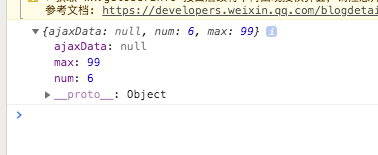
这个是我本人的,前端技术QQ交流群,有不会的问题,可以在在群里面问: