


如图所示:
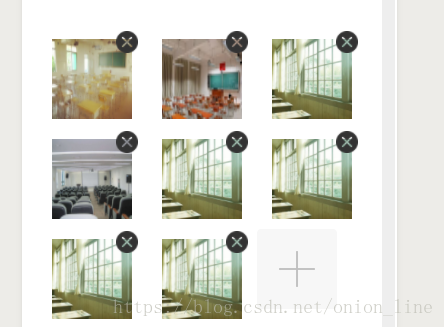
!-- 选择图片 -- view class='up-pic' view class='flex pic-box' block wx:key="imgbox" wx:for="{{imgbox}}" view class='ap-box' view class='add-pic' image class='add-pic' src='{{item}}'/image view class='img-de' data-deindex='{{index}}' bindtap='imgDelete1' image class='img' src='/img/img/icon_close2@2x.png'/image //右上角的删除按钮图片 /view /view /view /block view class='add-pic' bindtap='addPic1' wx:if="{{imgbox.length9}}" image class='img' src='/img/img/add_pic@2x.png'/image //+号图片 /view /view /view/* 上传图片 */.flex{ display: flex;}.up-pic{ /* padding:20rpx 24rpx; */ width: 100%; justify-content: center;}.pic-box{ margin-top:20rpx; flex-flow:wrap; width:95%; }.ap-box{ position: relative;}.add-pic{ width: 160rpx; height: 160rpx; margin-right: 20rpx; position: relative; margin: 20rpx 30rpx 20rpx 30rpx;}/* 删除图片 */.img-de{ width:45rpx; height:45rpx; border-radius:50%; position:absolute; right:-41rpx; top:5rpx;}.hong-contant .teamwork-btn{ width: 360rpx; height: 88rpx; border-radius: 50rpx; color: white; background-color:#14a1fd; margin: 0 auto; margin-top: 80rpx; margin-bottom: 40rpx;} /** * 页面的初始数据 */ data: { imgbox:''//上传图片 }, // 删除照片 && imgDelete1: function (e) { let that = this; let index = e.currentTarget.dataset.deindex; let imgbox = this.data.imgbox; imgbox.splice(index, 1) that.setData({ imgbox: imgbox }); }, // 上传图片 &&& addPic1: function (e) { var imgbox = this.data.imgbox; console.log(imgbox) var picid = e.currentTarget.dataset.pic; console.log(picid) var that = this; var n = 9; if (9 imgbox.length 0) { n = 9 - imgbox.length; } else if (imgbox.length == 9) { n = 1; } wx.chooseImage({ count: n, // 默认9 sizeType: ['original', 'compressed'], // 可以指定是原图还是压缩图,默认二者都有 sourceType: ['album', 'camera'], // 可以指定来源是相册还是相机,默认二者都有 success: function (res) { // console.log(res.tempFilePaths) // 返回选定照片的本地文件路径列表,tempFilePath可以作为img标签的src属性显示图片 var tempFilePaths = res.tempFilePaths if (imgbox.length == 0) { imgbox = tempFilePaths } else if (9 imgbox.length) { imgbox = imgbox.concat(tempFilePaths); } else { imgbox[picid] = tempFilePaths[0]; } that.setData({ imgbox: imgbox }); } }) },









