


wx.createLivePlayerContext(string id, Object this)
创建 live-player 上下文 LivePlayerContext 对象。
参数string id
组件的 id
Object this
在自定义组件下,当前组件实例的this,以操作组件内 组件
返回值
LivePlayerContext
LivePlayerContext
LivePlayerContext 实例,可通过 wx.createLivePlayerContext 获取。
livePlayerContext 通过 id 跟一个 组件绑定,操作对应的 组件。
注:暂只针对国内主体如下类目的小程序开放,需要先通过类目审核,再在小程序管理后台,「开发」-「接口设置」中自助开通该组件权限。
方法
LivePlayerContext.play()
播放
参数Object object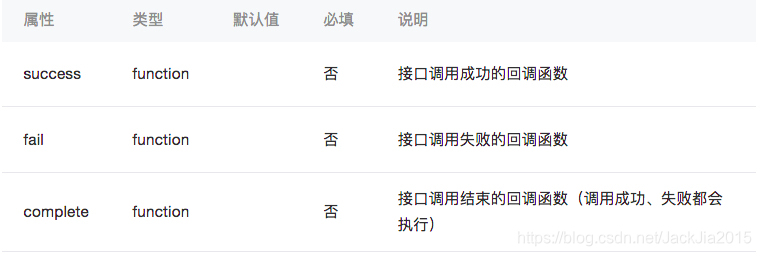
LivePlayerContext.stop()
停止
参数Object object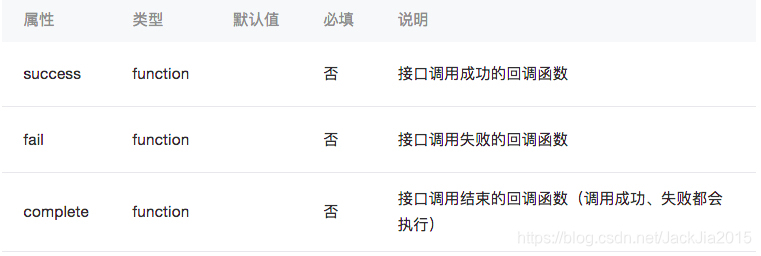
LivePlayerContext.mute()
静音
参数Object object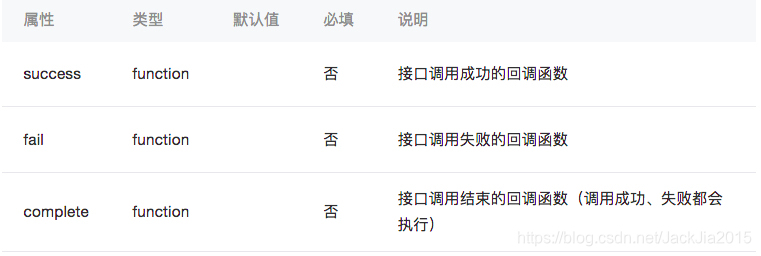
LivePlayerContext.pause()
暂停
参数Object object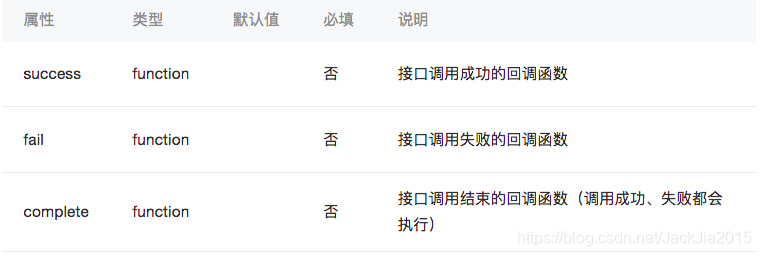
LivePlayerContext.resume()
恢复
参数Object object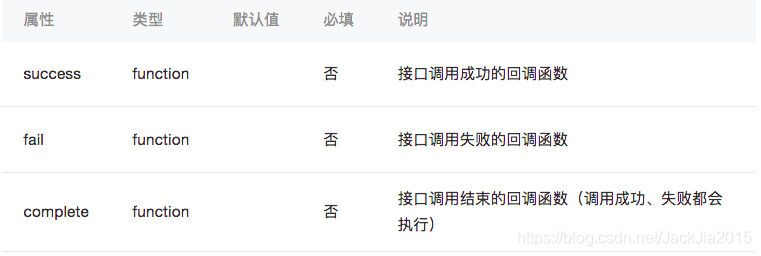
LivePlayerContext.requestFullScreen(Object object)
进入全屏
参数Object object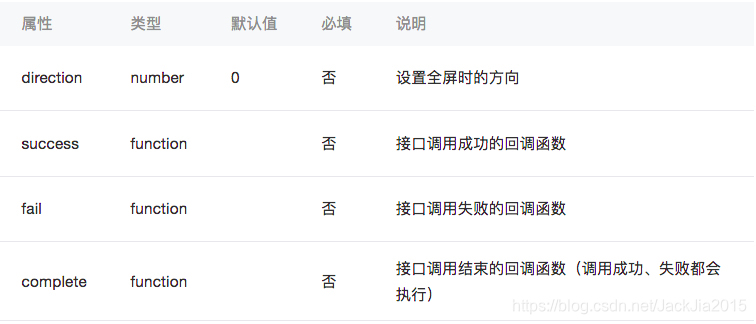
object.direction 的合法值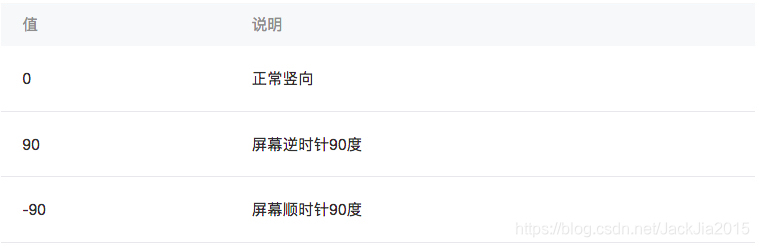
LivePlayerContext.exitFullScreen()
退出全屏
参数Object object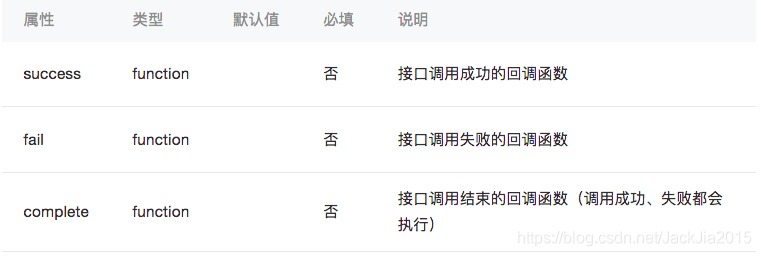
示例代码
index.wxml
!-- 暂只针对国内主体如下类目的小程序开放,需要先通过类目审核,再在小程序管理后台,「开发」-「接口设置」中自助开通该组件权限。 --view class="page-body" view class="page-section tc" live-player id="player" src="https://domain/pull_stream" mode="RTC" autoplay bindstatechange="statechange" binderror="error" / view class="btn-area" button bindtap="bindPlay" class="page-body-button" type="primary"播放/button button bindtap="bindPause" class="page-body-button" type="primary"暂停/button button bindtap="bindStop" class="page-body-button" type="primary"停止/button button bindtap="bindResume" class="page-body-button" type="primary"恢复/button button bindtap="bindMute" class="page-body-button" type="primary"静音/button /view /view/viewindex.wxss
.page-body-button { margin-bottom: 30rpx;}live-player { width: 100%; height: 225px;}index.js
Page({ onReady(res) { this.ctx = wx.createLivePlayerContext('player') }, statechange(e) { console.log('live-player code:', e.detail.code) }, error(e) { console.error('live-player error:', e.detail.errMsg) }, bindPlay() { this.ctx.play({ success: res = { console.log('play success') }, fail: res = { console.log('play fail') } }) }, bindPause() { this.ctx.pause({ success: res = { console.log('pause success') }, fail: res = { console.log('pause fail') } }) }, bindStop() { this.ctx.stop({ success: res = { console.log('stop success') }, fail: res = { console.log('stop fail') } }) }, bindResume() { this.ctx.resume({ success: res = { console.log('resume success') }, fail: res = { console.log('resume fail') } }) }, bindMute() { this.ctx.mute({ success: res = { console.log('mute success') }, fail: res = { console.log('mute fail') } }) }})wx.createLivePusherContext()
创建 live-pusher 上下文 LivePusherContext 对象。
返回值
LivePusherContext
###LivePusherContext
LivePusherContext 实例,可通过 wx.createLivePusherContext 获取。
livePusherContext 与页面内唯一的 组件绑定,操作对应的 组件。
方法
LivePusherContext.start()
播放推流
参数Object object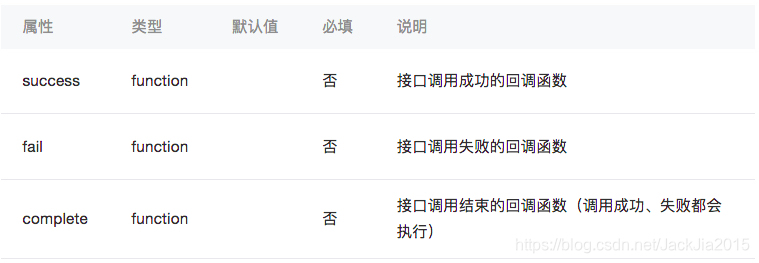
LivePusherContext.stop()
停止推流
参数Object object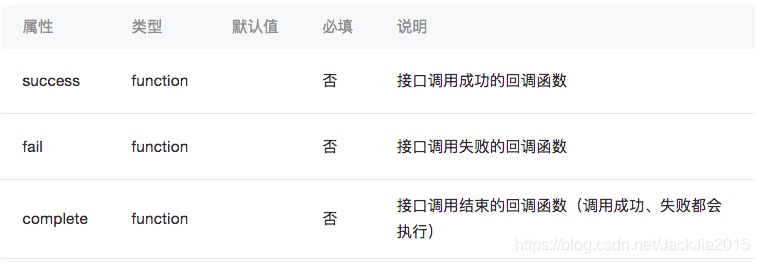
LivePusherContext.pause()
暂停推流
参数Object object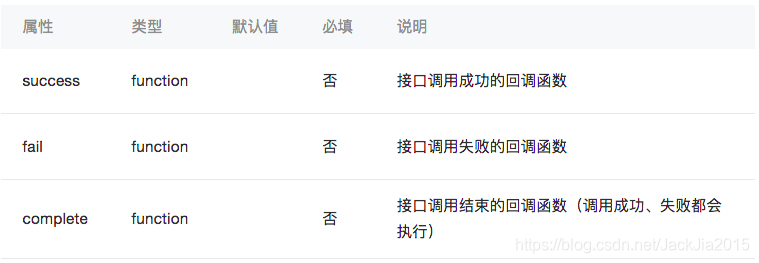
LivePusherContext.resume()
恢复推流
参数Object object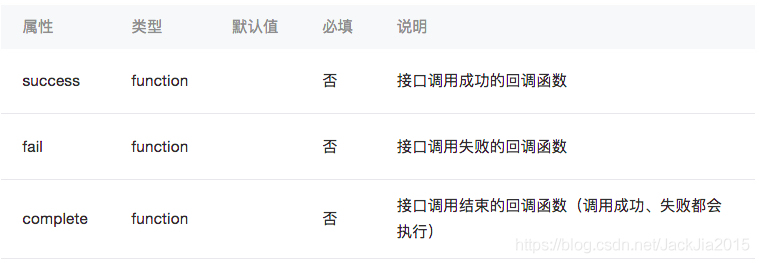
LivePusherContext.switchCamera()
切换前后摄像头
参数Object object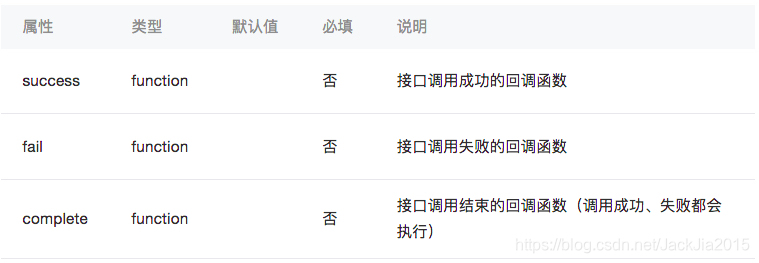
LivePusherContext.snapshot()
快照
参数Object object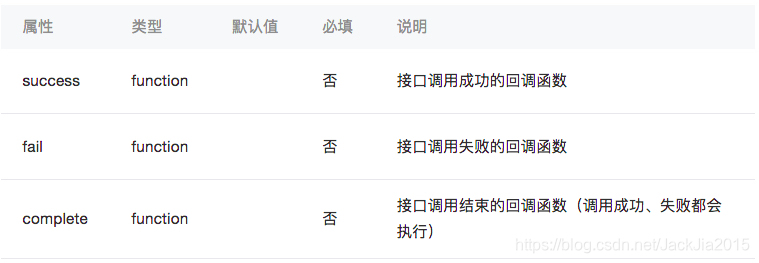
LivePusherContext.toggleTorch()
切换
参数Object object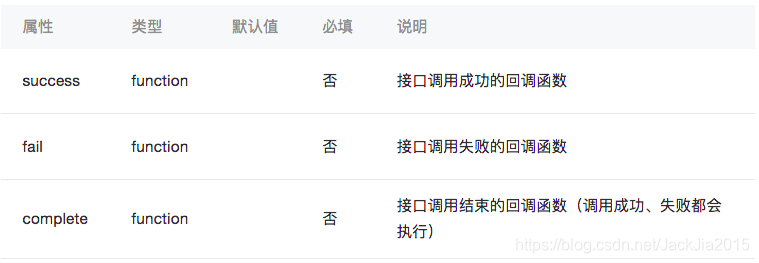
LivePusherContext.playBGM(Object object)
播放背景音
参数Object object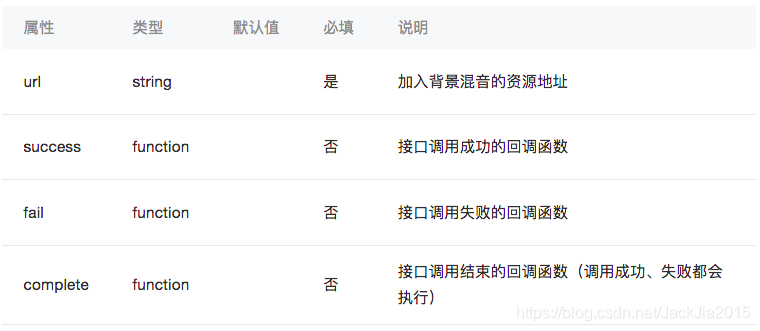
LivePusherContext.stopBGM()
停止背景音
参数Object object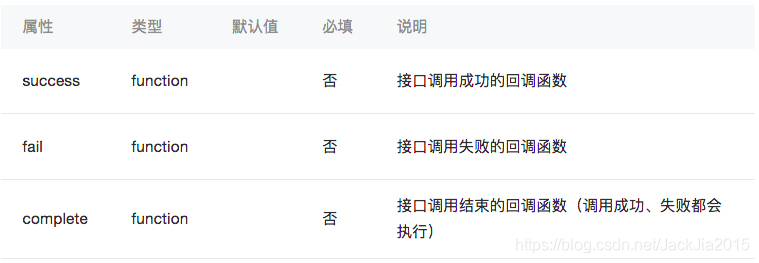
LivePusherContext.pauseBGM()
暂停背景音
参数Object object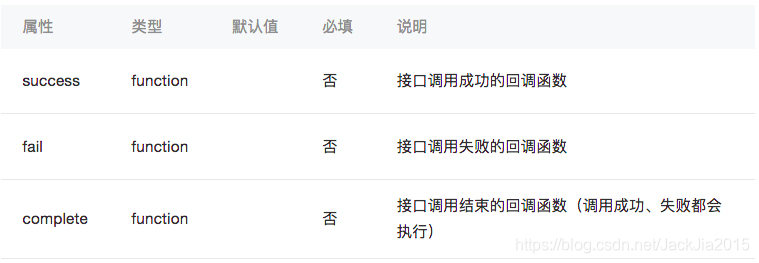
LivePusherContext.resumeBGM()
恢复背景音
参数Object object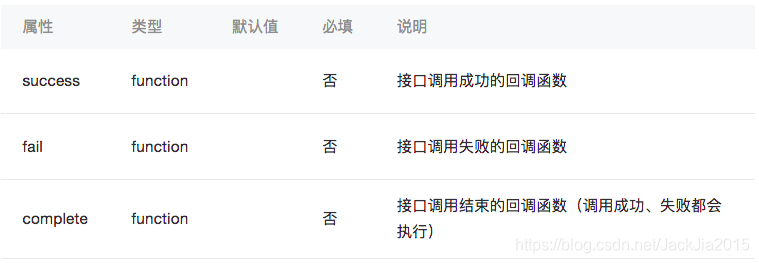
LivePusherContext.setBGMVolume(Object object)
设置背景音音量
参数Object object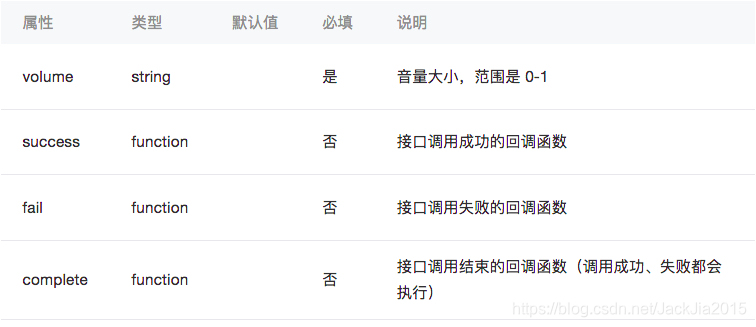
示例代码
index.wxml
view class="page-body" view class="page-section tc" live-pusher id="pusher" url="https://domain/push_stream" mode="RTC" autopush bindstatechange="statechange" / view class="btn-area" button bindtap="bindStart" class="page-body-button" type="primary"播放推流/button button bindtap="bindPause" class="page-body-button" type="primary"暂停推流/button button bindtap="bindStop" class="page-body-button" type="primary"停止推流/button button bindtap="bindResume" class="page-body-button" type="primary"恢复推流/button button bindtap="bindSwitchCamera" class="page-body-button" type="primary"切换前后摄像头/button /view /view/viewindex.wxss
.page-body-button { margin-bottom: 30rpx;}live-pusher { margin: 0 auto; width: 300px; height: 225px;}index.js
Page({ onReady(res) { this.ctx = wx.createLivePusherContext('pusher') }, statechange(e) { console.log('live-pusher code:', e.detail.code) }, bindStart() { this.ctx.start({ success: res = { console.log('start success') }, fail: res = { console.log('start fail') } }) }, bindPause() { this.ctx.pause({ success: res = { console.log('pause success') }, fail: res = { console.log('pause fail') } }) }, bindStop() { this.ctx.stop({ success: res = { console.log('stop success') }, fail: res = { console.log('stop fail') } }) }, bindResume() { this.ctx.resume({ success: res = { console.log('resume success') }, fail: res = { console.log('resume fail') } }) }, bindSwitchCamera() { this.ctx.switchCamera({ success: res = { console.log('switchCamera success') }, fail: res = { console.log('switchCamera fail') } }) }})









