


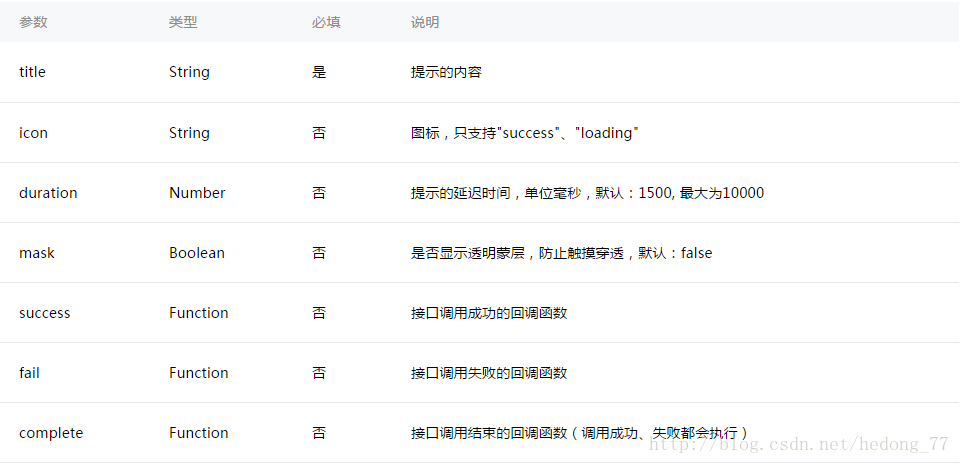
微信小程序中toast消息提示框只有两种显示的效果,就是成功和加载,使用wx.showToast(OBJECT)。
看下有关参数说明:
代码很简单:
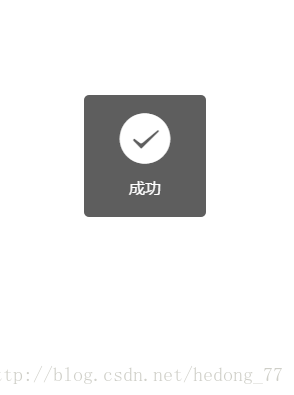
wx.showToast({ title: '成功', icon: 'succes', duration: 1000, mask:true })
mask属性好像并没有起作用。有一点值得注意的是提示的延迟时间是有限制的,最大10000毫秒。
还有一个函数是wx.hideToast(),这个是隐藏toast,主要用于显示加载提示的时候用到,如:
wx.showToast({ title: '加载中', icon: 'loading', duration: 10000})setTimeout(function(){ wx.hideToast()},2000)- 1
- 2
- 3
- 4
- 5
- 6
- 7
- 8
- 9
本来加载时间是10000毫秒的,然后2000毫秒的时候就隐藏了,这个具体情况而定了哈。
第二个弹窗是模态弹窗:wx.showModal(OBJECT)
参数如下:
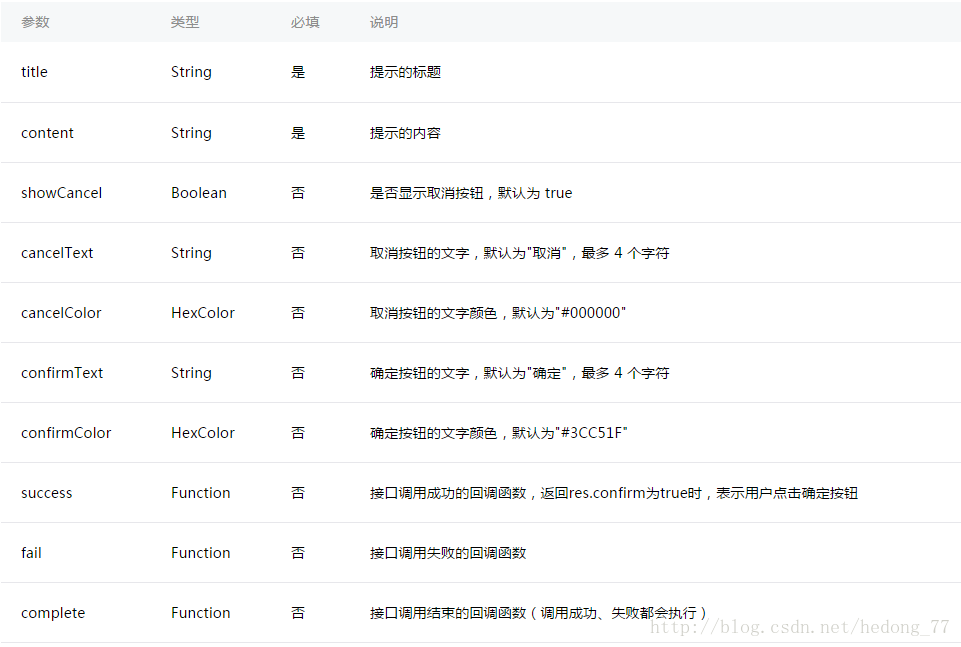
这个跟我们Android里面的Dialog相似,效果如下:
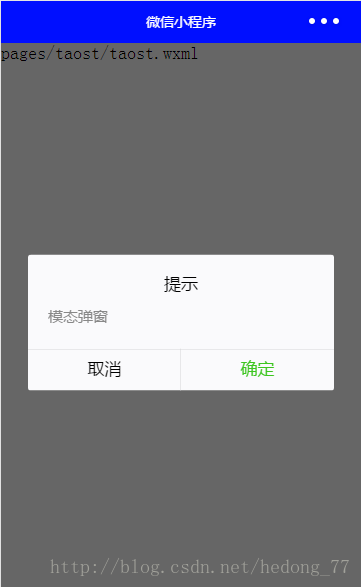
代码如下:
wx.showModal({ title: '提示', content: '模态弹窗', success: function (res) { if (res.confirm) { console.log('用户点击确定') }else{ console.log('用户点击取消') } } })最后一个是操作菜单:wx.showActionSheet(OBJECT)
这个函数我们在上一篇博文用过,这里说一下也无妨。先看一下参数介绍:
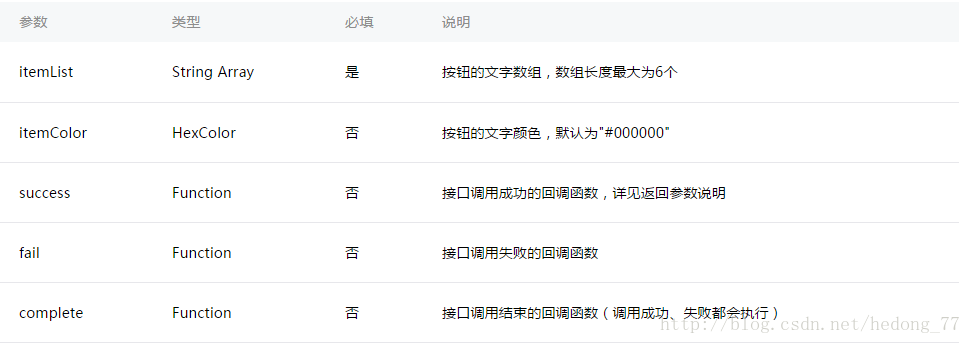
success有一个返回参数:

这里直接贴官方实例了:
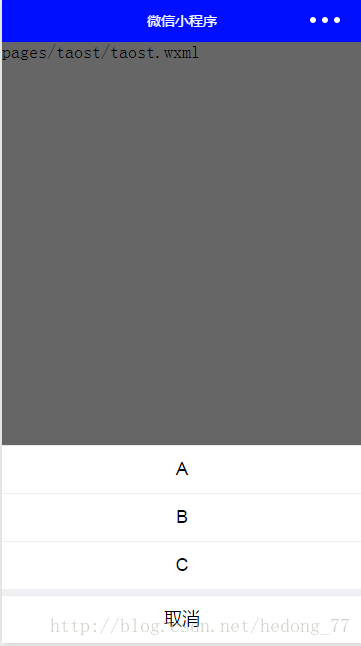
wx.showActionSheet({ itemList: ['A', 'B', 'C'], success: function(res) { console.log(res.tapIndex) }, fail: function(res) { console.log(res.errMsg) }})效果图:
这里有个小问题,弹出showActionSheet之后,点击取消或者阴影处,会执行完fail之后,继续执行success函数,当然了,这里肯定有办法解决的,success其实有两个返回参数,除了tapIndex之外,还有一个就是cancle,cancle就是是否取消,返回一个boolean,在弹出这个框之后在success里面做个判断,if (!res.cancel) {做不取消的操作就行了}。当然了,你也可以自己来定义。下面看个自定义弹窗的:
wxml:
view class="commodity_screen" bindtap="hideModal" wx:if="{{showModalStatus}}"/view view animation="{{animationData}}" class="commodity_attr_box" wx:if="{{showModalStatus}}" bindtap="navigate" text class="title"{{title}}/text /viewcss:
.commodity_screen { width: 100%; height: 100%; position: fixed; top: 0; left: 0; background: #000; opacity: 0.2; overflow: hidden; z-index: 1000; color: #fff;}.commodity_attr_box { width: 100%; overflow: hidden; position: fixed; bottom: 0; left: 0; z-index: 2000; height: 60px; background: #fff;}.title { height: 100%; width: 100%; position: fixed; text-align: center; margin-top: 20px; margin-bottom: 20px;}js:
showView() { // 显示遮罩层 var animation = wx.createAnimation({ duration: 200, timingFunction: "linear", delay: 0 }) this.animation = animation animation.translateY(300).step() this.setData({ animationData: animation.export(), showModalStatus: true }) setTimeout(function () { animation.translateY(0).step() this.setData({ animationData: animation.export() }) }.bind(this), 200) }, hideModal: function () { this.hideView(); }, hideView() { // 隐藏遮罩层 var animation = wx.createAnimation({ duration: 200, timingFunction: "linear", delay: 0 }) this.animation = animation animation.translateY(300).step() this.setData({ animationData: animation.export(), }) setTimeout(function () { animation.translateY(0).step() this.setData({ animationData: animation.export(), showModalStatus: false }) }.bind(this), 200) }启用动画来做,效果杠杠的,自己动手来试试。
也可以使用action-sheet来布局,如下:
action-sheet hidden="{{actionSheetHidden}}" bindchange="actionSheetChange" block wx:for-items="{{actionSheetItems}}" action-sheet-item class="item" bindtap="bind{{item}}"{{item}}/action-sheet-item /block action-sheet-cancel class="cancel"取消/action-sheet-cancel/action-sheetPage({data: { actionSheetHidden: true, actionSheetItems: items }, actionSheetTap: function(e) { this.setData({ actionSheetHidden: !this.data.actionSheetHidden }) }, actionSheetChange: function(e) { this.setData({ actionSheetHidden: !this.data.actionSheetHidden }) }}})--------------------- 本文来自 何东_hd 的CSDN 博客 ,全文地址请点击:https://blog.csdn.net/hedong_77/article/details/54948537?utm_source=copy













