


本文章介绍微信小程序调用高德地图API的过程,使用高德定位功能做演示。微信小程序目前支持百度地图、高德地图、腾讯地图。用法可以说是基本完全一样,本文章以高德为例,简单说一下他们的区别,高德地图精度应该是最准确的,毕竟本来就是做地图出生的。百度地图的精度目前较高德而言,还是要稍稍欠缺一点,但是他的附近商家那些要比高德好一点。而关于腾讯地图,暂时来说还是只能表示呵呵,希望越来越好吧。
1.既然本章是介绍微信小程序如何使用高德地图API,那么第一件事肯定是进入高德地图开放平台(https://lbs.amap.com/)。此处需要注册,登录。
2.完成登陆后,进入控制台,在左边侧边栏里点击 应用管理-我的应用- 创建新应用,会生成一个key,这个key在后面将会用到。记住绑定服务选择 微信小程序
3.登录微信开发者平台,在服务器域名设置里将高德地图的域名设置好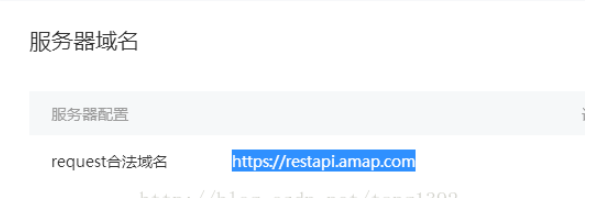
4.在你的项目中新建一个目录libs,将amap-wx.js文件放入此目录里(amap-wx.js下载地址:https://lbs.amap.com/api/wx/download,解压出来会有两个文件,此处只需要一个),结果如下: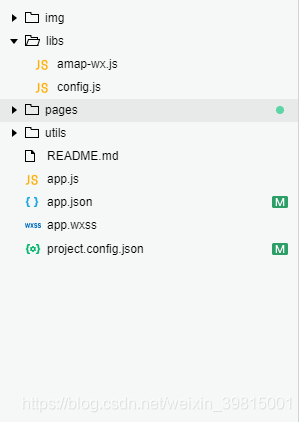
5.在libs目录下创建配置文件config.js,写入第二步获取的key,例如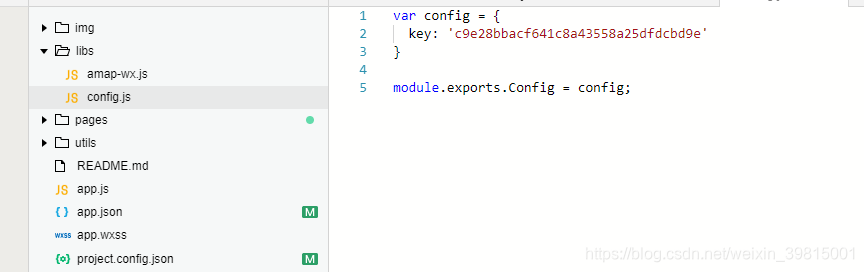
高德api配置到这儿就结束了,以下是我调用高德实现定位的demo
JS部分:
var amapFile = require('../../libs/amap-wx.js'); //引入高德jsvar config = require('../../libs/config.js'); //引用我们的配置文件Page({ data: { markers: [], latitude: '', longitude: '', textData: {} }, onLoad: function () { var that = this; var key = config.Config.key; var myAmapFun = new amapFile.AMapWX({ key: key }); myAmapFun.getRegeo({ iconPath: "../../img/marker.png", iconWidth: 22, iconHeight: 32, success: function (data) { console.log(data); var marker = [{ id: data[0].id, latitude: data[0].latitude, longitude: data[0].longitude, iconPath: data[0].iconPath, width: data[0].width, height: data[0].height }] that.setData({ markers: marker }); that.setData({ latitude: data[0].latitude }); that.setData({ longitude: data[0].longitude }); that.setData({ textData: { name: data[0].name, desc: data[0].desc } }) }, fail: function (info) { // wx.showModal({title:info.errMsg}) } }) }})WXML部分:
view class="map_container" map class="map" id="map" longitude="{{longitude}}" latitude="{{latitude}}" scale="16" markers="{{markers}}"/map /viewview class="map_text" text class="h1"{{textData.name}}/text text{{textData.desc}}/text/viewWXSS部分:
.map_container{ position: absolute; top: 0; bottom: 80px; left: 0; right: 0;}.map{ width: 100%; height: 100%;}.map_text{ position: absolute; left: 0; right: 0; bottom: 0px; height: 80px; background: #fff; padding: 0 15px;}text{ margin: 5px 0; display: block; font-size:12px;}.h1{ margin: 15px 0; font-size:15px;}此页面大概长这样: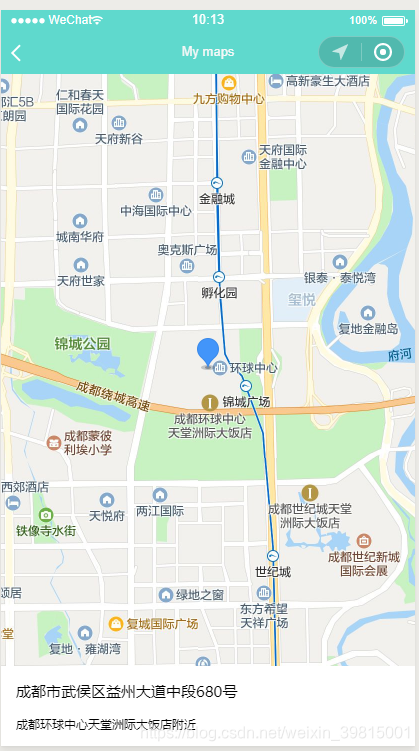
PS:
高德地图官方开发指南地址 https://lbs.amap.com/api/wx/guide/create-project/config-project
我的小程序demo地址 https://github.com/Yxiaogg/vioShop(star star star)










