


此博客主要针对于小程序api中的
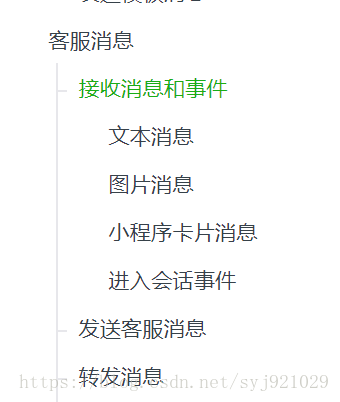
客服消息以及转发消息,此处转发消息指的是转发给小程序的人工网页客服。
因为小程序api中讲解比较少,把我的爬坑之路写出来供大家参考一下。
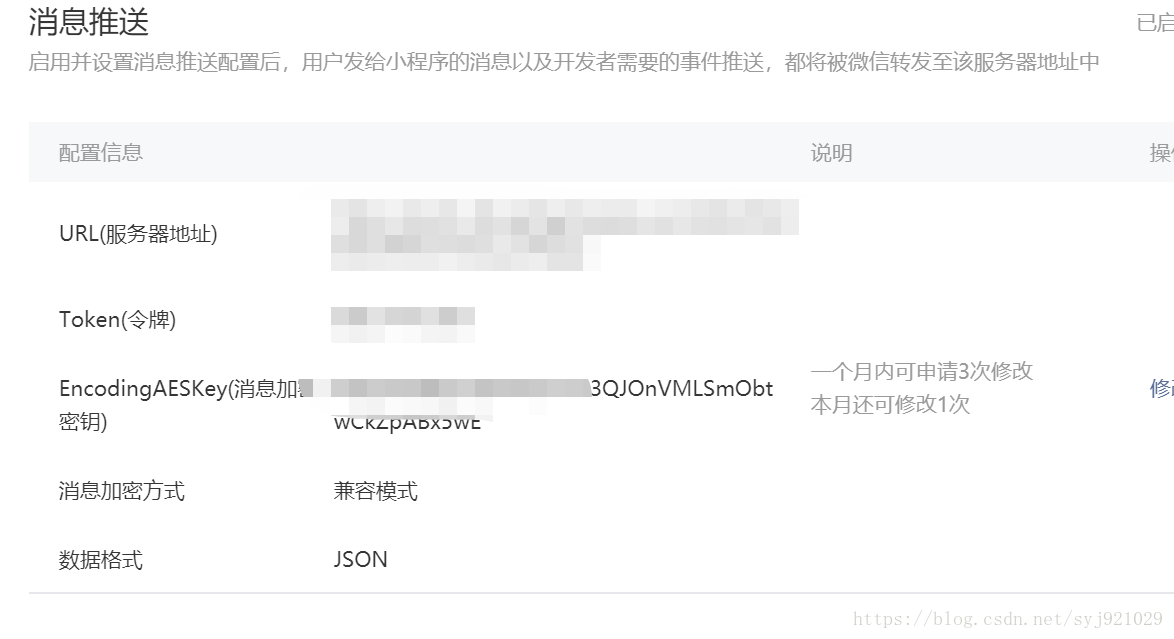
首先要开启消息配送,配置的时候出现了校验失败的问题:

这个原因是你后台必须要设置 token,保证存入的url的get请求能校验成功,就是先设置后台,在设置token
@GetMapping("/wx")public @ResponseBody String weixinProcessGetMethod(HttpServletRequest request, HttpServletResponse response) throws IOException { // 微信加密签名 String signature = request.getParameter("signature"); // 时间戳 String timestamp = request.getParameter("timestamp"); // 随机数 String nonce = request.getParameter("nonce"); // 随机字符串 String echostr = request.getParameter("echostr"); // 通过检验signature对请求进行校验,若校验成功则原样返回echostr,表示接入成功,否则接入失败 if (SignUtil.checkSignature(signature, timestamp, nonce)) { log.info("get"+ echostr); return echostr; } log.info("get NULL"); return null;}然后SignUtil:
public class SignUtil { // 与接口配置信息中的Token要一致 private static String token = "xxxx"; /** * 验证签名 * @ sc * @param signature * @param timestamp * @param nonce * @return */ public static boolean checkSignature(String signature, String timestamp, String nonce) { String[] arr = new String[] { token, timestamp, nonce }; // 将token、timestamp、nonce三个参数进行字典序排序 Arrays.sort(arr); StringBuilder content = new StringBuilder(); for (int i = 0; i arr.length; i++) { content.append(arr[i]); } MessageDigest md = null; String tmpStr = null; try { md = MessageDigest.getInstance("SHA-1"); // 将三个参数字符串拼接成一个字符串进行sha1加密 byte[] digest = md.digest(content.toString().getBytes()); tmpStr = byteToStr(digest); } catch (NoSuchAlgorithmException e) { e.printStackTrace(); } content = null; // 将sha1加密后的字符串可与signature对比,标识该请求来源于微信 return tmpStr != null ? tmpStr.equals(signature.toUpperCase()) : false; } /** * 将字节数组转换为十六进制字符串 * * @param byteArray * @return */ private static String byteToStr(byte[] byteArray) { String strDigest = ""; for (int i = 0; i byteArray.length; i++) { strDigest += byteToHexStr(byteArray[i]); } return strDigest; } /** * 将字节转换为十六进制字符串 * * @param mByte * @return */ private static String byteToHexStr(byte mByte) { char[] Digit = { '0', '1', '2', '3', '4', '5', '6', '7', '8', '9', 'A', 'B', 'C', 'D', 'E', 'F' }; char[] tempArr = new char[2]; tempArr[0] = Digit[(mByte 4) & 0X0F]; tempArr[1] = Digit[mByte & 0X0F]; String s = new String(tempArr); return s; }}到此这个问题就解决了。
然后是post请求处理消息的方法
@PostMapping("/wx")@ResponseBodypublic String weixinProcessPostMethod(HttpServletRequest request, HttpServletResponse response) throws IOException { // 将请求、响应的编码均设置为UTF-8(防止中文乱码) response.setCharacterEncoding("UTF-8"); HashMapString, Object resultMap = new HashMap(); try { ServletInputStream stream = request.getInputStream(); BufferedReader reader = new BufferedReader(new InputStreamReader(stream)); StringBuffer buffer = new StringBuffer(); String line = new String(""); while((line = reader.readLine()) != null){ buffer.append(line); } JSONObject jsonObject = JSONObject.parseObject(buffer.toString()); System.out.println(jsonObject); //resultMap.put("ToUserName",jsonObject.getString("ToUserName")); //resultMap.put("FromUserName","S______A"); //resultMap.put("CreateTime", (new Date()).getTime()); // resultMap.put("MsgType","transfer_customer_service"); //String json = JSON.toJSONString(resultMap); //JSONObject result = JSONObject.parseObject(json); if (jsonObject.getString("MsgType").equals("text")) { //收到的是文本消息 //也回复一个文本消息 log.info("POST" + jsonObject); WXMsgResponseUtil.sendCustomerMessage(jsonObject.getString("FromUserName")); return "success"; } else if(jsonObject.getString("MsgType").equals("event")){ WXMsgResponseUtil.sendFirstMessage(jsonObject.getString("FromUserName")); return "success"; } else { //那就是图片的消息了 //也回复一个图片消息 WXMsgResponseUtil.sendCustomerImageMessage(jsonObject.getString("FromUserName"), jsonObject.getString("MediaId")); return "success"; } } catch (Exception e) { e.printStackTrace(); } return null;}此处注意收到请求给微信回复“success”,不然微信即使能正常回复,也会报小程序异常的错误。
之后是回复sendCustomerMessage方法。
public static JSONObject sendCustomerMessage(String touser){ JSONObject obj = new JSONObject(); obj.put("touser", touser); obj.put("msgtype", "text"); JSONObject text = new JSONObject(); text.put("content", RES_RESULT); obj.put("text", text); log.info("回复的文本:"+obj.toString()); JSONObject jsonObject = HttpUtil.httpsRequest(obj); log.info("回复jsonObject:"+jsonObject); return jsonObject;}HttpUtil就是把发请求后微信后台处理下发消息给用户。
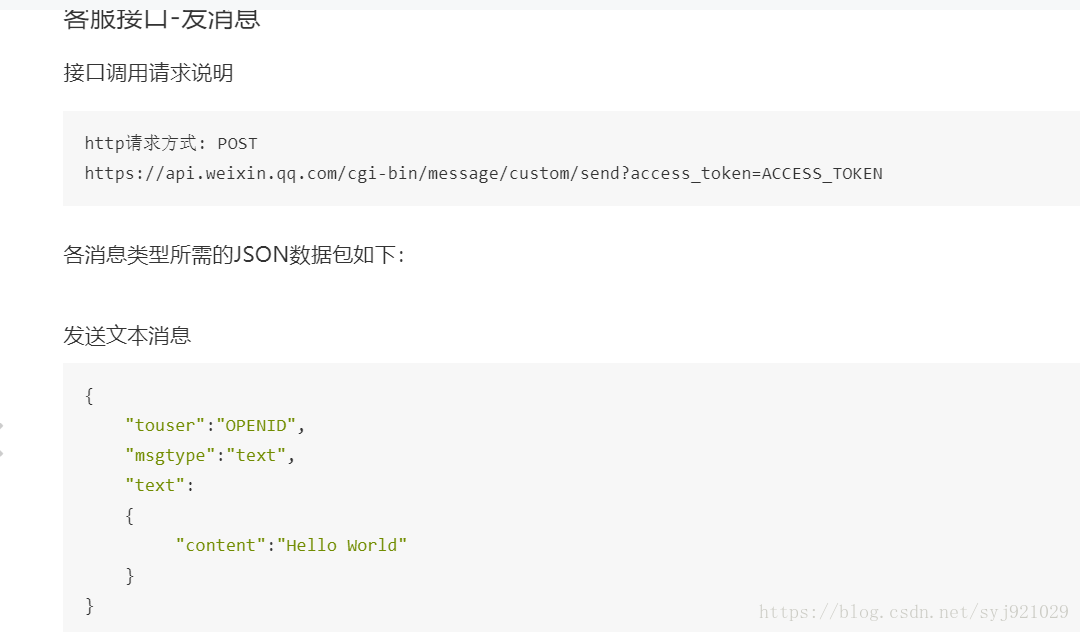
此处post请求的几个参数都比较明显,access_token一开始我以为是之前设置的Token,
讲过无数次的token验证失败之后,我才意识到这个token是要自己去获取的。
也就是说,要下发,首先是要取得 access_token,这个token是根据appId和appSercet来获取的。
请求如下,此处返回的就是我们要的 access_token:
public static String getAccess_token(String url) { String accessToken = null; try { URL urlGet = new URL(url); HttpURLConnection http = (HttpURLConnection) urlGet .openConnection(); http.setRequestMethod("GET"); // 必须是get方式请求 http.setRequestProperty("Content-Type", "application/x-www-form-urlencoded"); http.setDoOutput(true); http.setDoInput(true); System.setProperty("sun.net.client.defaultConnectTimeout", "30000");// 连接超时30秒 System.setProperty("sun.net.client.defaultReadTimeout", "30000"); // 读取超时30秒 http.connect(); InputStream is = http.getInputStream(); int size = is.available(); byte[] jsonBytes = new byte[size]; is.read(jsonBytes); accessToken = new String(jsonBytes, "UTF-8"); System.out.println(accessToken); is.close(); } catch (Exception e) { e.printStackTrace(); } JSONObject result = JSONObject.parseObject(accessToken); MapString,String map = JSONObject.toJavaObject(result, Map.class); System.out.println(map.get("access_token")); return map.get("access_token");}有了这个就可以完成下发消息的代码:
public static JSONObject httpsRequest(JSONObject jsonParam){ String aToken = HttpUtil.getAccess_token("https://api.weixin.qq.com/cgi-bin/token?grant_type=client_credential&appid="+APPID+"&secret="+APPSECRET); StringBuffer sb=new StringBuffer(); try { ; // 创建url资源 URL url = new URL(RES_URL + aToken); // 建立http连接 HttpURLConnection conn = (HttpURLConnection) url.openConnection(); // 设置允许输出 conn.setDoOutput(true); // 设置允许输入 conn.setDoInput(true); // 设置不用缓存 conn.setUseCaches(false); // 设置传递方式 conn.setRequestMethod("POST"); // 设置维持长连接 conn.setRequestProperty("Connection", "Keep-Alive"); // 设置文件字符集: conn.setRequestProperty("Charset", "UTF-8"); // 转换为字节数组 byte[] data = (jsonParam.toString()).getBytes(); // 设置文件长度 conn.setRequestProperty("Content-Length", String.valueOf(data.length)); // 设置文件类型: conn.setRequestProperty("contentType", "application/json"); // 开始连接请求 conn.connect(); OutputStream out = new DataOutputStream(conn.getOutputStream()) ; // 写入请求的字符串 out.write((jsonParam.toString()).getBytes()); out.flush(); out.close(); System.out.println(conn.getResponseCode()); // 请求返回的状态 if (HttpURLConnection.HTTP_OK == conn.getResponseCode()){ System.out.println("连接成功"); // 请求返回的数据 InputStream in1 = conn.getInputStream(); try { String readLine=new String(); BufferedReader responseReader=new BufferedReader(new InputStreamReader(in1,"UTF-8")); while((readLine=responseReader.readLine())!=null){ sb.append(readLine).append(""); } responseReader.close(); System.out.println(sb.toString()); } catch (Exception e1) { e1.printStackTrace(); log.info("error1++" + e1); } } else { System.out.println("error++"); log.info("error++"); } } catch (Exception e) { log.info("error3++" + e); } log.info(sb+"sb"); return JSONObject.parseObject(sb.toString());}到这里就可以成功回复客服消息了。
下一步就是根据回复人工客服转发消息至网页客服的实现:
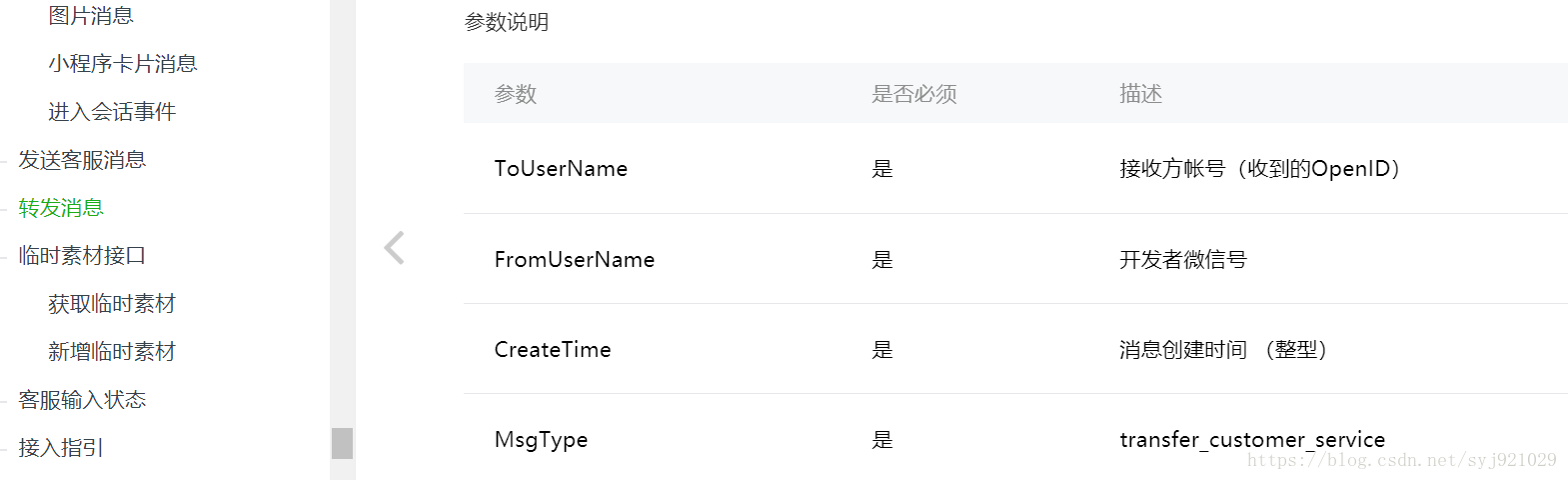
这个参数里面的FromUserName,开发者微信号???这是个啥???
经过多次尝试之后才发现这里要用小程序的原始Id,注意是原始Id,原始Id,原始Id。重要的事情说三遍!!!
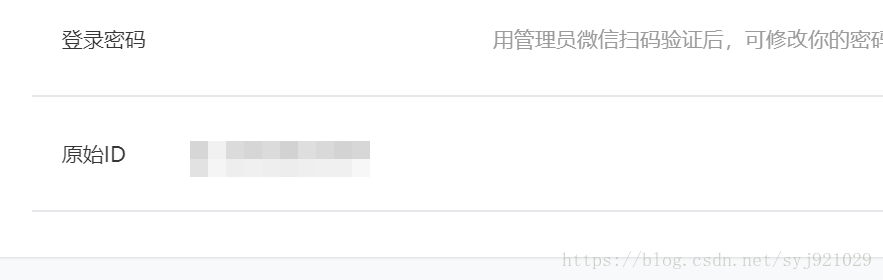
还有第三个参数创建时间注意是用微信传过来的时间!!!不然会报错。。。
代码:
if (jsonObject.getString("MsgType").equals("text")) { //收到的是文本消息 //回复转人工服务 if("人工服务".equals(jsonObject.getString("Content"))){ HashMapString, Object resultMap = new HashMap(); resultMap.put("ToUserName",jsonObject.getString("FromUserName")); resultMap.put("FromUserName",jsonObject.getString("ToUserName")); resultMap.put("CreateTime", Long.parseLong(jsonObject.getString("CreateTime"))); resultMap.put("MsgType","transfer_customer_service"); String json = JSON.toJSONString(resultMap); JSONObject result = JSONObject.parseObject(json); log.info("POST result" + result); return result.toString(); } //也回复一个文本消息 log.info("POST" + jsonObject); WXMsgResponseUtil.sendCustomerMessage(jsonObject.getString("FromUserName")); return "success";好了,这些就是我遇到的坑,到此,回复客服消息以及转发消息的功能就实现了。之后我会把代码上传码云分享一下,或者大家直接加我好友跟我要就好了。。。










