建行APP首页有个圆形菜单.仿了个玩具出来. 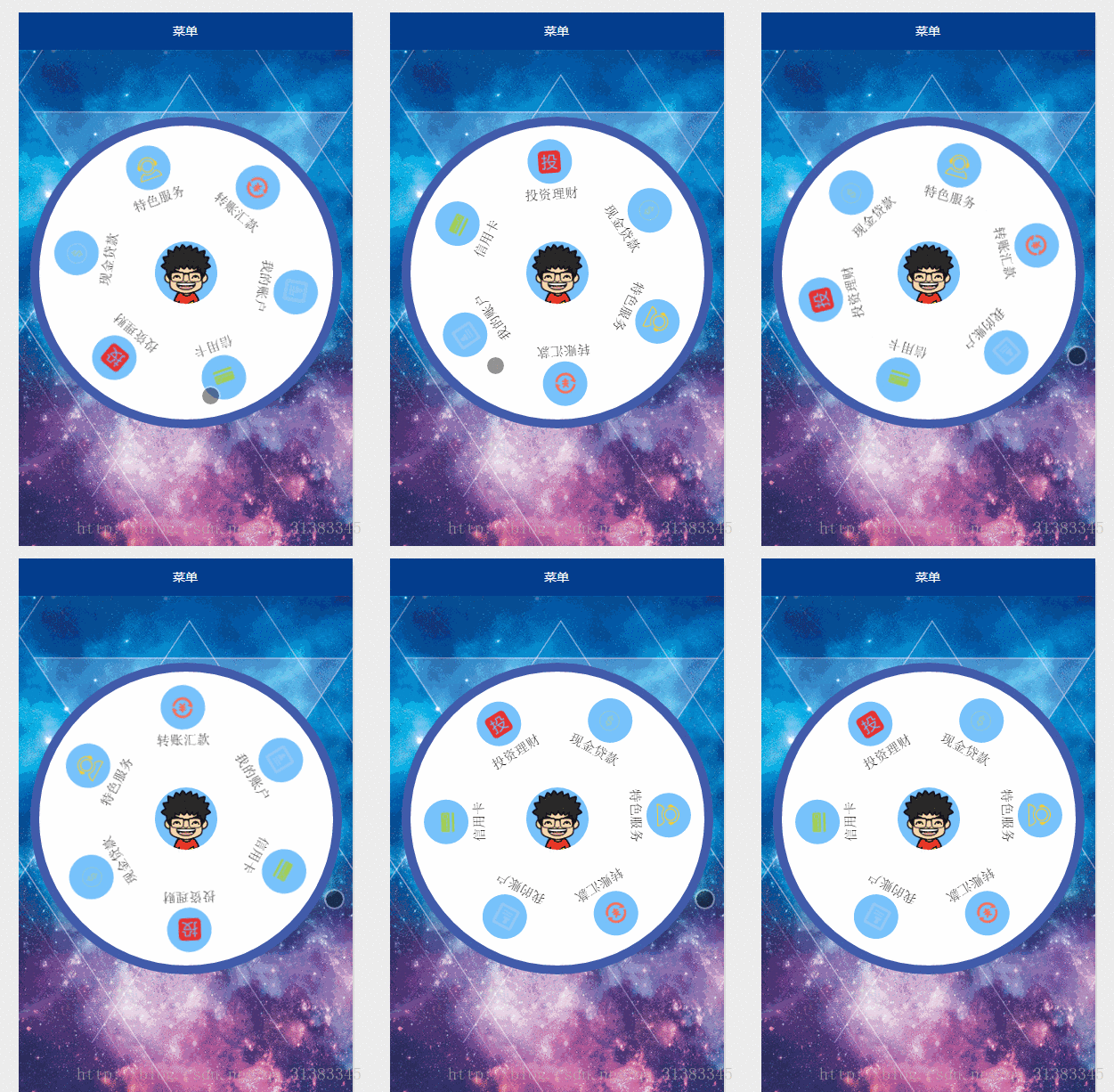
功能介绍:
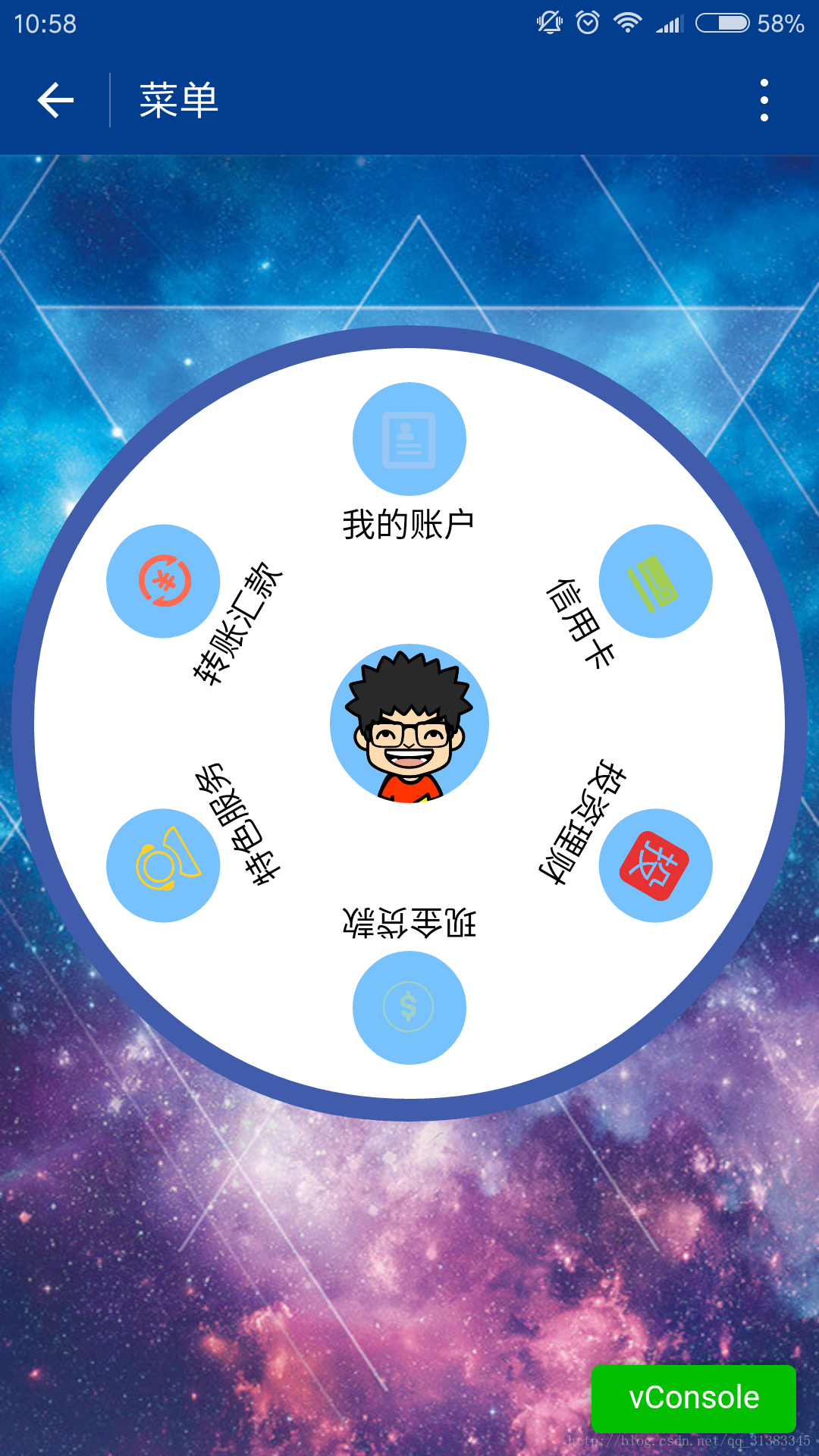
1.一个圆形背景.六个item菜单.中间是微信用户的头像;
2.触摸滚动.速度较小时,随手指滚动,手指抬起,滚动停止;速度较大时,随手指滚动,手指抬起,还会自动滚动一段时间;
CSDN微信小程序开发-专栏,欢迎关注!
相关技术:
1.微信小程序开发之大转盘 仿天猫超市抽奖
2.微信小程序之仿微信漂流瓶
3.微信小程序开发之视频播放器 Video 弹幕 弹幕颜色自定义
4.微信小程序开发之录音机 音频播放 动画 (真机可用)
5.微信小程序开发之麦克风动画 帧动画 放大 淡出
上一张真机截图:
上代码:
1.index.js
var app = getApp()Page({ data: { userInfo: {}, menuList: {},//菜单集合 animationData: {}, startPoint: {},//触摸开始 dotPoint: {},//圆点坐标 startAngle: 0,//开始角度 tempAngle: 0,//移动角度 downTime: 0,//按下时间 upTime: 0,//抬起时间 // isRunning: false,//正在滚动 }, onLoad: function () { var that = this //调用应用实例的方法获取全局数据 app.getUserInfo(function (userInfo) { //更新数据 that.setData({ userInfo: userInfo, }) }) wx.getSystemInfo({ success: function (res) { var windowWidth = res.windowWidth * 0.5; that.setData({ //圆点坐标,x为屏幕一半,y为半径与margin-top之和,px //后面获取的触摸坐标是px,所以这里直接用px. dotPoint: { clientX: windowWidth, clientY: 250 } }) } }) }, onReady: function (e) { var that = this; app.menuConfig = { menu: [ { 'index': 0, 'menu': '我的账户', 'src': '../images/account.png' }, { 'index': 1, 'menu': '信用卡', 'src': '../images/card.png' }, { 'index': 2, 'menu': '投资理财', 'src': '../images/investment.png' }, { 'index': 3, 'menu': '现金贷款', 'src': '../images/loan.png' }, { 'index': 4, 'menu': '特色服务', 'src': '../images/service.png' }, { 'index': 5, 'menu': '转账汇款', 'src': '../images/transfer.png' } ] } // 绘制转盘 var menuConfig = app.menuConfig.menu, len = menuConfig.length, menuList = [], degNum = 360 / len // 文字旋转 turn 值 for (var i = 0; i len; i++) { menuList.push({ deg: i * degNum, menu: menuConfig[i].menu, src: menuConfig[i].src }); console.log("menu:" + menuConfig[i].menu) } that.setData({ menuList: menuList }); }, // 菜单拖动的三个方法 buttonStart: function (e) { this.setData({ startPoint: e.touches[0] }) var x = this.data.startPoint.clientX - this.data.dotPoint.clientX; var y = this.data.startPoint.clientY - this.data.dotPoint.clientY; var startAngle = Math.asin(y / Math.hypot(x, y)) * 180 / Math.PI; this.setData({ startAngle: startAngle }) }, buttonMove: function (e) { //获取滑动时的时间 var downTime = Date.now(); this.setData({ downTime: downTime }) var that = this; var endPoint = e.touches[e.touches.length - 1] //根据触摸位置计算角度 var x = endPoint.clientX - this.data.dotPoint.clientX; var y = endPoint.clientY - this.data.dotPoint.clientY; var moveAngle = Math.asin(y / Math.hypot(x, y)) * 180 / Math.PI var quadrant = 1; if (x = 0) { quadrant = y = 0 ? 4 : 1; } else { quadrant = y = 0 ? 3 : 2; } var tempAngle = 0; // 如果是一、四象限,则直接end角度-start角度,角度值都是正值 if (quadrant == 1 || quadrant == 4) { tempAngle += moveAngle - this.data.startAngle; } else // 二、三象限,色角度值是负值 { tempAngle += this.data.startAngle - moveAngle; } var menuConfig = app.menuConfig.menu; var menuList = []; for (var i = 0; i this.data.menuList.length; i++) { menuList.push({ deg: this.data.menuList[i].deg + tempAngle, menu: menuConfig[i].menu, src: menuConfig[i].src }); } this.setData({ menuList: menuList }) //重置开始角度 this.setData({ startPoint: e.touches[e.touches.length - 1] }) var endX = this.data.startPoint.clientX - this.data.dotPoint.clientX; var endY = this.data.startPoint.clientY - this.data.dotPoint.clientY; var startAngle = Math.asin(endY / Math.hypot(endX, endY)) * 180 / Math.PI; this.setData({ startAngle: startAngle, tempAngle: tempAngle }) }, buttonEnd: function (e) { // 计算,每秒移动的角度 var that = this; var upTime = Date.now(); var angleSpeed = this.data.tempAngle * 1000 / (upTime - this.data.downTime); if (Math.abs(angleSpeed) 100) { //速度小于100时,停止滚动 return } else { //速度大于100时,自动滚动 if (angleSpeed 0) { if (angleSpeed 500) angleSpeed = 500 var animationRun = wx.createAnimation({ duration: 2000, //ease-out结束时减速 timingFunction: 'ease-out' }) that.animationRun = animationRun animationRun.rotate(angleSpeed).step() that.setData({ animationData: animationRun.export(), }) } else { if (angleSpeed -500) angleSpeed = -500 angleSpeed = Math.abs(angleSpeed); var animationRun = wx.createAnimation({ duration: 2000, // ease-out结束时减速 timingFunction: 'ease-out' }) that.animationRun = animationRun animationRun.rotate(-angleSpeed).step() that.setData({ animationData: animationRun.export(), }) } } }})- 1
- 2
- 3
- 4
- 5
- 6
- 7
- 8
- 9
- 10
- 11
- 12
- 13
- 14
- 15
- 16
- 17
- 18
- 19
- 20
- 21
- 22
- 23
- 24
- 25
- 26
- 27
- 28
- 29
- 30
- 31
- 32
- 33
- 34
- 35
- 36
- 37
- 38
- 39
- 40
- 41
- 42
- 43
- 44
- 45
- 46
- 47
- 48
- 49
- 50
- 51
- 52
- 53
- 54
- 55
- 56
- 57
- 58
- 59
- 60
- 61
- 62
- 63
- 64
- 65
- 66
- 67
- 68
- 69
- 70
- 71
- 72
- 73
- 74
- 75
- 76
- 77
- 78
- 79
- 80
- 81
- 82
- 83
- 84
- 85
- 86
- 87
- 88
- 89
- 90
- 91
- 92
- 93
- 94
- 95
- 96
- 97
- 98
- 99
- 100
- 101
- 102
- 103
- 104
- 105
- 106
- 107
- 108
- 109
- 110
- 111
- 112
- 113
- 114
- 115
- 116
- 117
- 118
- 119
- 120
- 121
- 122
- 123
- 124
- 125
- 126
- 127
- 128
- 129
- 130
- 131
- 132
- 133
- 134
- 135
- 136
- 137
- 138
- 139
- 140
- 141
- 142
- 143
- 144
- 145
- 146
- 147
- 148
- 149
- 150
- 151
- 152
- 153
- 154
- 155
- 156
- 157
- 158
- 159
- 1
- 2
- 3
- 4
- 5
- 6
- 7
- 8
- 9
- 10
- 11
- 12
- 13
- 14
- 15
- 16
- 17
- 18
- 19
- 20
- 21
- 22
- 23
- 24
- 25
- 26
- 27
- 28
- 29
- 30
- 31
- 32
- 33
- 34
- 35
- 36
- 37
- 38
- 39
- 40
- 41
- 42
- 43
- 44
- 45
- 46
- 47
- 48
- 49
- 50
- 51
- 52
- 53
- 54
- 55
- 56
- 57
- 58
- 59
- 60
- 61
- 62
- 63
- 64
- 65
- 66
- 67
- 68
- 69
- 70
- 71
- 72
- 73
- 74
- 75
- 76
- 77
- 78
- 79
- 80
- 81
- 82
- 83
- 84
- 85
- 86
- 87
- 88
- 89
- 90
- 91
- 92
- 93
- 94
- 95
- 96
- 97
- 98
- 99
- 100
- 101
- 102
- 103
- 104
- 105
- 106
- 107
- 108
- 109
- 110
- 111
- 112
- 113
- 114
- 115
- 116
- 117
- 118
- 119
- 120
- 121
- 122
- 123
- 124
- 125
- 126
- 127
- 128
- 129
- 130
- 131
- 132
- 133
- 134
- 135
- 136
- 137
- 138
- 139
- 140
- 141
- 142
- 143
- 144
- 145
- 146
- 147
- 148
- 149
- 150
- 151
- 152
- 153
- 154
- 155
- 156
- 157
- 158
- 159
2.index.wxml
view class="circle-out" view class="circle-in" image class="userinfo-avatar" src="{{userInfo.avatarUrl}}"/image view class="menu-list" catchtouchmove="buttonMove" catchtouchstart="buttonStart" catchtouchend="buttonEnd" view class="menu-item" wx:for="{{menuList}}" wx:key="unique" animation="{{animationData}}" view class="menu-circle-item" style="-webkit-transform: rotate({{item.deg}}deg);" data-menu="{{item.menu}}" image class="image-style" src="{{item.src}}"/image /view view class="menu-circle-text-item" style="-webkit-transform: rotate({{item.deg}}deg);" text class="text-style"{{item.menu}}/text /view /view /view /view/view- 1
- 2
- 3
- 4
- 5
- 6
- 7
- 8
- 9
- 10
- 11
- 12
- 13
- 14
- 15
- 1
- 2
- 3
- 4
- 5
- 6
- 7
- 8
- 9
- 10
- 11
- 12
- 13
- 14
- 15
3.index.wxss
page { background-image: url('http://ac-ejx0nsfy.clouddn.com/ac767407f474e1c3970a.jpg'); background-attachment: fixed; background-repeat: no-repeat; background-size: cover;}.circle-out { margin: 75px auto; position: relative; width: 350px; height: 350px;
版权声明
即速应用倡导尊重与保护知识产权。如发现本站文章存在版权问题,烦请提供版权疑问、身份证明、版权证明、联系方式等发邮件至197452366@qq.com ,我们将及时处理。本站文章仅作分享交流用途,作者观点不等同于即速应用观点。用户与作者的任何交易与本站无关,请知悉。