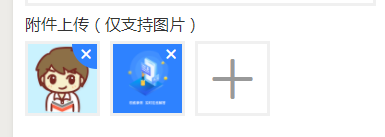
1、wxml 页面内容(其中icon标签用到阿里图标。点击查看小程序如何引入阿里图标)
text class='pf-type'附件上传(仅支持图片)/text view class="question-images clearFloat" block wx:for="{{images}}" wx:key="*this" view class="q-image-wrap" !-- 图片缩略图 -- image class="q-image" src="{{item}}" mode="aspectFill" data-idx="{{index}}" bindtap="handleImagePreview"/image !-- 移除图片的按钮 -- view class="q-image-remover" data-idx="{{index}}" bindtap="removeImage" icon class='iconfont icon-guanbi'/icon /view /view /block view class='uploadImgBtn' bindtap="chooseImage" wx:if="{{images.length 3}}" icon class='iconfont icon-jiahao'/icon /view /view2、wxss
.q-image-wrap{ width: 150rpx; height: 150rpx; border: 3px solid #f0f0f0; float: left; margin-right: 20rpx; position: relative; overflow: hidden;}.q-image-remover{ width: 100rpx; height: 100rpx; border-radius: 100%; background: #2e82ff; position: absolute; top:-50rpx; right:-50rpx;}.q-image-remover icon{ position: absolute; left:12rpx; bottom:12rpx; color:#fff;}.uploadImgBtn{ width: 150rpx; height: 150rpx; text-align: center; line-height: 140rpx; border: 6rpx solid #f0f0f0; float: left;}.uploadImgBtn icon{ font-size: 80rpx; color: #999;}3、js
/** * 页面的初始数据 */ data: { images: [] }, chooseImage(e) { wx.chooseImage({ sizeType: ['original', 'compressed'], //可选择原图或压缩后的图片 sourceType: ['album', 'camera'], //可选择性开放访问相册、相机 success: res = { const images = this.data.images.concat(res.tempFilePaths) // 限制最多只能留下3张照片 const images1 = images.length = 3 ? images : images.slice(0, 3) this.setData({ images: images1 }) } }) }, removeImage(e) { var that = this; var images = that.data.images; // 获取要删除的第几张图片的下标 const idx = e.currentTarget.dataset.idx // splice 第一个参数是下表值 第二个参数是删除的数量 images.splice(idx,1) this.setData({ images: images }) }, handleImagePreview(e) { const idx = e.target.dataset.idx const images = this.data.images wx.previewImage({ current: images[idx], //当前预览的图片 urls: images, //所有要预览的图片 }) },效果图 如下: