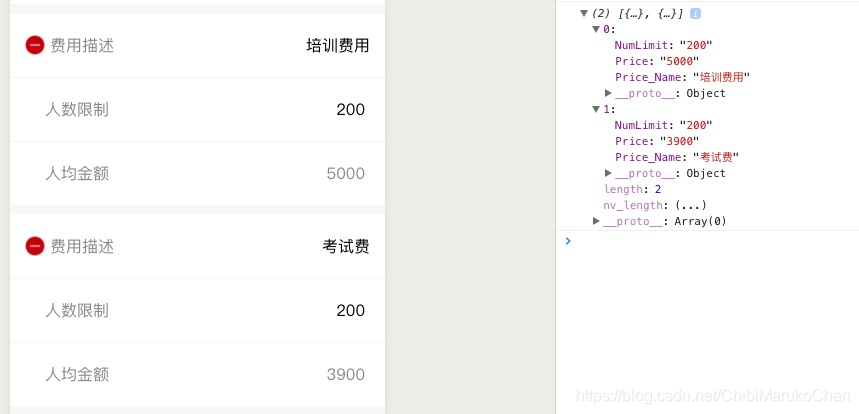
一、实现效果:
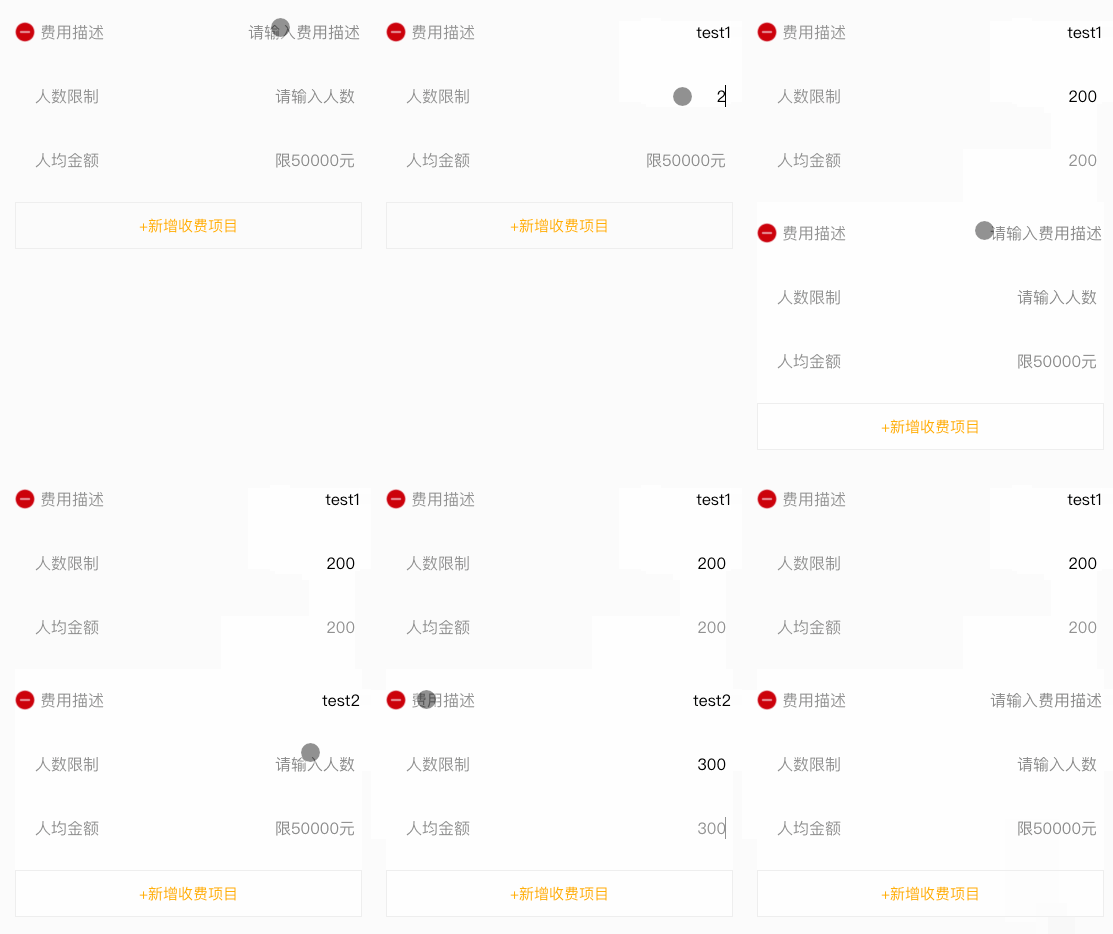
二、实现代码:
1).wxml页面:
- 循环的addPrice是一个数组;
- 需要保存数组的下标和字段名称;
view class="price-detail" wx:for="{{addPrice}}" wx:key="" view class="price-detail-descp" image src="{{hosts}}/images/jianhao.png" class="jianhao" data-index="{{index}}" bindtap='deletePrice'/image view class="descp-text" 费用描述/view view class="descp-value" input type="text" name="Price_Name" class="desc-input" data-index="{{index}}" data-tag="Price_Name" bindblur='setInputValue' placeholder='请输入费用描述' value=""/ /view /view view class="price-detail-num" view class="descp-text"人数限制/view view class="descp-value" input type="text" name="NumLimit" class="desc-input" placeholder='请输入人数' data-tag="NumLimit" data-index="{{index}}" bindblur='setInputValue' value=""/ /view /view view class="price-detail-value" view class="descp-text"人均金额/view view class="descp-value" input type="text" name="Price" class="desc-input" style="color:#888888;" placeholder='限50000元' data-tag="Price" data-index="{{index}}" bindblur='setInputValue' value=""/ /view /view /view view class="addButton" data-index="{{index}}" bindtap='addNewPrice'+新增收费项目/view2).js页面
- 获取下标
- 获取要修改的字段名
- 重新赋值
- concat() 方法:用于连接两个或多个数组。
data:{//初始化数组 addPrice: [{ Price_Name: "", NumLimit: "", Price: "" }],}/**新增** */ addNewPrice: function() { let newArray = { Price_Name: "", NumLimit: "", Price: "" } this.setData({ addPrice: this.data.addPrice.concat(newArray) })},/****删除*/ deletePrice: function(e) { let that = this let index = e.target.dataset.index //数组下标 let arrayLength = that.data.addPrice.length //数组长度 let newArray = [] if (arrayLength 1) { //数组长度1 才能删除 for (let i = 0; i arrayLength; i++) { if (i !== index) { newArray.push(that.data.addPrice[i]) } } that.setData({ addPrice: newArray }) } else { wx.showToast({ icon: 'none', title: '必须设置一个收费项目', }) } },/**获取输入框信息**/ setInputValue: function(e) { let index = e.target.dataset.index //数组下标 let tag = e.target.dataset.tag //字段名称 let array = this.data.addPrice; array[index][tag] = e.detail.value //赋值 this.setData({ addPrice: array }) },3)保存的数据格式