


1、小程序上传图片功能实现需要注意以下几个点:
(1)图片最多上传9张(默认)
(2)上传后的图片会生成一个临时的地址,用过这个临时地址将图片上传到数据库
(3)图片保存的位置是在云开发控制台的 本地存储中
(4)图片只能是一张一张的上传
(5)保存在本地存储中的图片不能重名
(6)可以使用js中的new Date().getTime()返回一个毫秒值作为图片的名称,这个毫秒值是不会重复的
(7)图片的后缀可以用正则表达式取得let suffix = /.[^.]+$/.exec(filePath)[0]
(8)每次上传成功后,回调函数会返回一个fileID
(9)保存在数据库集合中的记录应该是这个 fileID
(10)你无法确定什么时候9张图片才能都上传成功,只有当所有图片都上传成功之后,你才能取到所有的fileID,所以每次执行上传图片操作时,都为其构建一个Promise对象,当所有的Promise都执行成功之后,这时候再插入字段到数据库中,需要用到Promise.all()方法
代码实现
这里的button使用的是vant组件,使用方法参考
https://blog.csdn.net/Cheny_Yang/article/details/88966365
1、点击上传图片按钮,触发uploadImgHandle点击事件,事件中调用小程序提供的wx.chooseImage()接口,实现上传图片的功能,返回值是一个图片的临时地址tempFilePaths,将临时地址存在一个数组中,以便待会正式上传时调用,代码实现如下
van-button type="warning" bindtap='uploadImgHandle'上传图片/van-buttonview block wx:for="{{tempImg}}" wx:key="{{index}}tmpimg" image src='{{item}}' mode='aspectFill'/image/block/viewvan-button type="primary" bindtap='submit'提交/van-button uploadImgHandle: function () { wx.chooseImage({ count: 9, sizeType: ['original', 'compressed'], sourceType: ['album', 'camera'], success:res= { // tempFilePath可以作为img标签的src属性显示图片 const tempFilePaths = res.tempFilePaths this.setData({ tempImg: tempFilePaths }) } }) },2、当点击提交按钮时,触发submit点击事件,在正式上传之前,先声明一个promiseArr数组,因为图片是多张,而上传图片只能是一张一张上传,所以for循环遍历tempImg数组,执行微信给我们的接口wx.cloud.uploadFile()实现图片上传,将每次上传图片的过程都保存在一个Promise对象中,然后将这几个Promise对象push到promiseArr中,把每次上传图片返回的fileID concat()到自己定义的fileIDs数组中,以便等会存入数据集合中。
上传数据库的操作在Promise.all()中执行
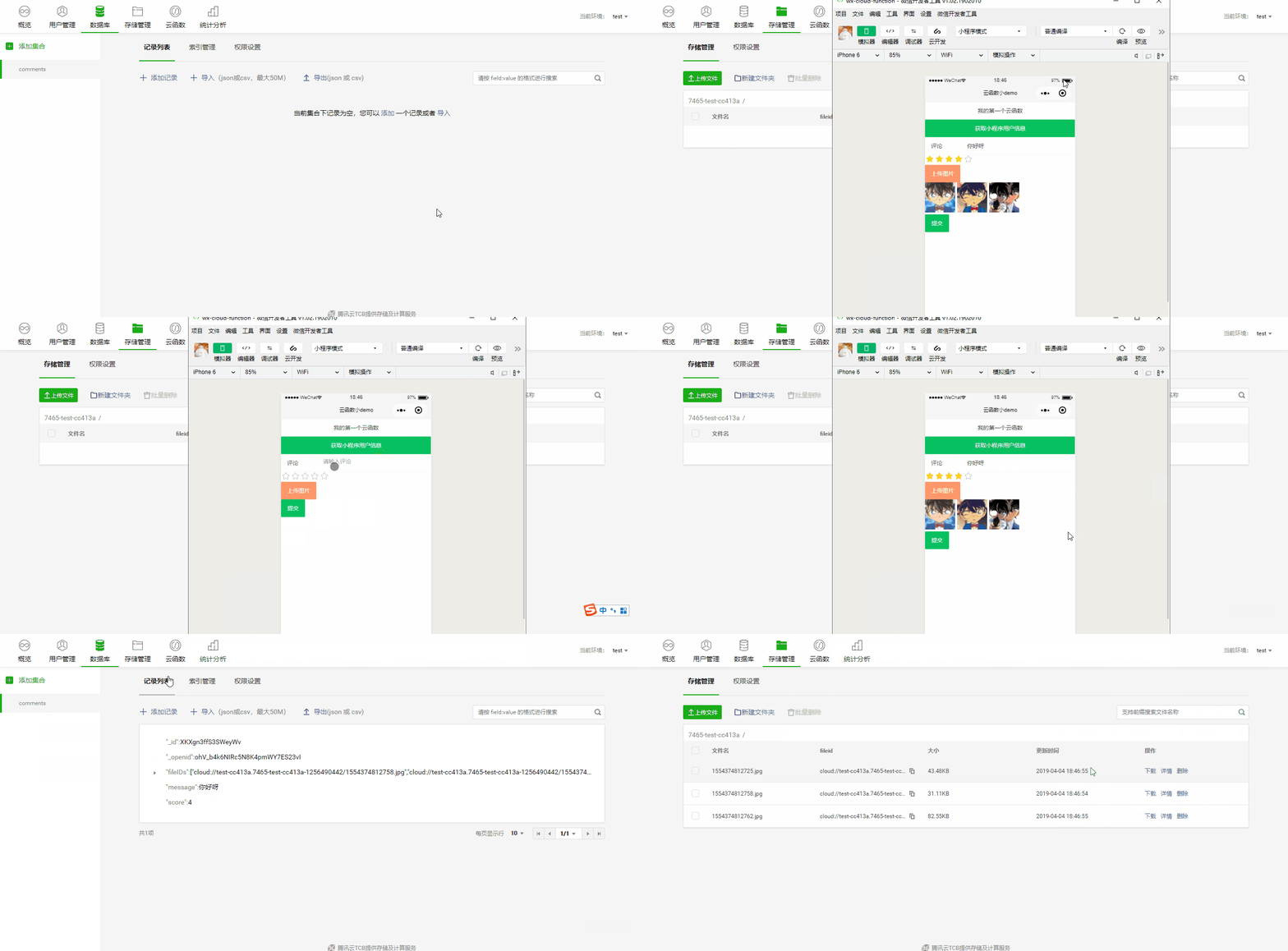
const db = wx.cloud.database()Page({ data: { tempImg: [], fileIDs: [], }, submit: function () { wx.showLoading({ title: '提交中', }) const promiseArr = [] //只能一张张上传 遍历临时的图片数组 for (let i = 0; i this.data.tempImg.length;i++) { let filePath = this.data.tempImg[i] let suffix = /.[^.]+$/.exec(filePath)[0]; // 正则表达式,获取文件扩展名 //在每次上传的时候,就往promiseArr里存一个promise,只有当所有的都返回结果时,才可以继续往下执行 promiseArr.push(new Promise((reslove,reject)={ wx.cloud.uploadFile({ cloudPath: new Date().getTime() + suffix, filePath: filePath, // 文件路径 }).then(res = { // get resource ID console.log(res.fileID) this.setData({ fileIDs: this.data.fileIDs.concat(res.fileID) }) reslove() }).catch(error = { console.log(error) }) })) } Promise.all(promiseArr).then(res={ db.collection('comments').add({ data: { fileIDs: this.data.fileIDs //只有当所有的图片都上传完毕后,这个值才能被设置,但是上传文件是一个异步的操作,你不知道他们什么时候把fileid返回,所以就得用promise.all } }) .then(res = { console.log(res) wx.hideLoading() wx.showToast({ title: '提交成功', }) }) .catch(error = { console.log(error) }) }) },效果如下
bingo~










