直接上手吧。
1. 小程序后台添加插件:微信同声传译以及在app.json进行配置
具体可看另外一篇博客:https://blog.csdn.net/qq_41638795/article/details/98080498
2. 代码实现
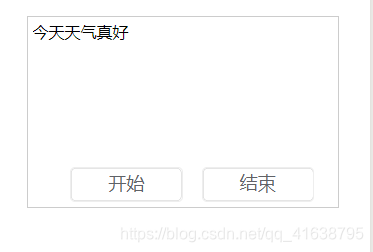
页面如下:
21. wxml代码如下:
view class="yuyinWrap" textarea class='yuyinCon' placeholder='请输入内容' value='{{content}}' bindinput='conInput'/textarea view class='' button class="yuyinBtn start" bindtap='wordYun'开始/button button class="yuyinBtn" bindtap='end'结束/button /view/viewwcss代码如下:
.yuyinWrap { position: relative; margin-top:300rpx;}.yuyinCon { border: 1px solid #ccc; margin: 0 auto; padding: 10rpx 10rpx 70rpx;}.yuyinBtn { width: 30%; height: 70rpx; position: absolute; right: 112rpx; bottom: 12rpx; border: 1px solid #eee; background: #fff; color: #606267; line-height: 62rpx;}.start{ left: -112rpx;}22.js代码(重点):
思路:
1)将文字转为语音 (官方文档:https://developers.weixin.qq.com/miniprogram/dev/extended/service/translator.html)
2)播放语音 (官方文档:https://developers.weixin.qq.com/miniprogram/dev/api/media/audio/InnerAudioContext.html)
1)将文字转为语音

具体看如上,其中成功回调success中,返回的res有几个参数,如下:
所需要就是filename参数的值。如果需要保存到后台,就只需要filename,按照文件上传的方式。

2)播放语音
在onReady方法中实例化一个innerAudioContext。
onReady(e) { //创建内部 audio 上下文 InnerAudioContext 对象。 this.innerAudioContext = wx.createInnerAudioContext(); this.innerAudioContext.onError(function (res) { console.log(res); wx.showToast({ title: '语音播放失败', icon: 'none', }) }) },
语音播放代码如下:
//播放语音yuyinPlay: function (e) { if (this.data.src == '') { console.log(暂无语音); return; } this.innerAudioContext.src = this.data.src this.innerAudioContext.play();},语音暂停如下:
// 结束语音end: function (e) { this.innerAudioContext.pause();},
全部js代码如下:
const app = getApp();//引入插件:微信同声传译const plugin = requirePlugin('WechatSI');Page({ /** * 页面的初始数据 */ data: { content: '',//内容 src:'', // }, onReady(e) { //创建内部 audio 上下文 InnerAudioContext 对象。 this.innerAudioContext = wx.createInnerAudioContext(); this.innerAudioContext.onError(function (res) { console.log(res); wx.showToast({ title: '语音播放失败', icon: 'none', }) }) }, // 手动输入内容 conInput: function (e) { this.setData({ content: e.detail.value, }) }, // 文字转语音 wordYun:function (e) { var that = this; var content = this.data.content; plugin.textToSpeech({ lang: "zh_CN", tts: true, content: content, success: function (res) { console.log(res); console.log("succ tts", res.filename); that.setData({ src: res.filename }) that.yuyinPlay(); }, fail: function (res) { console.log("fail tts", res) } }) }, //播放语音 yuyinPlay: function (e) { if (this.data.src == '') { console.log(暂无语音); return; } this.innerAudioContext.src = this.data.src //设置音频地址 this.innerAudioContext.play(); //播放音频 }, // 结束语音 end: function (e) { this.innerAudioContext.pause();//暂停音频 }, })可在微信开发工具、手机测试。
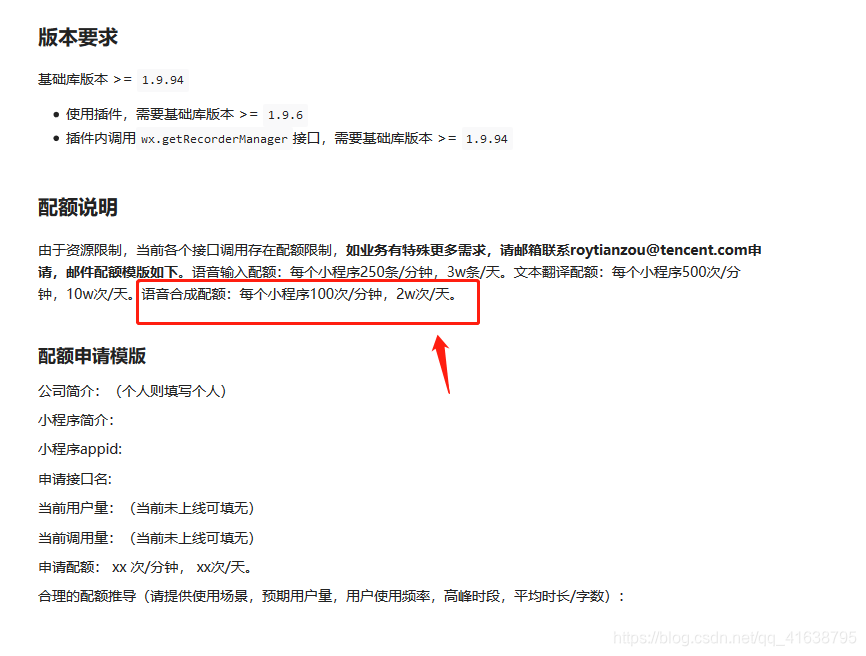
此外,注意的是:文字转语音,每个小程序100次/分钟,2w次/天