


一、前言
产品需求:在游客模式登录下,用户做某些操作(如:评论,点赞。。。)时,需要拉起小程序授权登录,在没有单独登录页的情况下(为了方便可以让产品&UI出一个单独的登录页),封装一下小程序授权登录就比较方便了。
1、组件编写
新建Component = author
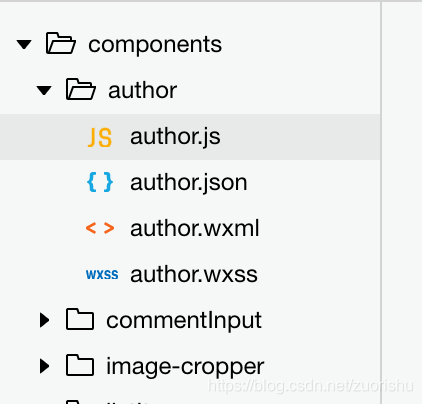
author.wxml:
!-- 未登录情况下拉起授权登录按钮 --button class='author_btn' open-type='getUserInfo' bindgetuserinfo="bindGetUserInfo" lang='zh_CN' wx:if="{{!isAuthor}}"/button!-- 已登陆继续执行 --button class='author_btn' bindtap='goOn' wx:else/buttonauthor.js:
// component/authorize.jsconst app = getApp();//apiimport requestApi from '../../utils/promiseRequestApi.js'Component({ properties: {}, data: { isAuthor:false,//是否已授权 }, lifetimes: { attached() { this.setData({ isAuthor: app.globalData.isAuthor }) } }, methods: { //已登陆 goOn(){ this.triggerEvent('flagEvent', {}); }, //授权 bindGetUserInfo(e){ let that = this; if (e.detail.userInfo){ app.globalData.wxInfo = e.detail.userInfo;//用户微信信息 //获取登录信息(sessionkey,openid) that.getLoginInfo(); }else{ console.log('用户点击了“拒绝授权”') } }, //获取登陆信息 getLoginInfo() { let that = this; wx.login({ success(res) { if (res.code) { requestApi('user/wxOpenIdDecode', 'POST', { code: res.code }).then((res) = { app.globalData.sessionInfo = res.data;//用户sessionkey & openid that.isLogin(); }) } } }) }, //登陆 isLogin(){ let that = this; requestApi('user/login', 'POST', { 参数:'' }).then((res) = { app.globalData.userInfo = res.data; //登录成功返回用户信息 app.globalData.isAuthor = true; that.setData({ isAuthor:true }) that.triggerEvent('flagEvent', {});//登录成功后继续执行 }) }, }})author.wxss:
/* 利用定位 + z-index */.author_btn{ position: absolute; top: 0; left: 0; width: 100%; height: 100%; border: none; background-color: rgba(0, 0, 0, 0); opacity: 0; z-index: 2;}.author_btn::after{ border: none; } 2、app.js公共变量存储
app.js = globalData:
globalData: { isAuthor:false,//是否已授权 userInfo: null,//用户信息 wxInfo:null,//用户微信信息 sessionInfo:null,//用户sessionkey&openid isIpx:false,//是否iphoneX }3、组件引用
json:{ "usingComponents": { "isAuthor": "/components/author/author" }}wxml:view class="likes" image src='/images/like.png'/image isAuthor bind:flagEvent="likesClick"/isAuthor/viewwxss:引用组件的父级配合组件进行定位,组件点击区域为引用组件父级宽高.likes { position: relative; width: 44rpx; height: 44rpx;} js: //点击事件 (登录后继续执行) likesClick(){},










