


最近一直在做小程序项目的开发,上手直接就是wepy, 风格跟vue差不多,整体上,还算稳定,开发起来比原生的效率要高一点;很多人也知道,mpvue就是用vue搭建的,但始终觉得,失去了路由的vue,就像失去了灵魂;虽然接下来要给大家安利的框架,也貌似失去了该灵魂- taro框架(Taro 是一套遵循 React 语法规范的 多端开发 解决方案。)
taro开发文档: https://nervjs.github.io/taro/docs/README.html
有兴趣的可以去看看,在这里我将我初步入坑的学习过程,以及构建了大致矿建与大家分享下:
一:安装 Taro 开发工具 @tarojs/cli
npm install -g @tarojs/cli二:使用命令创建模板项目
taro init taro-react-mini-program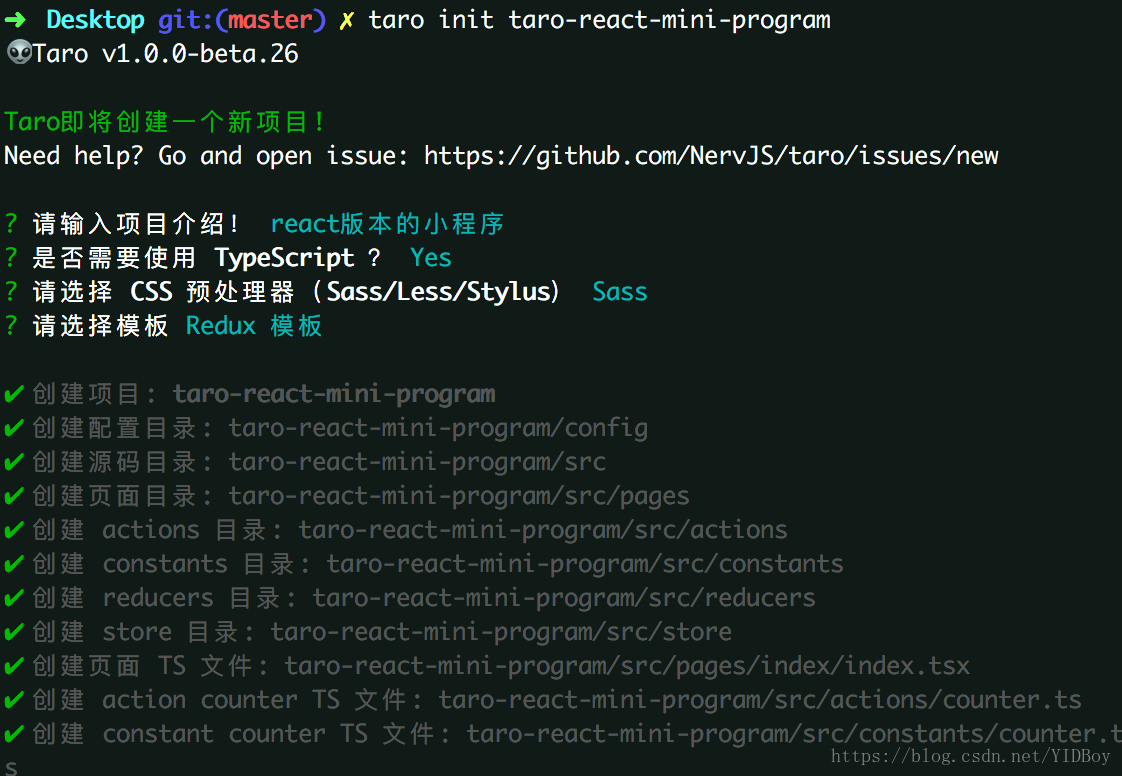
可以根据自己的需要,选择是否使用ts, sass或者less, 接着等安装好依赖,项目就构建完成;
三:项目目录结构
├── dist 编译结果目录├── config 配置目录| ├── dev.js 开发时配置| ├── index.js 默认配置| └── prod.js 打包时配置├── src 源码目录| ├── pages 页面文件目录| | ├── index index页面目录| | | ├── index.js index页面逻辑| | | └── index.css index页面样式| ├── app.css 项目总通用样式| └── app.js 项目入口文件└── package.json框架的使用和注意事项,文档中有介绍,我这边主要写一些项目配置和踩过的坑;
这里需要先安装一些依赖
npm install tslint stylelint tslint-config-prettier -D代码规范 .prettierrc
{ "stylelintIntegration": true, "tslintIntegration": true, "tabWidth": 2, "singleQuote": true, "semi": false}.prettierignore
/**/libs/**dist/lib/样式规范: .stylelintrc.js
module.exports = { ignoreFiles: ['**/*.md', '**/*.ts', '**/*.tsx', '**/*.js']}.stylelintignore
**/disttslint.json
{ "extends": ["tslint:recommended", "tslint-config-prettier"], "rules": { "ordered-imports": false, "object-literal-sort-keys": false, "member-access": false, "member-ordering": false, "no-empty-interface": false, "no-console": [true, "warning"], "interface-name": [true, "never-prefix"], "no-empty": false, "quotemark": [true, "single"] // "semicolon": [false], // 结尾比较分号 // "trailing-comma": [false], // 结尾必须逗号 // "requireForBlockBody": true, }}接着配置git的提交commit提交验证,需要安装对应的依赖包,可以从我的另外一篇文章看:
https://blog.csdn.net/YIDBoy/article/details/82655751;
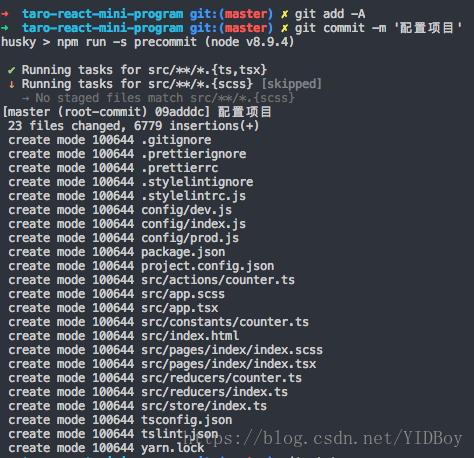
再加上自己配置一个.gitignore文件,就这样,我们将大致需要的配置文件都配置好了;看看效果:
当有不规范的代码提交的时候

把所有问题都解决之后提交,当然tslint以及其他的一些配置都是自定义的,可以自己配置。觉得麻烦的可以根据自己的“口味”配置项目
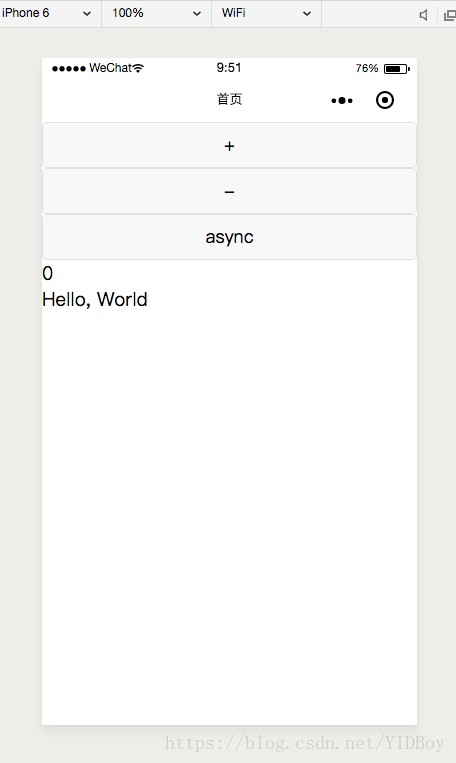
然后我们就可以愉快的开发我们的项目,运行npm run dev:weapp,打开我们的小程序
很多人反馈用原生的 Taro.request或者用第三方axios等等做异步请求总会有错,我没亲测,但是自己用promise封装了方法, 在根目录src文件夹下创建utils文件夹, 在这里我简单的模拟微信授权登录,以及检测session是否过期,绑定用户的场景写一个大概例子,接口为虚构:
├── utils | ├── api.ts 请求接口设置| ├── http.ts http公共请求文件| └── index.ts http.ts代码如下:
import Taro from '@tarojs/taro'import md5 from 'blueimp-md5'type HttpMethods = 'GET' | 'POST' | 'PUT' | 'DELETE'// 后端是否支持json格式const contentType = 'application/x-www-form-urlencoded'// const contentType = 'application/json'export default class Http { noNeedToken = ['mockFakeApi'] get(url: string, data: object) { return this.commonHttp('GET', url, data) } post(url: string, data: object) { return this.commonHttp('POST', url, data) } async commonHttp(method: HttpMethods, url: string, data: object) { return new Promiseany(async (resolve, reject) = { Taro.showNavigationBarLoading() try { const res = await Taro.request({ url, method, data, header: { 'content-type': contentType } }) Taro.hideNavigationBarLoading() switch (res.statusCode) { case 200: return resolve(res.data.response) default: console.log(res.data.message) reject(new Error(res.data.msg)) } } catch (error) { Taro.hideNavigationBarLoading() reject(new Error('网络请求出错')) } }) }}api.ts
import Http from './http'const http = new Http()// 自动登录const url = 'xxxxx'export const login = (data: object) = http.post(url, data)index.ts (自定义公共处理接口文件)
import Taro from '@tarojs/taro'import { login } from './api'// 获取微信登录凭证export const wxLogin = async () = { try { const res = await Taro.login() return res.code } catch (error) { console.log('微信获取临时凭着失败') }}export const userLogin = async () = { try { await Taro.checkSession() if (!Taro.getStorageSync('token')) { throw new Error('本地没有缓存token') } } catch (error) { const code = await wxLogin() const loginRes: any = await login({ code // ...(其他参数) }) console.log('用户数据', loginRes) }}最后在pages/index/index.tsx中引用就好了
import { userLogin } from '../../utils/index'....async componentDidMount() { await userLogin() }整个框架的使用大致就是这样了,react的书法风格还是挺舒服的,如果习惯了vue的写法可能刚开始会不习惯,有兴趣的可以尝试尝试,下面再简单的把一些小技巧给补上:
一:图片以模块的方式的引入
使用ts搭建的项目,引入静态资源,比如图片,会提示找不到模块,这时候就必须将图片声明为一个模块:
在types目录的global.d.ts文件下:
declare module ‘*.png’ {
const img: any
export default img
}
二:动态添加style
View style={{backgroundImage: `url(${bgImg})`}}/View三:动态添加class
1.View className={data.length0?’class-yes’: ’class-no'}/View2.View className={`common ${data.length0?’class-yes’: ’class-no}`}/View四:this的指向问题
1)在 Taro 的页面和组件类中,this 指向的是 Taro 页面或组件的实例,如果我们要引用原生组件,需要使用到this的时候,如果如下引用:
Taro.createCanvasContext(canvasId, this.$scope)
wx.createLivePlayerContext(liveId, this.$scope)
错误:wx.createLivePlayerContext(liveId, this)这样引入是没有效果的,this并不是指向 wx.createLivePlayerContext.
(当前版本没有liveplayer的回调方法,所以直接用原生wx)
五:全局样式问题
全局原始app.scss 只会影响到页面级别的文件,组件的获取不到全局的样式,
可以在组件内部import 全局样式文件,但是这里就有可能,多个组件都引入全局,生成多份全局样式文件
相对应的代码我上传到了我的github:
https://github.com/YDMua/taro-react-mini-program










