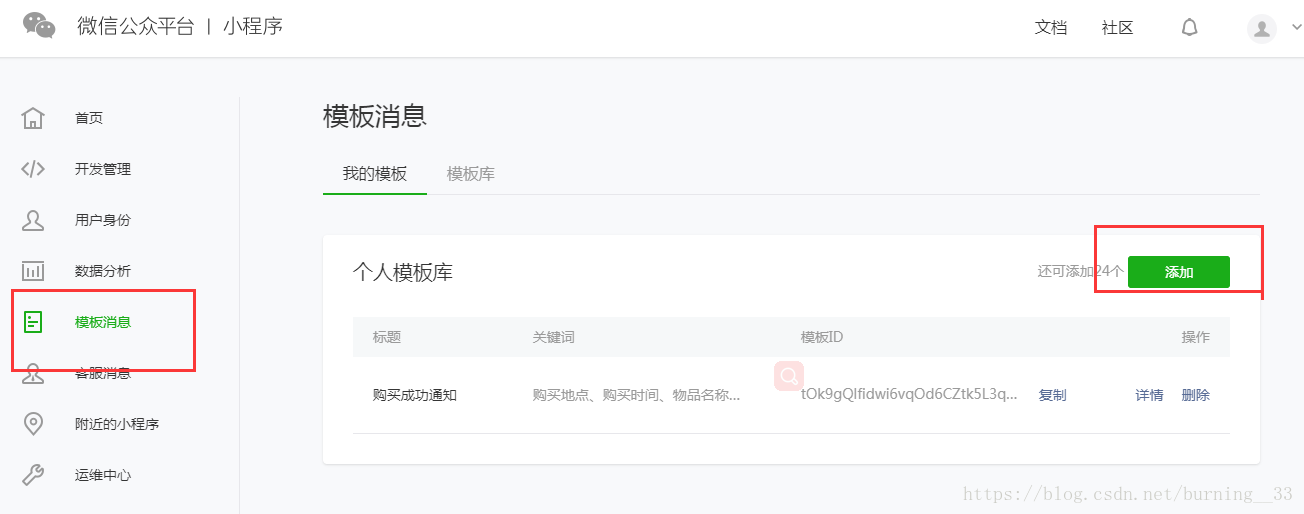
 步骤二:页面搭建 页面的
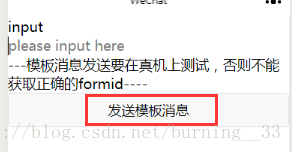
 form/ 组件,属性report-submit为true时,可以声明为需发模板消息,此时点击按钮提交表单可以获取formId,用于发送模板消息。或者当用户完成支付行为,可以获取prepay_id用于发送模板消息。我写了个充值成功的demo,使用form组件提交表单是发送模板消息,页面如下(比较丑,主要测试):
html
form bindsubmit="formSubmit" report-submit='true' view class="section" view class="section__title"input/view input name="input" placeholder="please input here" / /view view class="btn-area" text---模板消息发送要在真机上测试,否则不能获取正确的formid----/text button formType="submit"发送模板消息/button /view/form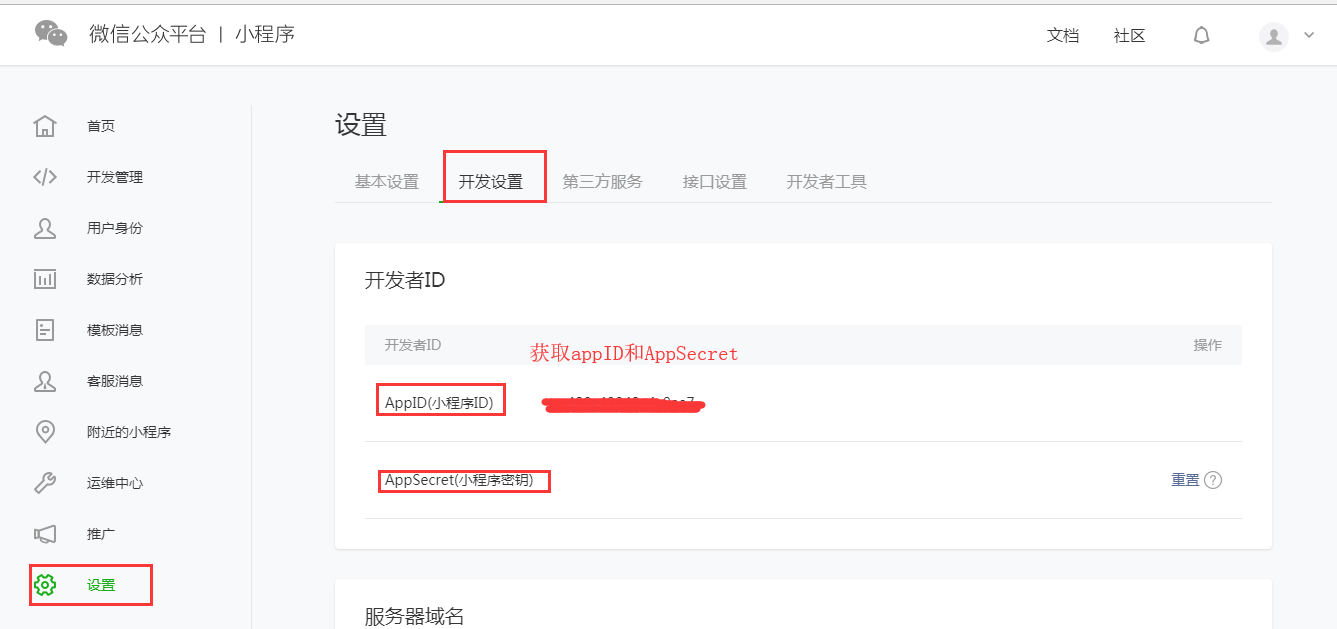
接口地址:https://api.weixin.qq.com/cgi-bin/token?grant_type=client_credential&appid=APPID&secret=APPSECRET参数:grant_type:获取 access_token 填写 client_credentialappid和secret都是通过上面获取到的
当前页面加载时获取access_token(下面的appid和secret填写自己登录公众平台获取到的值)
/** * 页面的初始数据 */ data: { access_token:'' }, /** * 生命周期函数--监听页面加载 */ onLoad: function (options) { var _this = this; wx.request({ url: 'https://api.weixin.qq.com/cgi-bin/token', data:{ grant_type:'client_credential', appid:'', secret:'' }, method:'get', success:function(res){ _this.setData({ access_token: res.data.access_token }) } }) }//app.jsApp({ onLaunch: function () { // 展示本地存储能力 var logs = wx.getStorageSync('logs') || [] logs.unshift(Date.now()) wx.setStorageSync('logs', logs) let _this = this; // 登录 wx.login({ success: res = { // 发送 res.code 到后台换取 openId, sessionKey, unionId console.log(res.code) var code = res.code if (res.code) { //发起网络请求 wx.request({ url: 'https://api.weixin.qq.com/sns/jscode2session', data: { appid: '', secret: '', js_code: code, grant_type: 'authorization_code' }, success: function (res) { // console.log(res.data.openid) _this.globalData.openid = res.data.openid; } }) } else { console.log('登录失败!' + res.errMsg) } } })步骤四:发送模板消息
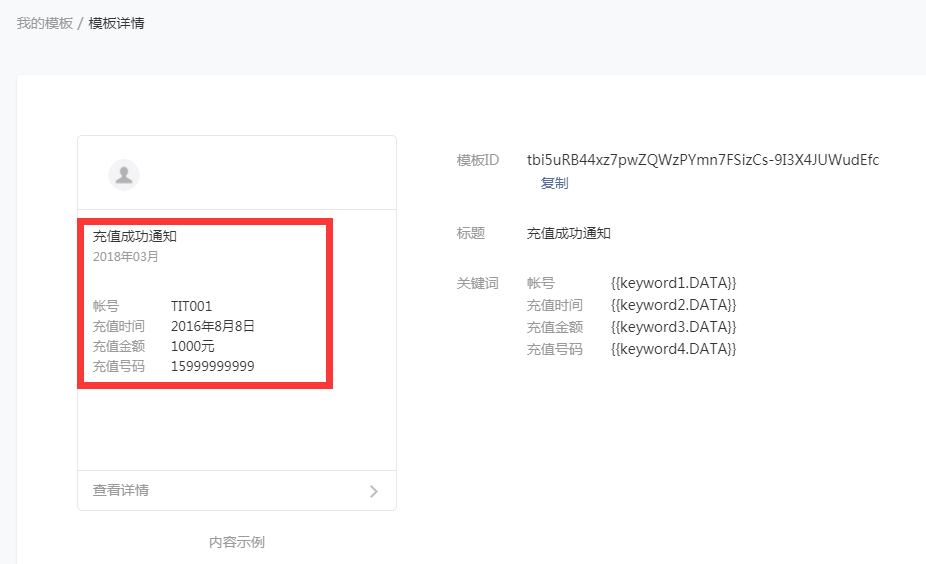
接口地址:(ACCESS_TOKEN 需换成上文获取到的 access_token)https://api.weixin.qq.com/cgi-bin/message/wxopen/template/send?access_token=ACCESS_TOKEN请求方式:post请求参数:touser(必填): 接收者(用户)的 openidtemplate_id(是): 所需下发的模板消息的id(上面已经说明)page(否): 点击模板卡片后的跳转页面,仅限本小程序内的页面。支持带参数,(示例index? foo=bar)。该字段不填则模板无跳转。form_id(是): 表单提交场景下,为 submit 事件带上的 formId;支付场景下,为本次支付 的 prepay_iddata(是): 模板内容,不填则下发空模板color(否): 模板内容字体的颜色,不填默认黑色emphasis_keyword(否):模板需要放大的关键词,不填则默认无放大form表单提交时,执行formSubmit函数:
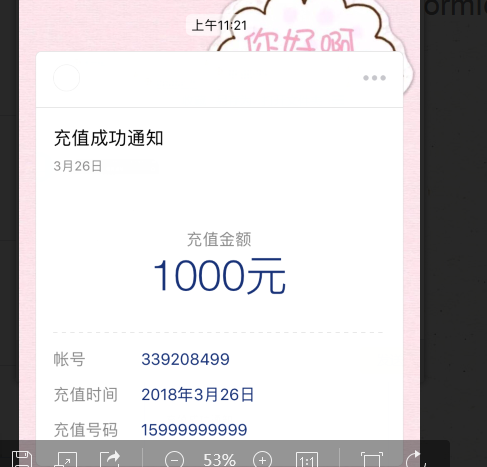
formSubmit: function (e) { var _this=this; console.log(_this.data.access_token,'access_token') console.log(app.globalData.openid,'openid') console.log(e.detail.formId,'formid');//formid是设置了form的属性report-submit为true时,通过e.detail.formId获取 wx.request({ url: 'https://api.weixin.qq.com/cgi-bin/message/wxopen/template/send?access_token=' + _this.data.access_token data:{ "touser": app.globalData.openid, "template_id": 'tbi5uRB44xz7pwZQWzPYmn7FSizCs-9I3X4JUWudEfc', "form_id": e.detail.formId, "data": { "k eyword1": { "value": "339208499", "color": "#173177" }, "keyword2": { "value": "2018年3月26日", "color": "#173177" }, "keyword3": { "value": "1000元", "color": "#173177" }, "keyword4": { "value": "15999999999", "color": "#173177" } }, "emphasis_keyword": "keyword3.DATA" }, method:'post', header: { 'content-type': 'application/json' // 默认值 }, success: function (res) { console.log(res.data) } }) },formId需要在真实的手机上才会生成,小程序开发工具是一个模拟环境,所以获取不到,会提示‘the formId is a mock one’然后在真机中测试就成功了: