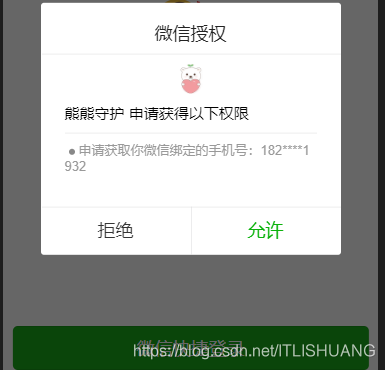
小程序可以通过微信官方提供的登录能力方便地获取微信绑定的手机号来实现一键登录
第一步,你需要先调用 wx.login() 获取到 code (微信小程序登录)
第二步,获取手机号 (因为需要用户主动点击才能实现,所以要使用button,代码如下)
button bindgetphonenumber="getPhoneNumber" open-type="getPhoneNumber" class='button-hover'确认授权/button
//这是 js 文件getPhoneNumber: function (e) { console.log(e.detail.errMsg) console.log(e.detail.iv) console.log(e.detail.encryptedData) if (e.detail.errMsg !== 'getPhoneNumber:ok') { wx.showModal({ title: '提示', showCancel:false, content: '未授权', success:function(res) { } }) }else { wx.showModal({ title: '提示', showCancel: false, content: '同意授权', success: function (res) { } }) } },3,上一步,我们获取到三个值,你需要让你的后台给你一个接口, 把你获取到的三个值发送给你的后台,让后台使用解析
//上一步获取到的三个值// console.log(e.detail.errMsg)// console.log(e.detail.iv)// console.log(e.detail.encryptedData)//encryptedData 包括敏感数据在内的完整用户信息的加密数据,详细见加密数据解密算法//iv 加密算法的初始向量,详细见加密数据解密算法//后台解析返回数据wx.request({ url: "你的后台接口地址", data: { encrypdata: encrypdata, //获取的 e.detail.encryptedData ivdata: iv, //获取的e.detail.iv partnerId: scene, //这个是我的后台接口要传的标识 code: code, }, success: function(res) { console.log(res) if (res.data.code == 0) { // 保存到本地,就可以使用了 以下只是例子 你需要正确的数据赋值 let phone = res.data.data.customer.phone let token = res.data.data.token wx.setStorageSync('phone', res.data.data.customer.phone) wx.setStorageSync('openid', res.data.data.customer.wxid) } else { console.log("登录失败"); } } })
4.如图