


接口测试帐号申请
1.测试号申请地址:https://mp.weixin.qq.com/debug/cgi-bin/sandbox?t=sandbox/login,申请页面如下图: 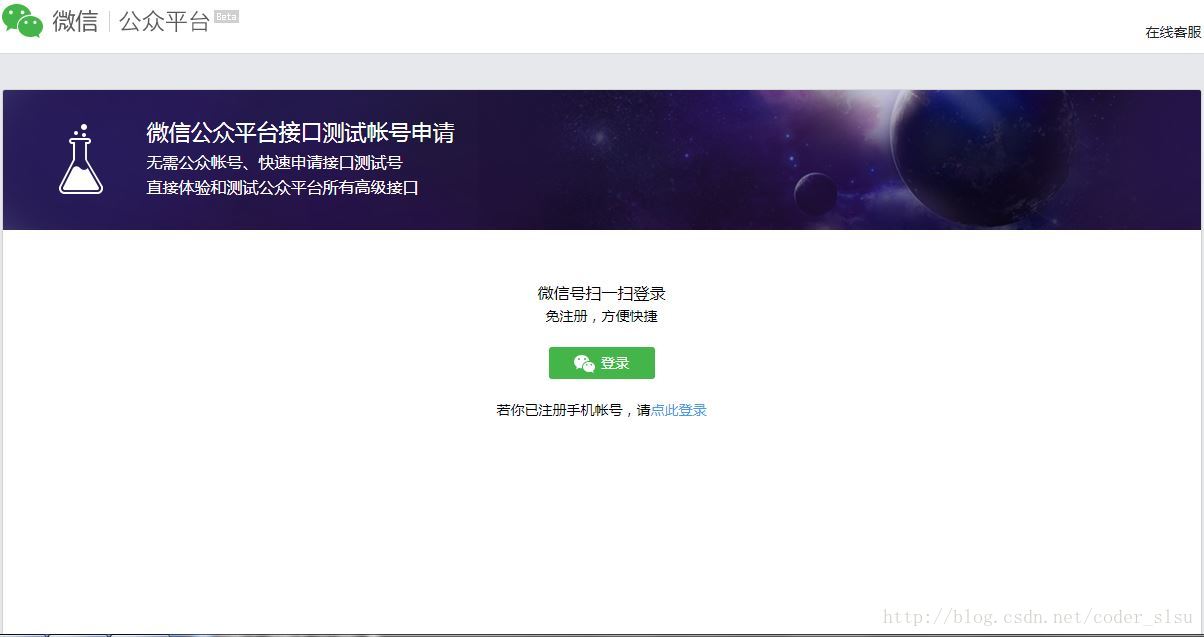
2.点击登录按钮出现如下二维码界面,使用手机微信进行扫描登录。 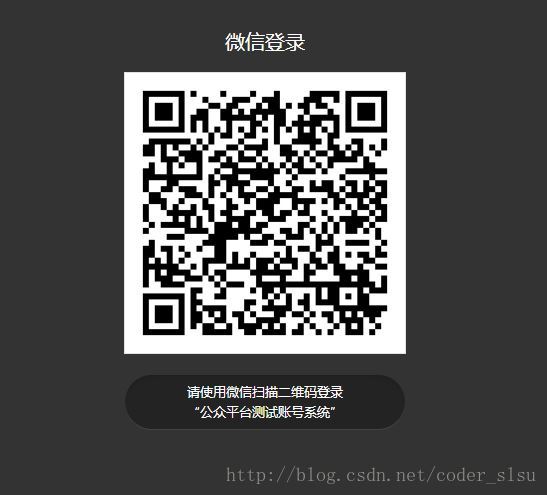
3.扫描后手机微信上回提示确认登录,点击确认后PC端页面就会跳转至测试号管理页面如下: 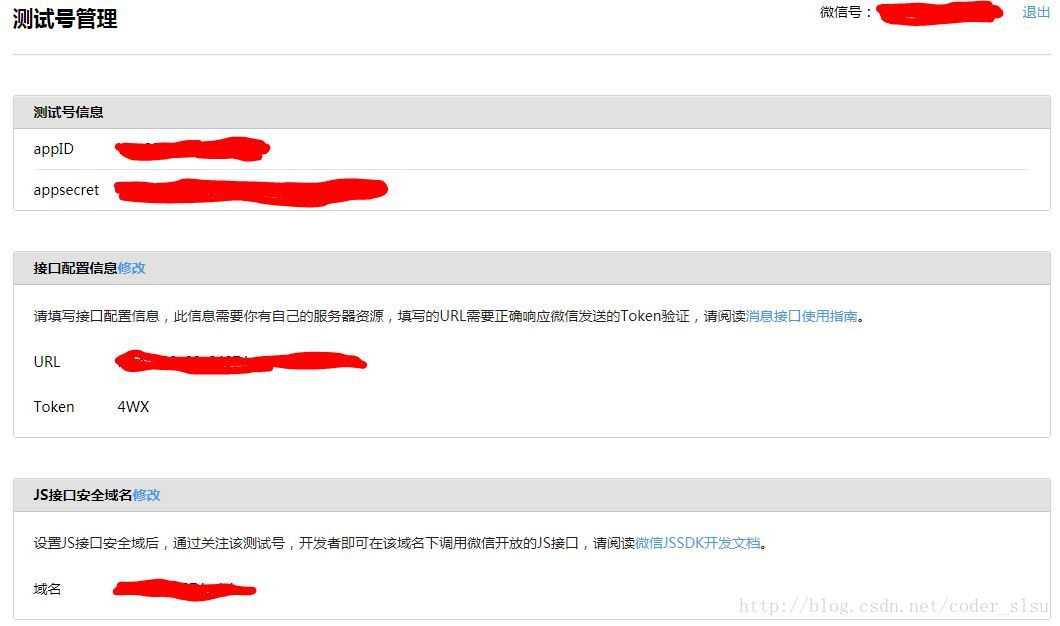
4.URL填写:http://外网IP:端口号(或者直接写域名)/xxx/xxx 。外网IP或者域名可以在腾讯云,花生壳等购买。(注意:此处配置的URL必须是可以访问的公网地址)
Token:自主设置,这个token只用于验证开发者服务器。
5.此时填写好的URL和Token点击提交会提示配置失败
6.创建一个servlet用于接收并返回微信服务器发送的随机字符串。注意WebServlet中的path就是你将要绑定的URL的servlet path。
参数描述signature:微信加密签名 timestamp:时间戳 nonce:随机数 echostr:随机字符串 @WebServlet("/wx")public class ServerPortal extends HttpServlet { private static final long serialVersionUID = 1L; //此处的token就是url下面自定义填写用于验证服务器的token private static final String token = "4WX"; protected void doGet(HttpServletRequest request, HttpServletResponse response) throws ServletException, IOException { String echostr = request.getParameter("echostr"); PrintWriter pw = response.getWriter(); //将微信服务器发送过来的随机字符串返回给微信服务器 pw.append(echostr); pw.flush(); pw.close(); } protected void doPost(HttpServletRequest request, HttpServletResponse response) throws ServletException, IOException { doGet(request, response); }}7.完成上述配置后,此时点击提交就会提示配置成功了。
8.接下来为自己的测试号推送菜单,菜单的详细规则见微信开发者文档 https://mp.weixin.qq.com/wiki?t=resource/res_main&id=mp1421141013
本文推送菜单示例未对异常做处理直接抛出,实际生产过程是不允许的。
public class CreateMenu { public static void main(String[] args) throws Exception { //微信菜单推送地址 String custmMenuUrl = "https://api.weixin.qq.com/cgi-bin/menu/create?access_token="; //获取access_token String accessToken = getAccessToken(); custmMenuUrl = custmMenuUrl + accessToken; URL url = new URL(custmMenuUrl); //建立连接 HttpURLConnection connection = (HttpURLConnection) url.openConnection(); connection.setRequestMethod("POST"); connection.setDoOutput(true); connection.setDoInput(true); connection.connect(); //发送菜单字符流 OutputStream outputStream = connection.getOutputStream(); outputStream.write(getMenuStr().getBytes("UTF-8")); outputStream.flush(); outputStream.close(); //接收返回信息 InputStream inputStream = connection.getInputStream(); int size =inputStream.available(); byte[] bs =new byte[size]; inputStream.read(bs); String message=new String(bs,"UTF-8"); System.out.println(message); } public static String getMenuStr() throws JSONException, Exception{ JSONObject menu = new JSONObject();//一级菜单对象 JSONArray list = new JSONArray();//一级菜单列表 //一级菜单内容(一级菜单最多允许3) JSONObject subButton = new JSONObject(); JSONObject subButton2 = new JSONObject(); JSONObject subButton3 = new JSONObject(); //一级菜单内容2的二级菜单列表 JSONArray subList = new JSONArray(); JSONArray subList2 = new JSONArray(); JSONArray subList3 = new JSONArray(); //一级菜单内容2的二级菜单内容2 JSONObject jsonObject = new JSONObject(); JSONObject jsonObject2 = new JSONObject(); JSONObject jsonObject3 = new JSONObject(); jsonObject.put("type", "view"); jsonObject.put("name", "百度"); jsonObject.put("url", "http://www.baidu.com/"); subList.put(jsonObject); jsonObject2.put("type", "view"); jsonObject2.put("name", "内涵段子"); jsonObject2.put("url", "http://www.budejie.com/"); subList2.put(jsonObject2); jsonObject3.put("type", "view"); jsonObject3.put("name", "新闻纵览"); jsonObject3.put("url", "http://news.baidu.com/"); subList3.put(jsonObject3); subButton.put("name", "度娘"); subButton.put("sub_button", subList); subButton2.put("name", "未完待续"); subButton2.put("sub_button", subList2); subButton3.put("name", "敬请期待"); subButton3.put("sub_button", subList3); list.put(subButton); list.put(subButton2); list.put(subButton3); menu.put("button", list); return menu.toString(); }public static String getAccessToken() throws Exception{//获取accss_token的地址String accessTokenUrl = "https://api.weixin.qq.com/cgi-bin/token?grant_type=client_credential&appid=你的appId&secret=你的appsecret"; URL url = new URL(accessTokenUrl); HttpURLConnection connection = (HttpURLConnection) url.openConnection(); connection.setRequestMethod("GET"); connection.setDoOutput(true); connection.setDoInput(true); connection.connect(); //获取返回的字符 InputStream inputStream = connection.getInputStream(); int size =inputStream.available(); byte[] bs =new byte[size]; inputStream.read(bs); String message=new String(bs,"UTF-8"); //获取access_token JSONObject jsonObject = new JSONObject(message); return jsonObject.getString("access_token"); }至此微信测试号申请成功并完成菜单推送,有任何问题请留言。













