微信服务通知类似短信,但是开发相对简单,在发开前必须搞懂下面的几个参数,因为这几个参数关系到你开发是否成功。
1:参数
这里先说参数的意义,如何获取下面详细讲解。
openid:每个微信唯一的id,服务通知用它的作用是你想要通知谁,谁的openid就给你发送过去,它类似你的电话号码,给你发短信,必须知道你的电话号。
access_token:因为如何实现微信服务通知,底层我们不知道,微信给了接口,想用这个接口必须有access_token参数。因为微信保密做的还相对严格,所以获取就需要各种参数。
form_id:我对这个理解不是很到位,在我看来就是触发这个微信服务通知函数、参数;先这样理解,你知道它必须获取就可以了。
template_id:模板id,这个就是微信公众平台里边,你选用什么格式通知模板,就把对应的template_id粘贴过来。
appid、secret:在微信公众平台里边,这个大家应该都熟悉,我就不多说了。
接下来我讲解一下消息模板的设置:
进入微信公众平台:
(1)点击图片中箭头指向的消息模板: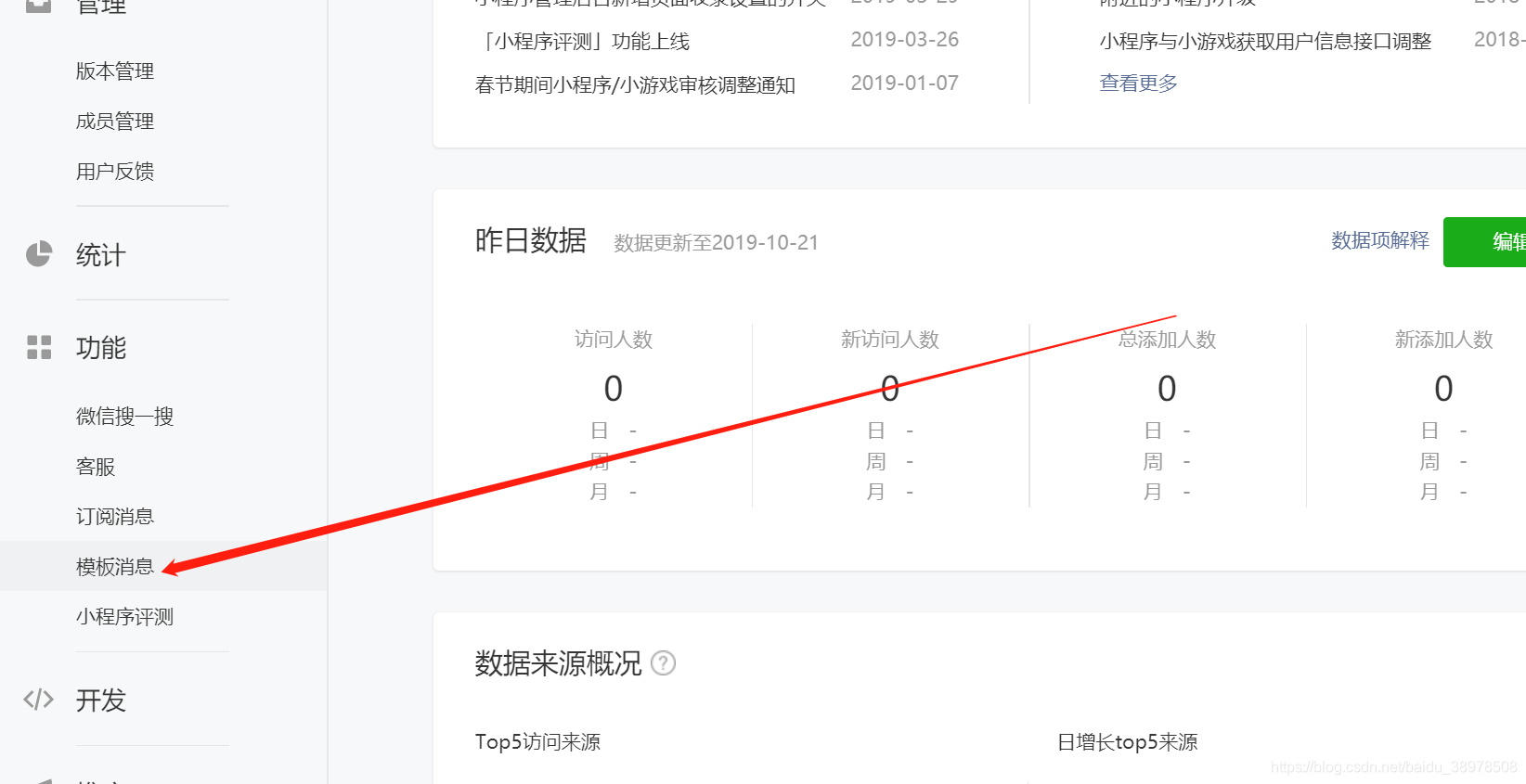
(2)有很多的消息模板,选择适合你的。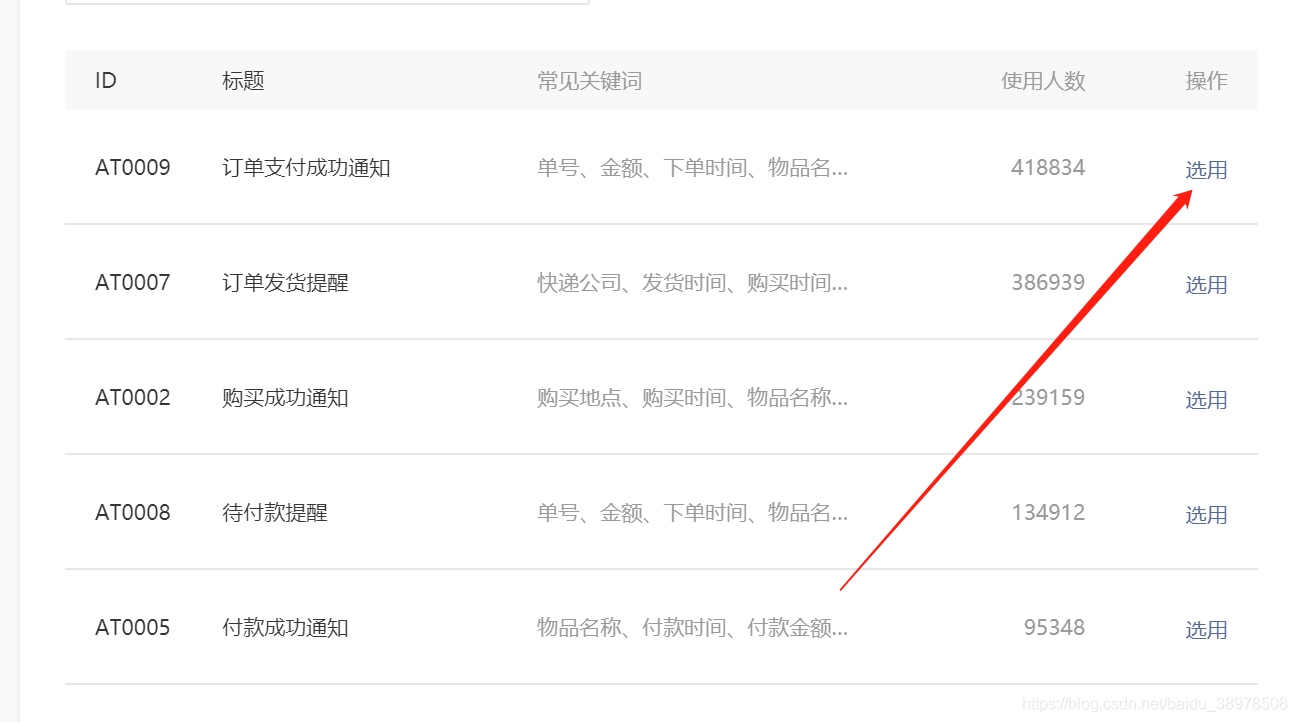
(3)记住你的template_id,在接下来的开发你要用到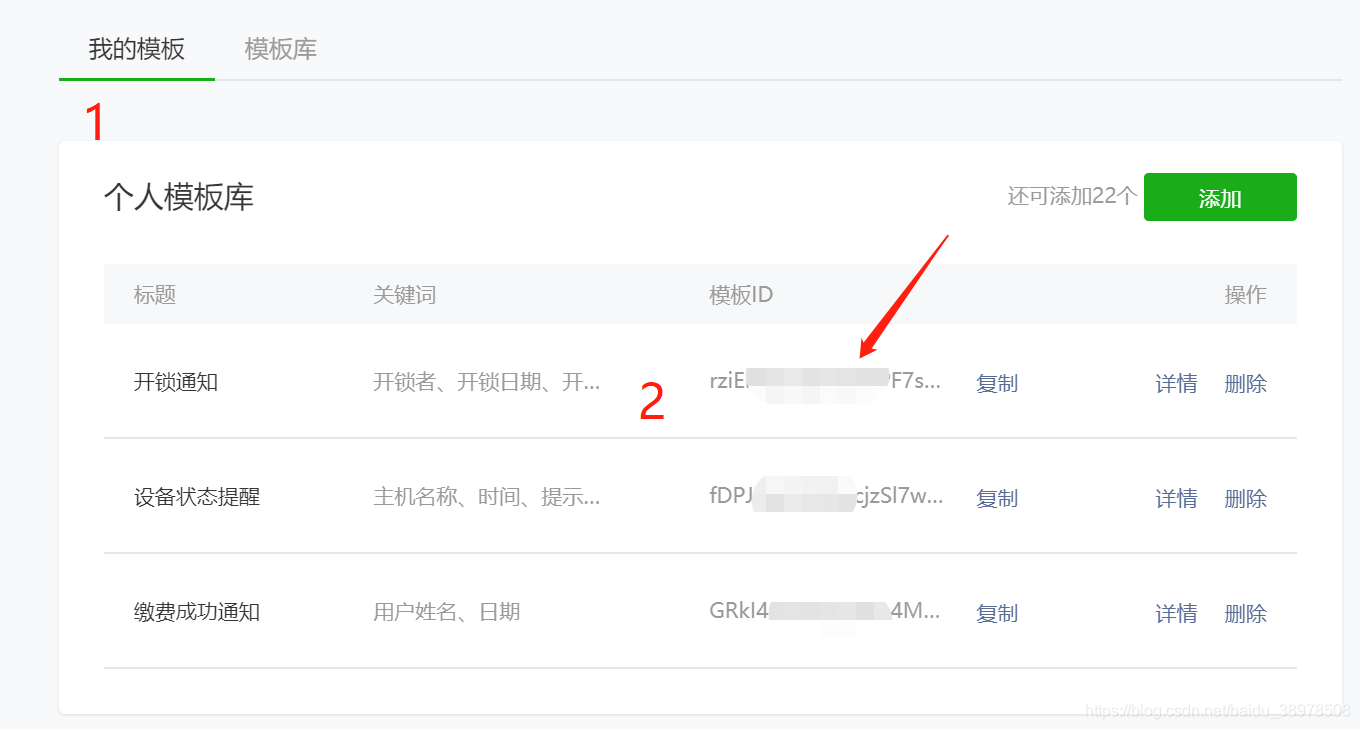
2:接下来讲解获取上面参数过程
(1)获取access_token
微信小程序代码
//获取access_token wx.request({ url: 'https://www.lined5530.top/lg/wxsendmesController/at', success:function(res){ var at=wx.setStorageSync("at", res.data.mes) console.log(res.data.mes) } })Java后台代码
String accessToken;//因为用到的地方很多,所以我写成全局变量了//获取accessToken@RequestMapping("at")@ResponseBodypublic JSONObject at() { // 微信小程序ID String appid = "你自己的appid"; // 微信小程序秘钥 String secret = "你自己的秘钥"; String url="https://api.weixin.qq.com/cgi-bin/token?grant_type=client_credential&appid="+appid+"&secret="+secret; // 发送请求,返回Json字符串 String str = WeChatUtil.httpRequest(url, "GET", null); // 转成Json对象 获取openid MapString,String map=new HashMapString,String(); //转化成json JSONObject fromObject = JSONObject.fromObject(str); //获取at accessToken = fromObject.getString("access_token"); System.out.println("后台获取的"+accessToken); //给小程序端返回at map.put("mes", accessToken); JSONObject json=JSONObject.fromObject(map);return json; //JSONObject jsonObject = JSONObject.parseObject(str); //System.out.println("access_token---"+jsonObject.toJSONString()); // 我们需要的openid,在一个小程序中,openid是唯一的// String access_token = jsonObject.get("access_token").toString();// return access_token;}不出意外你第一个参数成功获取
(2)获取openid
在获取openid的时候,你先要获取code。通过login这个接口就可以获取,比较简单,你看代码应该可以看明白。
//获取openid wx.login({ success: function (res) { var code1 = res.code//获取openid需要code var appid1 = "自己的aappid" var secret1 = "自己的秘钥" var ul = 'https://api.weixin.qq.com/sns/jscode2session?appid=' + appid1 + '&secret=' + secret1 + '&js_code=' + code1 + '&grant_type=authorization_code' //获取openid wx.request({ url: ul, method: 'GET', success: function (e) { var openid = e.data.openid console.log('获取登录身份的唯一openid', openid) wx.setStorageSync('openid', openid) } }) } })很多人可能看到别人在后台获取openid,其实没必要,在js中直接可以获取,不出意外,第二个重要的参数你也获取成功了。
(3)获取form_id
这个获取在小程序直接完成就可以
微信小程序的wxml代码
form bind:submit="sendMessage" report-submit="true" button formType="submit"发送模板消息/button /form```获取fromid就要出发发给微信发送通知的代码了
js代码
sendMessage: function (e) { var today = new Date(); var year = today.getFullYear(); var m1 = today.getMonth(); var month = m1 + 1 var day = today.getDate(); var h = today.getHours(); var m = today.getMinutes(); var etime = year + "-" + month + "-" + day var time=h+":"+m console.log("formId"); console.log(e); //对应通知服务的格式,你在选取模板的时候,用到几个参数,就设置几个参数 let _jsonData = { "touser": "对应给谁发送就写谁的openid", "weapp_template_msg": { "template_id": "公众平台里边模板id", //服务通知中进入小程序的入口 "page": "pages/index/index", "form_id": e.detail.formId, "data": { "keyword1": { "value": wx.getStorageSync("name") }, "keyword2": { "value": etime }, "keyword3": { "value": time }, "keyword4": { "value": "内蒙古师范大学大数据楼316" } }, "emphasis_keyword": "keyword1.DATA" } } // wx.showModal({ // title: 'formdID', // content: e.detail.formId, // }) //向后台请求,把刚才设置好的参数发送到后台 wx.request({ url: 'https://www.lined5530.top/lg/wxsendmesController/sendMsg', data:_jsonData,//直接发送的json数据格式 method: 'POST', header: { 'content-type': 'application/json' // 默认值 }, success: function (res) { console.log("res") console.log(res) } }) console.log("faxiaox") },对应后台的代码
//发送消息@RequestMapping("addsenddata") @ResponseBody public void sendMessage(@RequestBody String _jsonData){ System.out.println("sendMesg传入参数"+_jsonData); // 微信小程序ID String appid = "自己appid"; // 微信小程序秘钥 String secret = "自己的秘钥"; String ACCESS_TOKEN=accessToken; // 根据小程序穿过来的code想这个url发送请求 String url = "https://api.weixin.qq.com/cgi-bin/message/wxopen/template/uniform_send?access_token="+ACCESS_TOKEN; // 发送请求,返回Json字符串 String str = WeChatUtil.httpRequest(url, "POST", _jsonData); // 转成Json对象 获取openid JSONObject fromObject = JSONObject.fromObject(str); //JSONObject jsonObject = JSONObject.parseObject(str); System.out.println("jsonObject____"+fromObject.toString()); // 我们需要的openid,在一个小程序中,openid是唯一的 }最后你可能用到WeChatUtil这个方法
public class WeChatUtil { public static String httpRequest(String requestUrl,String requestMethod,String output){ try{ URL url = new URL(requestUrl); HttpsURLConnection connection = (HttpsURLConnection) url.openConnection(); connection.setDoOutput(true); connection.setDoInput(true); connection.setUseCaches(false); if(null != output){ OutputStream outputStream = connection.getOutputStream(); outputStream.write(output.getBytes("utf-8")); outputStream.close(); } // 从输入流读取返回内容 InputStream inputStream = connection.getInputStream(); InputStreamReader inputStreamReader = new InputStreamReader(inputStream, "utf-8"); BufferedReader bufferedReader = new BufferedReader(inputStreamReader); String str = null; StringBuffer buffer = new StringBuffer(); while ((str = bufferedReader.readLine()) != null){ buffer.append(str); } bufferedReader.close(); inputStreamReader.close(); inputStream.close(); inputStream = null; connection.disconnect(); return buffer.toString(); }catch(Exception e){ e.printStackTrace(); } return ""; }}最后的效果如下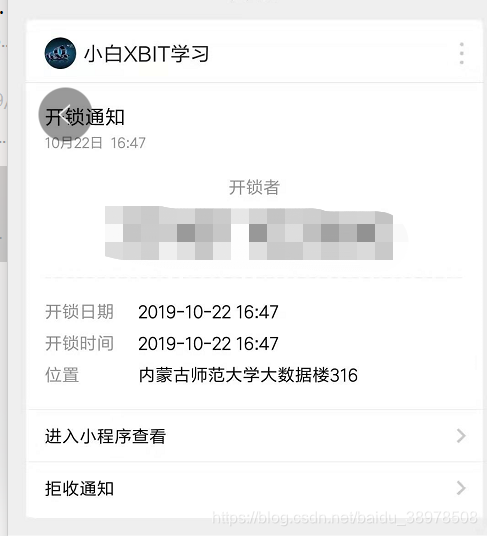
以上是我学习的整个过程,研究一下午搞好的,希望可以帮助大家。
承接毕业设计:微信小程序、ssm和树莓派硬件
有开发好的毕业设计可直接购买,价格便宜。
扫描下面二维码加微信(非诚勿扰):