


wx.startSoterAuthentication(Object object)
开始 SOTER 生物认证。验证流程请参考说明。
参数object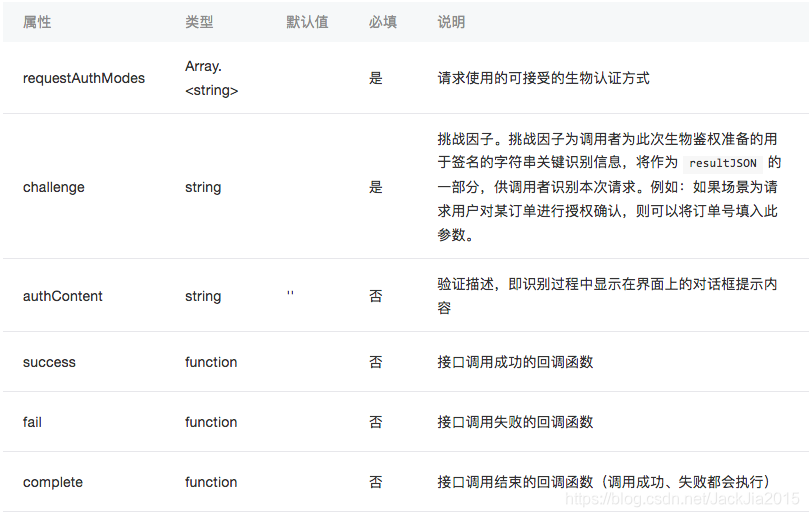
object.requestAuthModes 的合法值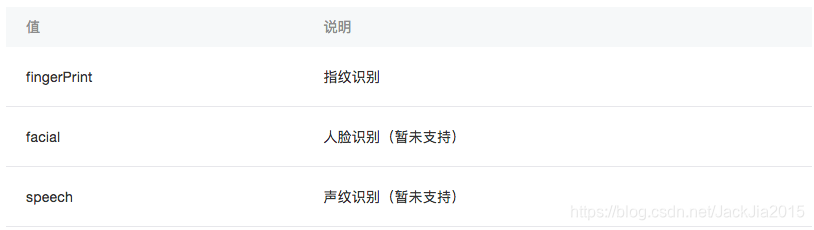
object.success 回调函数参数res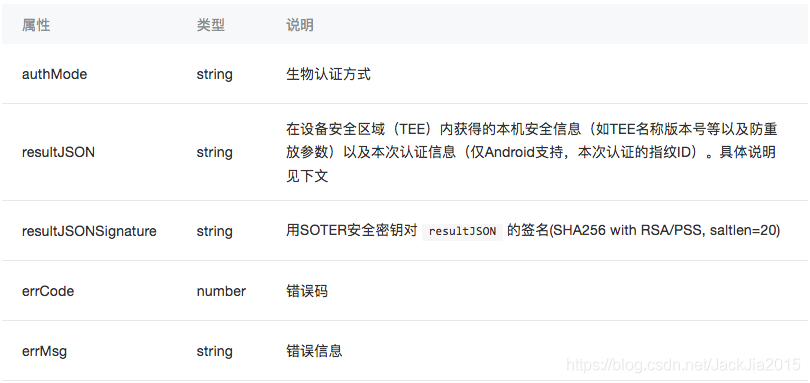
resultJSON 说明
此数据为设备TEE中,将传入的challenge和TEE内其他安全信息组成的数据进行组装而来的JSON,对下述字段的解释如下表。例子如下: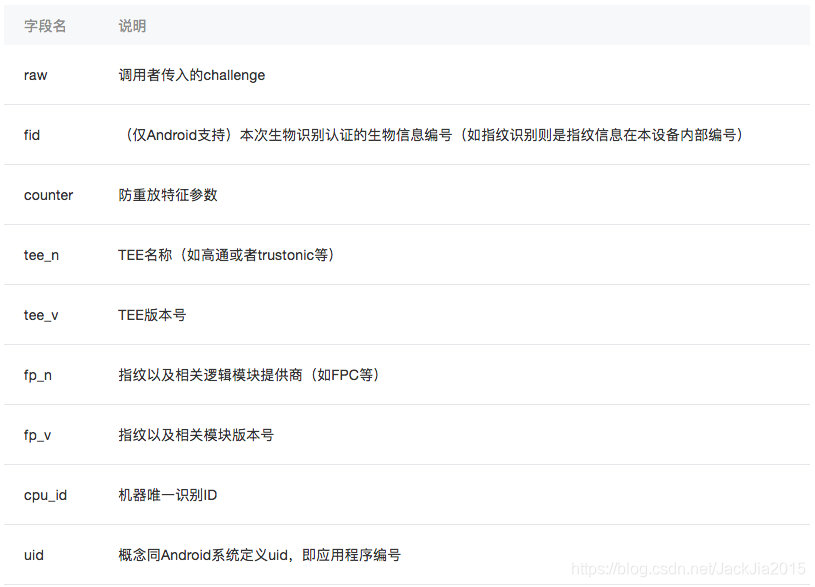
{ "raw": "msg", "fid": "2", "counter": 123, "tee_n": "TEE Name", "tee_v": "TEE Version", "fp_n": "Fingerprint Sensor Name", "fp_v": "Fingerprint Sensor Version", "cpu_id": "CPU Id", "uid": "21"}示例代码
wx.startSoterAuthentication({ requestAuthModes: ['fingerPrint'], challenge: '123456', authContent: '请用指纹解锁', success(res) { }})wx.checkIsSupportSoterAuthentication(Object object)
获取本机支持的 SOTER 生物认证方式
参数Object object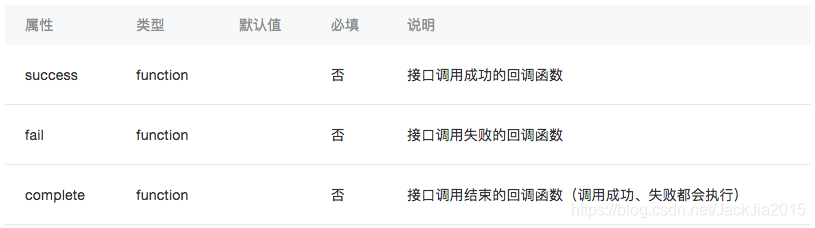
object.success 回调函数参数 res
res.supportMode 的合法值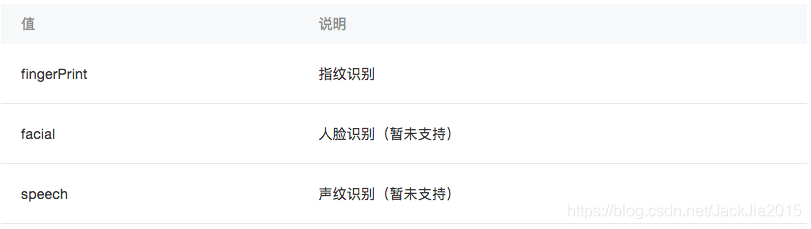
示例代码
wx.checkIsSupportSoterAuthentication({ success(res) { // res.supportMode = [] 不具备任何被SOTER支持的生物识别方式 // res.supportMode = ['fingerPrint'] 只支持指纹识别 // res.supportMode = ['fingerPrint', 'facial'] 支持指纹识别和人脸识别 }})wx.checkIsSoterEnrolledInDevice(Object object)
获取设备内是否录入如指纹等生物信息的接口
参数 object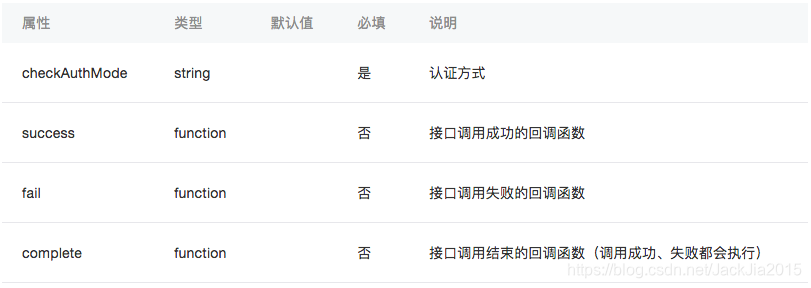
object.checkAuthMode 的合法值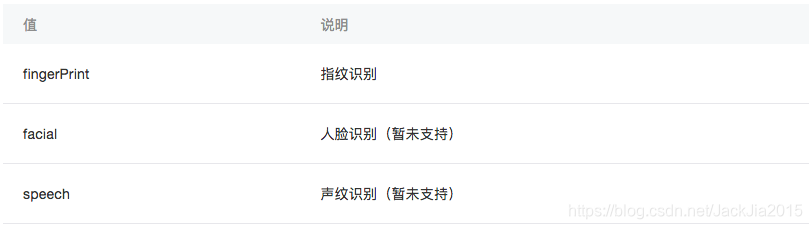
object.success 回调函数参数res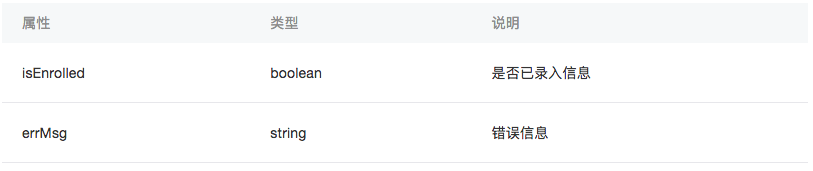
示例代码
wx.checkIsSoterEnrolledInDevice({ checkAuthMode: 'fingerPrint', success(res) { console.log(res.isEnrolled) }})












