


swiper组件实现不同效果间距轮播
先不急着看实现过程,先看看三种效果图,如果是你想要的效果那请看下面的过程,不是的话也不浪费大家的时间(就是这么体贴唉)。
常见问题:
小程序swiper有时候滑动,滑来滑去会卡在中间,跳转到别的页面在跳转回来还是一样的卡在哪里,猜测是轮播图下标的问题,所以,就在onshow哪里,跳转回来的时候,初始化下标就可以解决问题
this.setData({ current: 1, })效果图一 利用css

效果图二 利用css
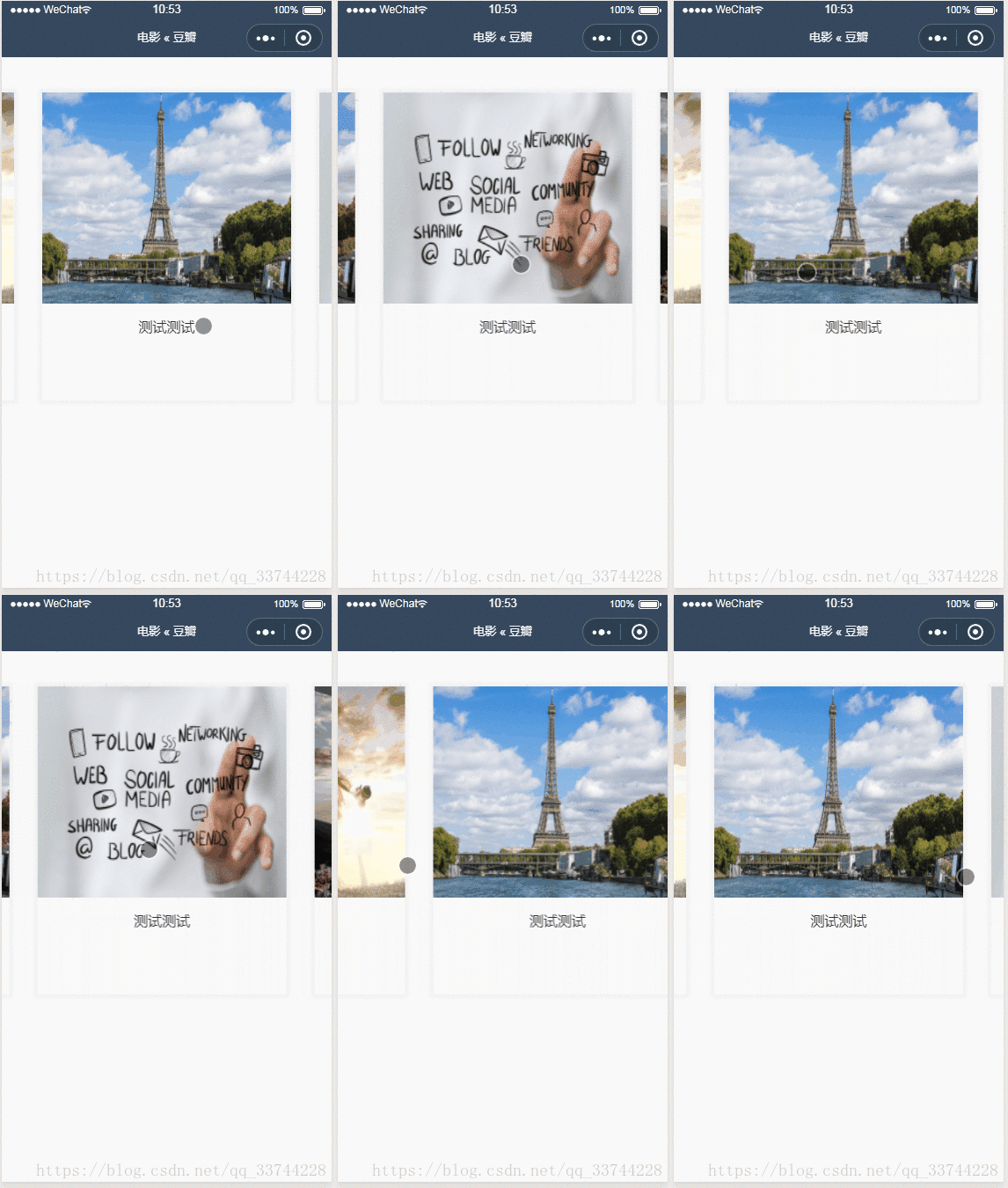
效果图三 利用css 和 js实现两边小 中间大
如果有你想要的效果,那就继续往下看,没有那就出门右(别)拐(走)吧。

一开始想着如果和swiper.js一样,那就好了,看了下文档就放弃了。网上找了一下还是没找到具体实现方法,就开始自己倒腾,就想到几个办法,看客们讲究着试试吧。
第一种效果 普通的间隔轮播
1:wxml
view class='test' swiper display-multiple-items='1' // 这里是设置显示一张 block wx:for="{{imgUrls}}" // 遍历js中的图片 swiper-item// box外层swiper view class='box'// 重点处理box image src='{{item}}'/image view class='content' text测试/text /view /view /swiper-item /block /swiper/view2:wxss
.test{ width: 100%; height: 100vh; box-sizing: border-box;}swiper{ height: 100%;}.content{ font-size: 16px; color: #333; padding: 20rpx 40rpx;}swiper-item{// 此时的swiper-item是占据一个页面的 text-align: center; // 让其中的内容居中显示}swiper-item image{ width: 100%;}.box{// box设置宽高(更具设计稿自定义吧) width: 80%; height: 700rpx; display: inline-block; margin-top: 40px; box-sizing: border-box; box-shadow: 0 0 4px 4px #f2f2f2; // 给box添加阴影效果更显著}这种实现是利用css来间接达到轮播间距的效果:
- swiper利用display-multiple-items='1’属性 一次展示一张
- swiper-item添加内容居中
- 内容设置宽高
- 最后就可以得到一次一张且有间距的轮播图
第二种效果 带边界的间隔轮播
依旧按照上面的css不用大改,改已改box的宽度即可,按照你想要的效果去设置大小。
.box{ width: 90%; }只需要在swiper组件上加两个属性,来达到预留空间给里面box。在加上circular属性衔接滑动(无缝连接)。

第三种效果 两边小中间大动画轮播
1:wxml
view class='test' swiper display-multiple-items='1' circular previous-margin='50px' next-margin='50px' bindchange='change' current='{{current}}' block wx:for="{{imgUrls}}" wx:key='{{index}}' swiper-item view class="box" data-index='{{index}}' animation="{{index == current?animationData:animationData2}}" image src='{{item}}'/image view class='content' text测试/text text测试/text /view /view /swiper-item /block /swiper/view2:wxss
.test{ width: 100%; height: 100vh; box-sizing: border-box;}swiper{ height: 100%;}.content{ font-size: 16px; color: #333; padding: 20rpx 40rpx;}swiper-item{ text-align: center;}swiper-item image{ width: 100%;}.box{ width: 90%; height:600rpx; display: inline-block; margin-top: 40px; box-sizing: border-box; box-shadow: 0 0 4px 4px #f2f2f2; position:relative; top:33%; transform:translateY(-45%);}3.js 利用animate来过渡动画,当下标相同的额时候执行放大的动画
Page({ /** * 页面的初始数据 */ data: { imgUrls: [ 'http://img02.tooopen.com/images/20150928/tooopen_sy_143912755726.jpg', 'http://img06.tooopen.com/images/20160818/tooopen_sy_175866434296.jpg', 'http://img06.tooopen.com/images/20160818/tooopen_sy_175833047715.jpg' ], current: 0, animationData: {}, animationData2: {} }, /** * 生命周期函数--监听页面加载 */ onLoad: function (options) { this.stretch(350) }, change(e){ this.setData({ current: e.detail.current }) this.stretch(350) this.shrink(300) }, // 收缩 stretch(h){ var animation = wx.createAnimation({ duration: 1000, timingFunction: 'ease', }) this.animation = animation animation.height(h).step() this.setData({ animationData: animation.export(), }) }, // 展开 shrink(h){ var animation2 = wx.createAnimation({ duration: 1000, timingFunction: 'ease', }) this.animation2 = animation2 animation2.height(h).step() this.setData({ animationData2: animation2.export() }) },})以上就是三种轮播实现的方式,如果有疑问的可以下面留言,或者你有更好的方法,可以留言,邮箱发送










