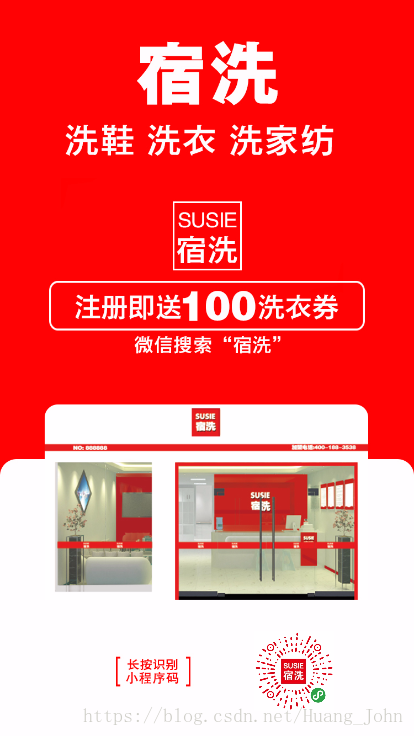
现在老板一般都需要线上推广功能,通过给用户好处来刺激用户裂变分销,这就需要我们给用户生成专属的推广海报
因为小程序的用户uid是唯一的并且是不变的,所以我们后台大哥就以用户的uid作为生成专属二维码的图片名称,这里我们用canvas来绘制海报,废话不多说,上前端代码:
wxml:
view class='box' canvas canvas-id='post' style='width:750rpx;height:1334rpx;'/canvas view style='width:100%;text-align:center;color:#cc181d;font-size:24rpx;margin-top:15rpx;'这是您的专属二维码,将图片保存至手机后发朋友圈推广/view button class='btn' bindtap='save'保存图片/button/viewjs:
data: { src1: 'https://www.qiaolibeilang.com/qrcode/', src3: '.png', }, onLoad: function (options) { var that = this var winWidth = wx.getSystemInfoSync().windowWidth;// 获取当前设备的可视宽度 var winHeight = wx.getSystemInfoSync().windowHeight;// 获取当前设备的可视高度 that.setData({ winWidth: winWidth, winHeight: winHeight }) let promise1 = new Promise(function (resolve, reject) { wx.getImageInfo({ src: 'https://www.qiaolibeilang.com//public/uploads/images/20180809/free.png', success: function (res) { resolve(res); } }) }); let promise2 = new Promise(function (resolve, reject) { var uid = wx.getStorageSync('uid') console.log(uid) wx.getImageInfo({ src: that.data.src1 + uid + that.data.src3, success: function (res) { resolve(res); } }) }); Promise.all([ promise1, promise2 ]).then(res = { var that = this var winWidth = wx.getSystemInfoSync().windowWidth;// 获取当前设备的可视宽度 var winHeight = wx.getSystemInfoSync().windowHeight;// 获取当前设备的可视高度 that.setData({ winWidth: winWidth, winHeight: winHeight }) console.log(winWidth) console.log(winHeight) const ctx = wx.createCanvasContext('post') ctx.setFillStyle('red') ctx.drawImage(res[0].path, 0, 0, that.data.winWidth, that.data.winWidth * 1.778) ctx.drawImage(res[1].path, that.data.winWidth - 160, that.data.winWidth * 1.778 - 105, 80, 80) console.log(res) ctx.draw(true) }) }, save: function (e) { var that = this wx.canvasToTempFilePath({ x: 0, y: 0, canvasId: 'post', success: function (res) { // 获得图片临时路径 console.log(res.tempFilePath) wx.saveImageToPhotosAlbum({ filePath: res.tempFilePath, success(res) { console.log(res); wx.showToast({ title: '保存成功', }); }, fail(res) { console.log("保存图片:fail"); console.log(res); } }) } }) },wxss代码就不写了,每个人风格都不一样,我的最终效果是就是这样,二维码是每个人单独的,剩下的就让后台去处理后续的业务逻辑就好了