


微信小程序授权页面,进入小程序如果没授权跳转到授权页面,授权后跳转到首页,如果用户点拒绝下次进入小程序还是能跳转到授权页面,授权页面如下 作者qq:1445579000
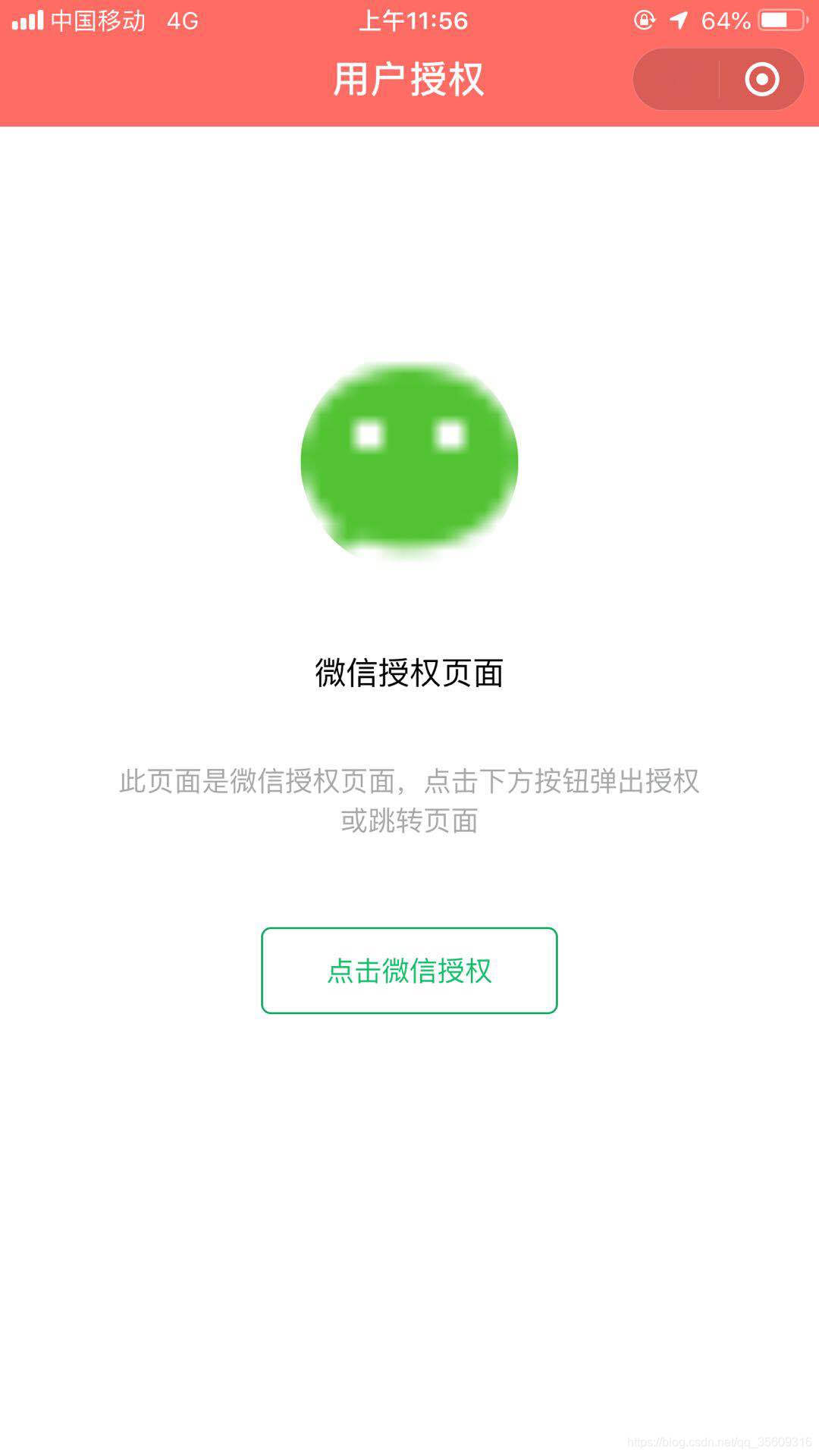
1.app.js 中的 onLaunch或onShow中加如下代码,如果没授权跳转到授权页面
// 获取用户信息 wx.getSetting({ success: res = { if (res.authSetting['scope.userInfo']) { // 已经授权,可以直接调用 getUserInfo 获取头像昵称,不会弹框 wx.getUserInfo({ success: res = { // 可以将 res 发送给后台解码出 unionId this.globalData.userInfo = res.userInfo // 由于 getUserInfo 是网络请求,可能会在 Page.onLoad 之后才返回 // 所以此处加入 callback 以防止这种情况 if (this.userInfoReadyCallback) { this.userInfoReadyCallback(res) } } }) }else{ // 未授权,跳转到授权页面 wx.reLaunch({ url: '/pages/auth/auth', }) } } })2.创建一个授权页面 auth.wxml 授权页面结构
view class="auth" image src="https://res.wx.qq.com/wxopenres/htmledition/images/favicon32f740.ico" class="img" mode="aspectFill"/image view class="title"微信授权页面/view view class="describe"此页面是微信授权页面,点击下方按钮弹出授权或跳转页面/view button class="btn" open-type='getUserInfo' wx:if="{{canIUse}}" bindgetuserinfo='onAuth'点击微信授权/button navigator wx:if="{{!canIUse}}" class="btn" url="/pages/auth/auth" open-type="reLaunch" hover-class="other-navigator-hover"已经授权点击调转/navigator/view3.auth.wxss 授权页面样式
/* 开始 */page { height: 100%; display: table;}.auth { margin-top: 0; text-align: center; display: table-cell; flex-direction: column; flex-wrap: wrap; justify-content: center; align-items: flex-start; padding: 100rpx; vertical-align: middle;}.img { border-radius: 50%; border: 1px solid #fff; background-color: #fff; margin: 0 0 60rpx; display: inline-block; width: 200rpx; height: 200rpx; line-height: 0;}.title { display: inline-block; width: 100%; margin: 0 0 60rpx;}.describe { color: #a7aaa9; font-size: 26rpx; margin: 0 0 60rpx; border-radius: 50%; text-align: center; display: inline-block; width: 100%;}.btn { padding: 0 60rpx; background-color: #19be6b; margin: 20rpx 0 200rpx; text-align: center; vertical-align: middle; touch-action: manipulation; cursor: pointer; background-image: none; white-space: nowrap; user-select: none; font-size: 14px; border: 0 !important; position: relative; text-decoration: none; height: 44px; line-height: 44px; box-shadow: inset 0 0 0 1px #19be6b; background: #fff !important; color: #19be6b !important; display: inline-block; border-radius: 10rpx;}4.auth.js 授权页面js,点击授权后跳转到首页
var app = getApp();Page({ data: { canIUse: wx.canIUse('button.open-type.getUserInfo') }, onAuth() { wx.getSetting({ success: (res) = { if (res.authSetting['scope.userInfo']) { wx.reLaunch({ url: '../index/index', }) } } }) }})










