


第一步:把想要的两种样式写出来
1.正常显示的样式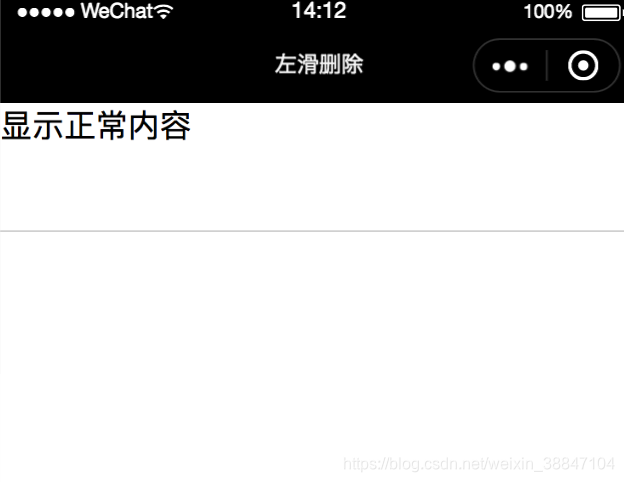
css:
.box{ height: 100%;}.item{ position:relative; top: 0; width: 100%; height: 150rpx; border-bottom: #d9d9d9 solid 1rpx; padding: 0;}.item .content{ background-color: #ffffff; height: 100%; position: relative; left: 0; width: 100%; transition: all 0.3s;}.item .del-button { position: absolute; right: -140rpx; width: 140rpx; height: 100%; background-color: #df3448; color: #fff; top: 0; text-align: center; display: flex; justify-content: center; align-items: center; transition: all 0.3s; font-size: 24rpx;}xwml:
view class="box" view class="item {{status ? '' :'active'}}" view class="content"显示正常内容/view view class="del-button"删除/view /view/view2.显示删除按钮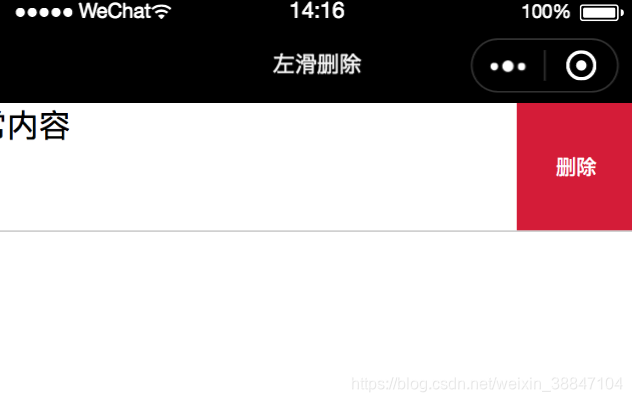
.item.active .content{ left: -140rpx;}.item.active .del-button{ right: 0;}同时在js中控制样式是否active
data: { status:false //true为正常显示,false为显示删除按钮 },第二步:绑定事件
其实此时可以绑定bindtap事件,来切换active的状态,点击一下是“显示正常内容”,再点击一下是“删除”。然后,现在把点击事件改成touch并向左move之后再触发,就很好理解了。(样式中,已经提前写好的transition: all 0.3s;就是为了使两个状态之间有个过渡)
微信小程序提供了两个事件可以使用,一个是bindtouchstart,通过这个事件我们可以获得用户刚点击(手指还未抬起)时的坐标。
touchS(e) { // 获得起始坐标 this.startX = e.touches[0].clientX; this.startY = e.touches[0].clientY;}, 还有一个是bindtouchmove,我们可以一直获取当前的坐标(用户手指一直在屏幕上滑动时)。因此,我们只需要得到x轴上的移动的前后坐标相减是正数,就是向左移动。
touchM(e) { // 获得当前坐标 this.currentX = e.touches[0].clientX; this.currentY = e.touches[0].clientY; const x = this.startX - this.currentX; //横向移动距离 const y = Math.abs(this.startY - this.currentY); //纵向移动距离,若向左移动有点倾斜也可以接受 if (x 35 && y 110) { //向左滑是显示删除 this.setData({ status: false }) } else if (x -35 && y 110) { //向右滑 this.setData({ status: true }) } },然后绑定到Item上
view class="box" view class="item {{status ? '' :'active'}}" view class="content" bindtouchstart="touchS" bindtouchmove="touchM"显示正常内容/view view class="del-button"删除/view /view/view最后再在删除的view里bindtap一个删除方法即可删除。
以上是最简版的效果,还需很多优化要自行添加。










