


目前小程序推出了自己的识别码,小程序码,圆形的码看起来比二维码好看。
本文总结微信小程序的获取小程序二维码的接口开发。官方地址
主要内容摘抄自微信小程序的API文档,java接口开发是自己总结开发。
一、简介
通过后台接口可以获取小程序任意页面的二维码,扫描该二维码可以直接进入小程序对应的页面。目前微信支持两种二维码,小程序码(左),小程序二维码(右),如下所示:
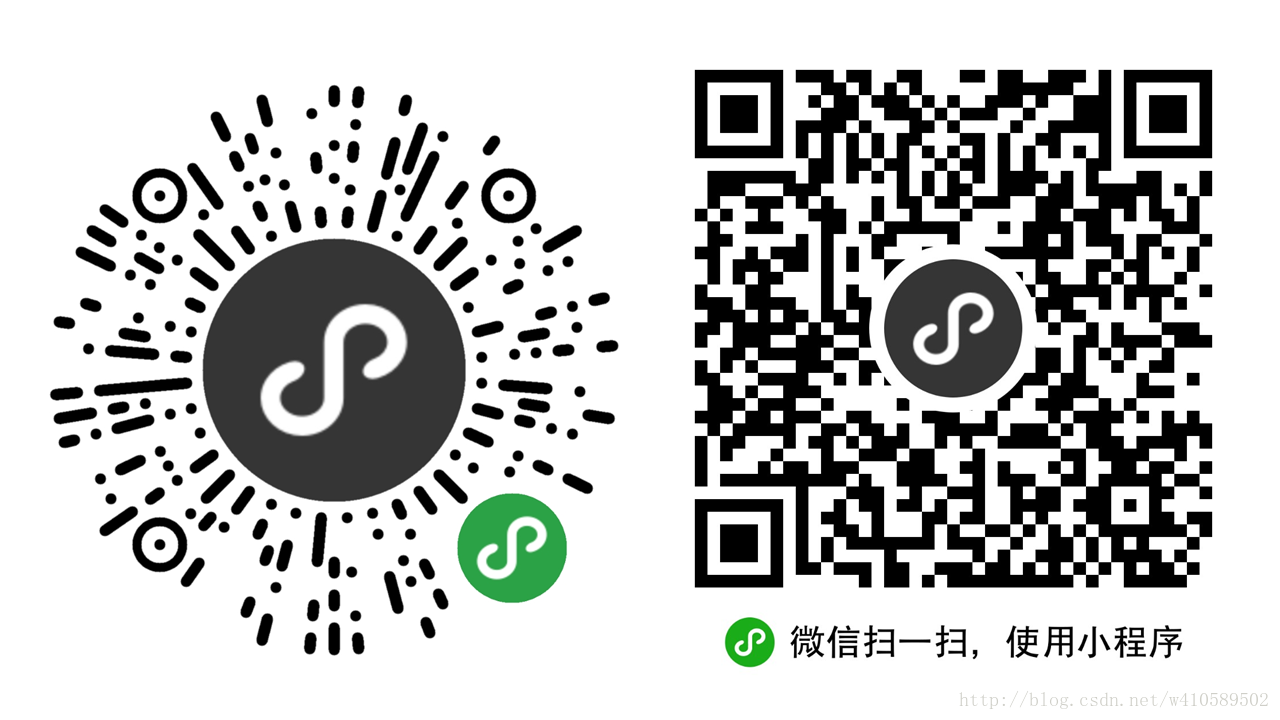
微信小程序获取二维码的三种方式
小程序码两种 小程序二维码一种
1.官方文档有介绍获取二维码的,这里主要介绍JAVA怎么获取。
2.微信小程序二维码API文档 官方地址
3.小程序获取的图片样式其实是有差异的;一种是我们熟悉的二维码,一种就是小程序码了;具体可根据需求选择。
获取 小程序码 小程序二维码 的前提是
必须获取小程序的TOKEN
获取 access_token 详见文档
/** * 获取token * @param url * @param grantType * @param appid * @param secret * @return */ public static String getAccessToken(String url,String grantType,String appid,String secret){ String access_token = ""; String tokenUrl = url+"?grant_type="+ grantType+"&appid="+ appid + "&secret="+ secret; Object result = HttpUtils.doGet(tokenUrl); JSONObject jsons = JSONObject.parseObject(result.toString()); String expires_in = jsons.getString("expires_in"); if(BL3Utils.isNotEmpty(expires_in)&&Integer.parseInt(expires_in)==7200){ //ok access_token = jsons.getString("access_token"); }else{ System.out.println("出错获取token失败!"); } return access_token; }
参数介绍:
1.url :https://api.weixin.qq.com/cgi-bin/token
2.grantType: client_credential
3.appid:小程序appid,微信公众平台注册小程序时自动生成的。
4.secret:小程序secret,微信公众平台注册小程序时自动生成的。
5.url 和grantType参数官网其实有介绍的。
获取小程序码的两种方式
目前有两个接口可以生成小程序码,开发者可以根据自己的需要选择合适的接口
第一种
- 适用于需要的码数量较少的业务场景
- 是呢不带参数有限个小程序码接口
- 总共生成的码数量限制为100,000,请谨慎调用。
接口地址:
https://api.weixin.qq.com/wxa/getwxacode?access_token=ACCESS_TOKEN
(1)POST 参数说明
| 参数 | 类型 | 默认值 | 说明 |
|---|---|---|---|
| path | String | 不能为空,最大长度 128 字节 | |
| width | Int | 430 | 二维码的宽度 |
| auto_color | Bool | false | 自动配置线条颜色,如果颜色依然是黑色,则说明不建议配置主色调 |
| line_color | Object | {“r”:”0”,”g”:”0”,”b”:”0”} | auth_color 为 false 时生效,使用 rgb 设置颜色 例如 {“r”:”xxx”,”g”:”xxx”,”b”:”xxx”} |
注意:通过该接口生成的小程序码,永久有效,但数量有效,请谨慎使用。用户扫描该码进入小程序后,将直接进入 path 对应的页面。
(2)请求接口测试
使用http请求插件postman或者RESTClient请求测试。
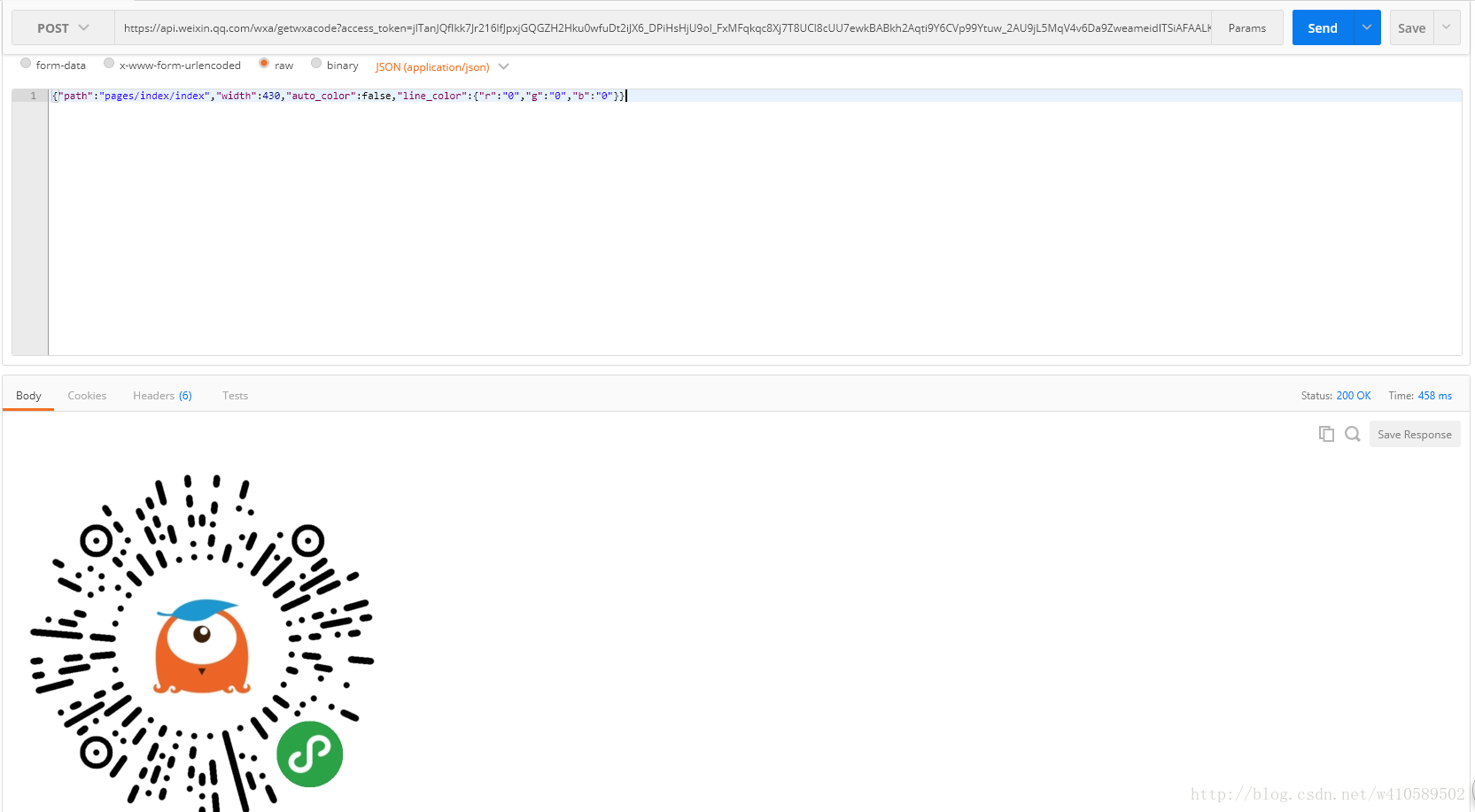
请求测试结果返回一个小程序码图片,与微信公众平台生成二维码不同,小程序码直接返回文件流,不是微信公众平台的url和ticket。
(3)java接口开发
/** 1. 带参数有限个数小程序码接口 2. @param url 3. @param access_token 4. @param path 5. @param width 6. @return */ public static InputStream getwxacode(String url,String access_token,String path,String width){ url = url + "?access_token=" + access_token; JSONObject jsonParam = new JSONObject(); jsonParam.put("path", path); jsonParam.put("width", Integer.parseInt(width)); jsonParam.put("auto_color", false); Map<String,Object> line_color = new HashMap<>(); line_color.put("r", 0); line_color.put("g", 0); line_color.put("b", 0); jsonParam.put("line_color", line_color); InputStream instreams = HttpUtils.doWXPost(url, jsonParam); if(BL3Utils.isEmpty(instreams)){ System.out.println("出错获取二维码失败!"); } return instreams; }参数说明
1.url : https://api.weixin.qq.com/wxa/getwxacode
2.access_token:上面有介绍(getAccessToken这个方法)
3.path:用户扫描该码进入小程序后,将直接进入 path 对应的页面;一般是首页地址:”pages/index/index” 也可以带上参数:”pages/index/index?query=1”。
4.width:二维码的宽度 int类型 默认 430
第二种
- 适用于需要的码数量极多的业务场景
- 没有数量限制呢
- 带参数
接口地址:
https://api.weixin.qq.com/wxa/getwxacodeunlimit?access_token=ACCESS_TOKEN
(1)POST 参数说明
| 参数 | 类型 | 默认值 | 说明 |
|---|---|---|---|
| scene | String | 最大32个可见字符,只支持数字,大小写英文以及部分特殊字符:!#$&’()*+,/:;=?@-._~,其它字符请自行编码为合法字符(因不支持%,中文无法使用 urlencode 处理,请使用其他编码方式) | |
| page | String | 必须是已经发布的小程序页面,例如 “pages/index/index” ,如果不填写这个字段,默认跳主页面 | |
| width | Int | 430 | 二维码的宽度 |
| auto_color | Bool | false | 自动配置线条颜色,如果颜色依然是黑色,则说明不建议配置主色调 |
| line_color | Object | {“r”:”0”,”g”:”0”,”b”:”0”} | auto_color 为 false 时生效,使用 rgb 设置颜色 例如 {“r”:”xxx”,”g”:”xxx”,”b”:”xxx”} |
注意:通过该接口生成的小程序码,永久有效,数量暂无限制。用户扫描该码进入小程序后,开发者需在对应页面获取的码中 scene 字段的值,再做处理逻辑。使用如下代码可以获取到二维码中的 scene 字段的值。调试阶段可以使用开发工具的条件编译自定义参数 scene=xxxx 进行模拟,开发工具模拟时的 scene 的参数值需要进行 urlencode。同时需要注意,此接口的page参数中不能带任何参数,参数都在scene 参数中处理,切记!!!
// 这是首页的 js
Page({
onLoad: function(options) {
// options 中的 scene 需要使用 decodeURIComponent 才能获取到生成二维码时传入的 scene
var scene = decodeURIComponent(options.scene)
}
})
(2)请求接口测试
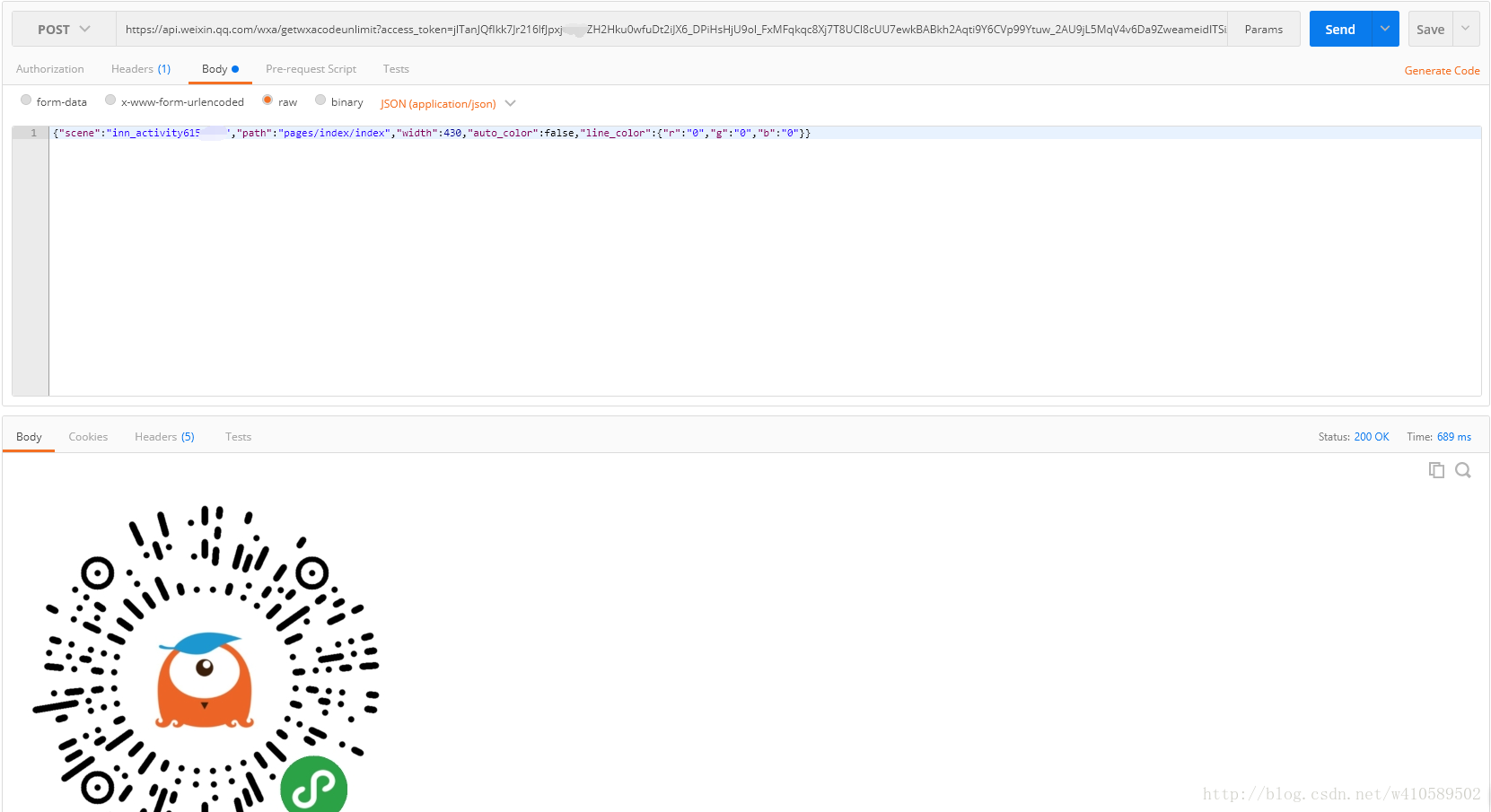
(3)java接口开发
/** * 带参数无限个数小程序码接口 * @param url * @param access_token * @param path * @param width * @return */ public static InputStream getwxacodeunlimit(String url,String access_token,String path,String width){ String[] str = path.split("[?]"); path = str[0]; String scene = str[1]; url = url + "?access_token=" + access_token; // 接收参数json列表 JSONObject jsonParam = new JSONObject(); jsonParam.put("scene", scene); jsonParam.put("page", path); jsonParam.put("width", Integer.parseInt(width)); jsonParam.put("auto_color", false); Map<String,Object> line_color = new HashMap<>(); line_color.put("r", 0); line_color.put("g", 0); line_color.put("b", 0); jsonParam.put("line_color", line_color); InputStream instreams = HttpUtils.doWXPost(url, jsonParam); if(BL3Utils.isEmpty(instreams)){ System.out.println("出错获取二维码失败!"); } return instreams; }参数说明
1.url : https://api.weixin.qq.com/wxa/getwxacodeunlimit
2.access_token:上面有介绍(getAccessToken这个方法)
3.path:用户扫描该码进入小程序后,将直接进入 path 对应的页面;一般是首页地址”pages/index/index” 也可以带上参数:”pages/index/index?query=1”。
4.width:二维码的宽度 int类型 默认 430
注意:
- 第二种生成小程序码的情况 只有小程序上线后才能生成二维码。
- 其他方法生成的码只有小程序上线后才会有权限访问 否则会提示小程序尚未发布
获取小程序二维码
- 适用于需要的码数量较少的业务场景
- 总共生成的码数量限制为100,000,请谨慎调用。
接口地址:
https://api.weixin.qq.com/cgi-bin/wxaapp/createwxaqrcode?access_token=ACCESS_TOKEN
(1)POST 参数说明
| 参数 | 类型 | 默认值 | 说明 |
|---|---|---|---|
| path | String | 不能为空,最大长度 128 字节 | |
| width | Int | 430 | 二维码的宽度 |
注意:通过该接口生成的小程序二维码,永久有效,数量限制见文末说明,请谨慎使用。用户扫描该码进入小程序后,将直接进入 path 对应的页面。
示例:
{"path": "pages/index?query=1", "width": 430}
注:pages/index 需要在 app.json 的 pages 中定义
(2)请求接口测试
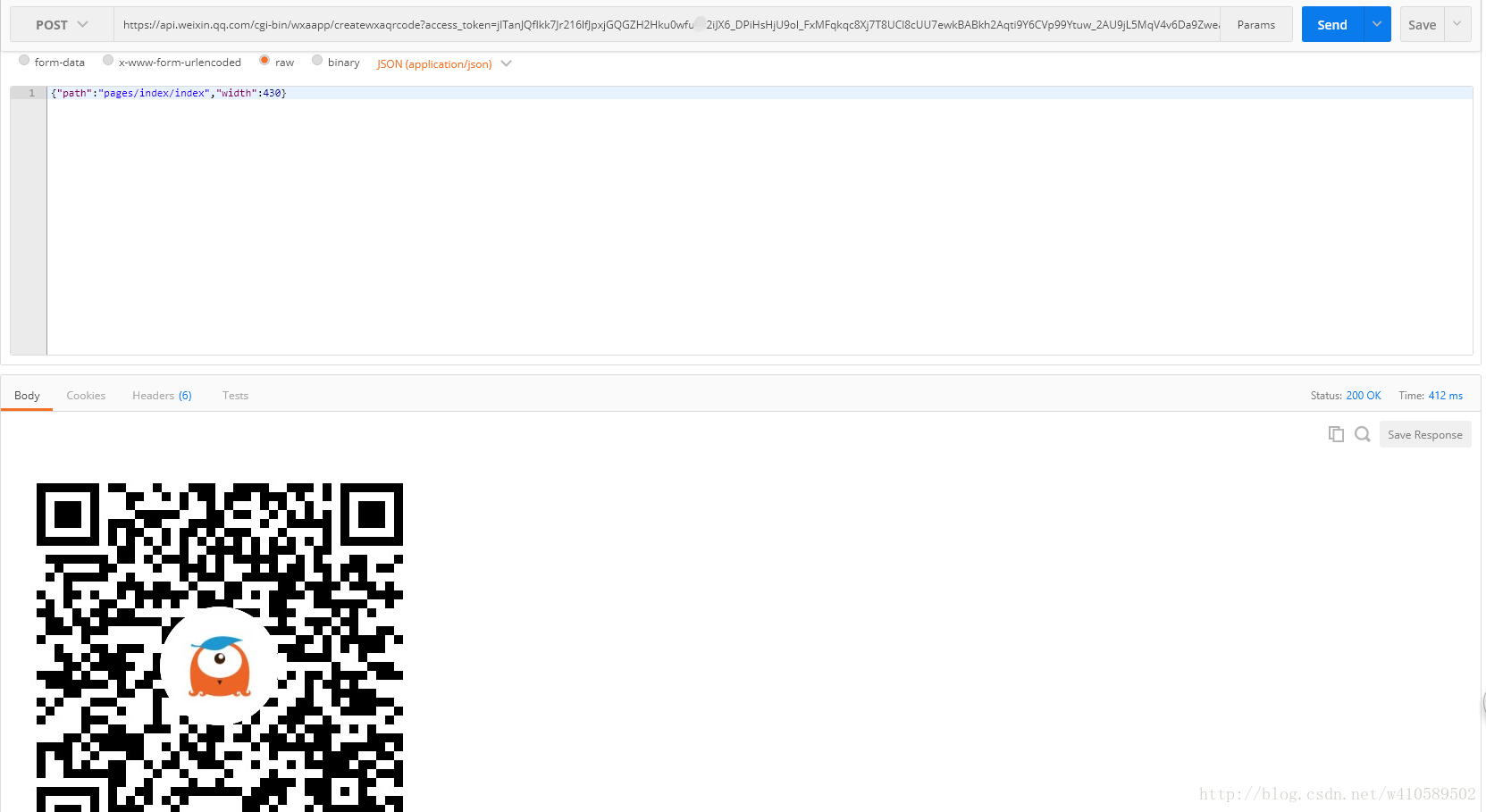
/** * 获取小程序二维码 * @param url 官方获取二维码地址 * @param width 二维码的宽度 int类型 默认 430 * @param access_token * @param path * @return */ public static InputStream createwxaqrcode(String url,String access_token,String path,String width){ url = url + "?access_token=" + access_token; JSONObject jsonParam = new JSONObject(); jsonParam.put("path", path); jsonParam.put("width", width); InputStream instreams = doWXPost(url, jsonParam); if(BL3Utils.isEmpty(instreams)){ System.out.println("出错获取二维码失败!"); } return instreams; }/** * 请求 * @param url * @param jsonParam * @return */ public static InputStream doWXPost(String url, JSONObject jsonParam) { InputStream instreams = null; HttpPost httpRequst = new HttpPost(url);// 创建HttpPost对象 try { StringEntity se = new StringEntity(jsonParam.toString(),"utf-8"); se.setContentType("application/json"); se.setContentEncoding(new BasicHeader(HTTP.CONTENT_TYPE,"UTF-8")); httpRequst.setEntity(se); HttpResponse httpResponse = new DefaultHttpClient().execute(httpRequst); if (httpResponse.getStatusLine().getStatusCode() == 200) { HttpEntity httpEntity = httpResponse.getEntity(); if (httpEntity != null) { instreams = httpEntity.getContent(); } } } catch (UnsupportedEncodingException e) { e.printStackTrace(); } catch (ClientProtocolException e) { e.printStackTrace(); } catch (IOException e) { e.printStackTrace(); } return instreams; }参数介绍:
1. url : https://api.weixin.qq.com/cgi-bin/wxaapp/createwxaqrcode
2. access_token:上面有介绍(getAccessToken这个方法)
3. path:用户扫描该码进入小程序后,将直接进入 path 对应的页面;一般是首页地址”pages/index/index” 也可以带上参数 “pages/index/index?query=1”。
4. width:二维码的宽度 int类型 默认 430。
/* @param instreams 二进制流 * @param imgPath 图片的保存路径 * @param fileName 图片的名称 * @return str 图片保存地址 */public static String saveToImgByInputStream(InputStream instreams,String imagePath,String fileName){ String str = ""; String path = "QRimage" + getWFileDirName(); String linuxPath = path.replaceAll("//",File.separator); if(instreams != null){ boolean b =uploadImages(instreams,imagePath+File.separator+linuxPath, fileName); if(b){ str =linuxPath+fileName; } } return str;}参数介绍
1. instreams: 上面有介绍(createwxaqrcode这个方法)
2. imagePath:保存图片的地址
3. fileName:图片自定义名称(可以自定义 比如:1.jpg、1.png等)。
/** * IO流保存图片 * @param instreams * @param imagePath * @param fileName * @return */public static boolean uploadImages( InputStream instreams,String imagePath,String fileName) { File f = new File(imagePath); f.setWritable(true, false); boolean flag = false; try { // 1K的数据缓冲 byte[] bs = new byte[1024]; // 读取到的数据长度 int len; // 输出的文件流 File file = new File(imagePath,fileName); if (!file.getParentFile().exists()) { file.getParentFile().mkdirs(); try { // 创建新文件 file.createNewFile(); } catch (IOException e) { System.out.println("创建新文件时出现了错误。。。"); e.printStackTrace(); } } OutputStream os = new FileOutputStream(imagePath+File.separator+fileName); // 开始读取 while ((len = instreams.read(bs)) != -1) { os.write(bs, 0, len); } // 完毕,关闭所有链接 os.close(); instreams.close(); flag = true; } catch (IOException e) { e.printStackTrace(); } return flag;}直接使用下面的代码就可以获取到二维码地址了
String qrcodeUrl = saveToImgByInputStream(instreams,imagePath,fileName);
三、说明
1:通过该接口,仅能生成已发布的小程序的二维码。
2:可以在开发者工具预览时生成开发版的带参二维码。
3:接口1加上接口2,总共生成的码数量限制为100,000,请谨慎调用。
4 : POST 参数需要转成 json 字符串,不支持 form 表单提交。
5 : auto_color line_color 参数仅对小程序码生效。
最后请大家注意
本篇博客讲解的是
生成
微信小程序码的两种方式
和生成
微信小程序二维码的一种方式
微信小程序码 和 微信小程序二维码 是有区别的
微信小程序码是圆的 微信小程序二维码是方的
小程序









