


上一篇:微信小程序微商城(三):电商首页福利专场无限下拉刷新动态API数据实现
看效果
开发计划
1、实现商品详情页面布局(这篇实现3个模块,头部商品图片轮播、商品价格和商品描述、商品详情展示)2、根据用户点击不同的商品请求API动态加载数据根据商品ID获取商品详情API数据模型
访问:https://100boot.cn/ 选择微商城案例,如下图所示:
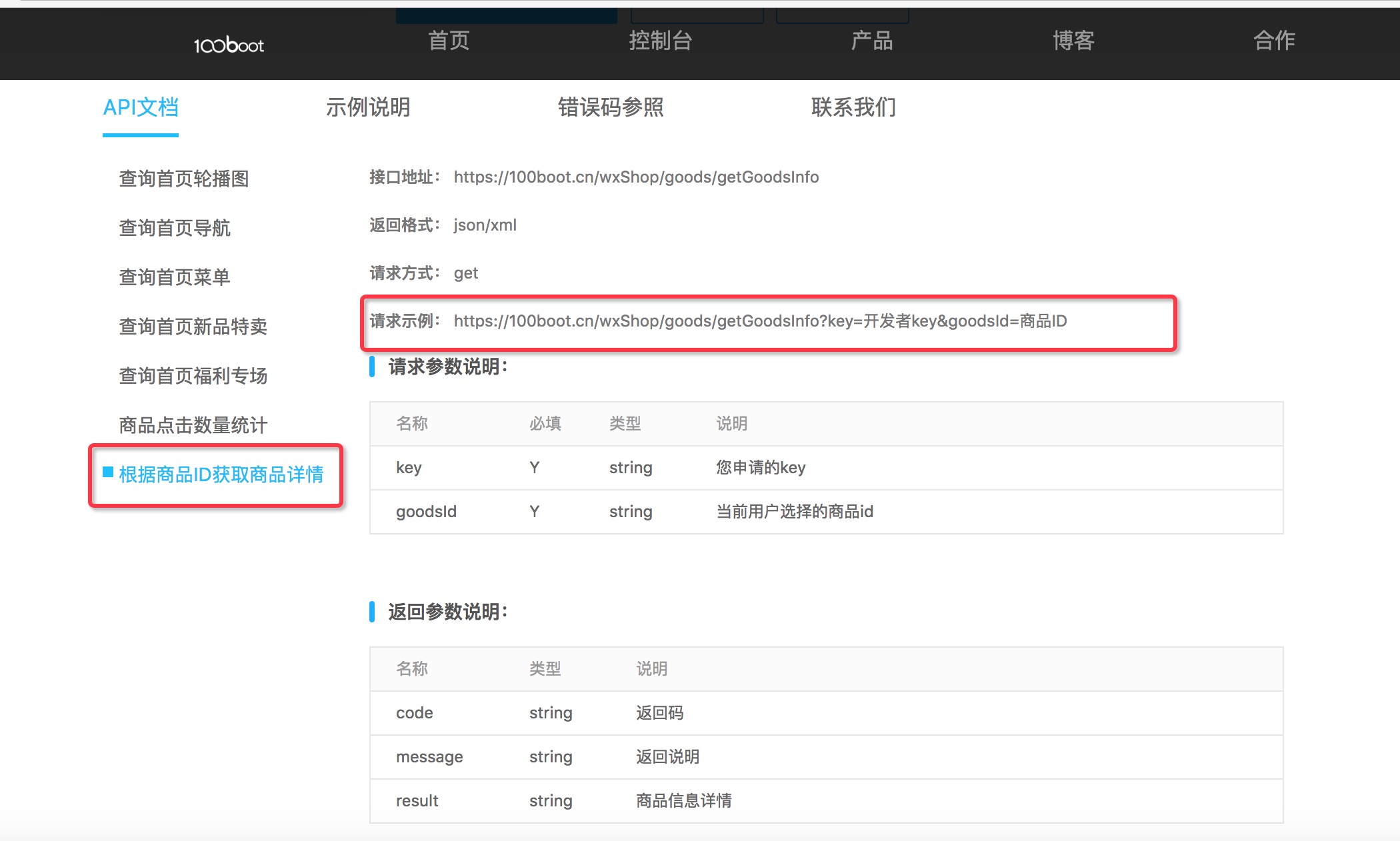
下方还有详细的数据模型可以查看哦!
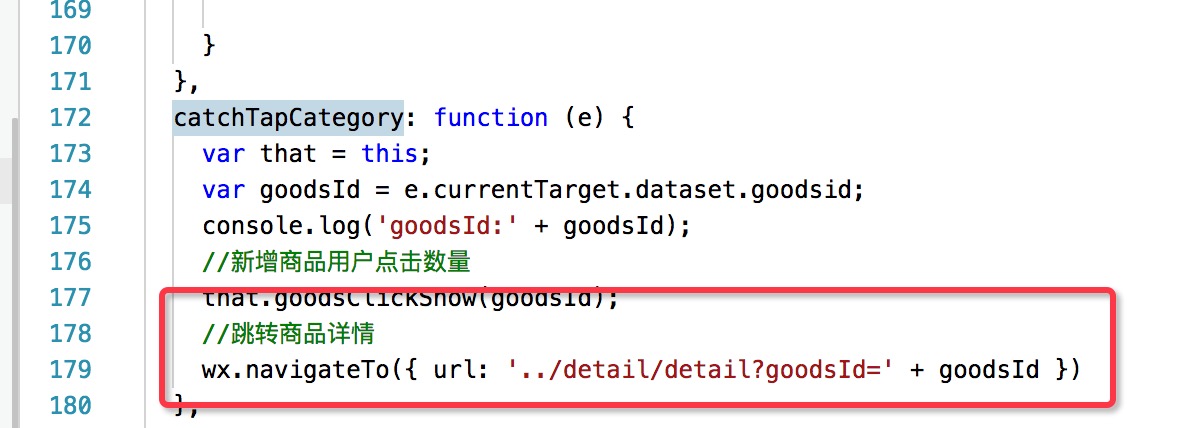
home.js 增加跳转商品详情事件
上一篇还记得我们做了商品点击查看详情的事件采集吗?那么再加上跳转商品详情页功能,如下图所示:
detail.wxml
<swiper indicator-dots="{{indicatorDots}}" autoplay="{{autoplay}}" interval="{{interval}}" duration="{{duration}}"> <block wx:for="{{goods.imgUrls}}"> <swiper-item> <image src="{{item}}" data-src="{{item}}" bindtap="previewImage" mode="widthFix"></image> </swiper-item> </block></swiper><!--商品价格和商品描述--><view><view class="product-name-wrap"> {{goods.title}} </view> <view class="product-price-wrap"> <view> <p class="product-price-new">¥{{goods.price}}</p> <p class="product-price-old">原价¥{{goods.privilegePrice}}</p> </view> </view></view> <view class="details"> <scroll-view scroll-y="true"> <text>商品详情</text> <block wx:for-items="{{goods.detailImg}}" wx:key="name"> <image class="image_detail" src="{{item}}" mode="widthFix"/> </block> <view class="temp"></view> </scroll-view> </view> detail.wxss
page {
display: flex;
flex-direction: column;
height: 100%;}
/* 直接设置swiper属性 */
swiper {
/* height: 500rpx; */ height: 750rpx;}
swiper-item image {
width: 100%;
height: 100%;}
/**商品价格**/
.product-price-wrap{
display: flex;
justify-content:space-between;/**两边对齐**/ flex-direction: row;
flex-wrap: wrap;
margin:5px 5px; /* border:1rpx solid red; */
}
.product-price-wrap .product-price-new{
color: red;
font-size: 40rpx;
margin: 10rpx;}
.product-price-wrap .product-price-old{
color: #888;
text-decoration: line-through;
padding-left: 5px;
font-size: 12px;
line-height:30px;
font-weight:300;}
.product-name-wrap{
margin: 0px 10px;
font-size: 14px;
color: #404040;}
.details{
padding: 0 5px 0 5px; }
.detail {
display: flex;
flex-direction: column;
margin-top: 15rpx;
margin-bottom: 0rpx; }
.detail .title {
font-size: 40rpx;
margin: 10rpx;
color: black;
text-align: justify;
height: 100rpx;}
.detail .price {
color: red;
font-size: 40rpx;
margin: 10rpx;}
.line_flag {
width: 80rpx;
height: 1rpx;
display: inline-block;
margin: 20rpx auto;
background-color: gainsboro;
text-align: center;}
.line {
width: 100%;
height: 2rpx;
display: inline-block;
margin: 20rpx 0rpx;
background-color: gainsboro;
text-align: center;}
.detail-nav {
display: flex;
flex-direction: row;
align-items: center;
float: left;
background-color: #fff;
position: fixed;
bottom: 0;
right: 0;
z-index: 1;
width: 100%;










