


本人承接各种高校C语言、C++、Java语言,JSP、python,delphi等课程设计以及ppt、计算机二级考试资料等,以及常见的电脑故障有需要的私信我或者微信18476275715
微信小程序,简称小程序,英文名Mini Program,是一种不需要下载安装即可使用的应用,它实现了应用“触手可及”的梦想,用户扫一扫或搜一下即可打开应用。
全面开放申请后,主体类型为企业、政府、媒体、其他组织或个人的开发者,均可申请注册小程序。小程序、订阅号、服务号、企业号是并行的体系。
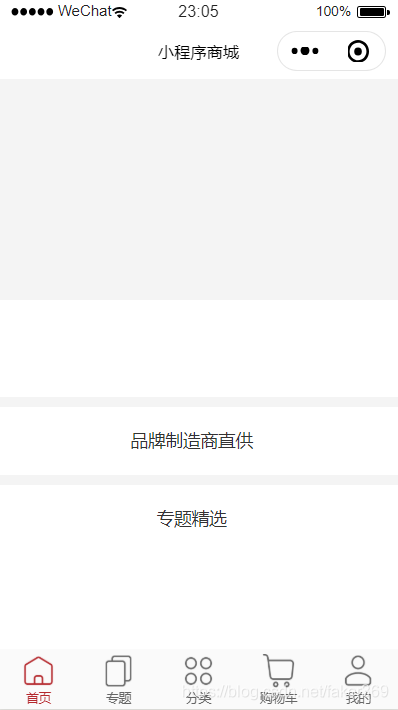
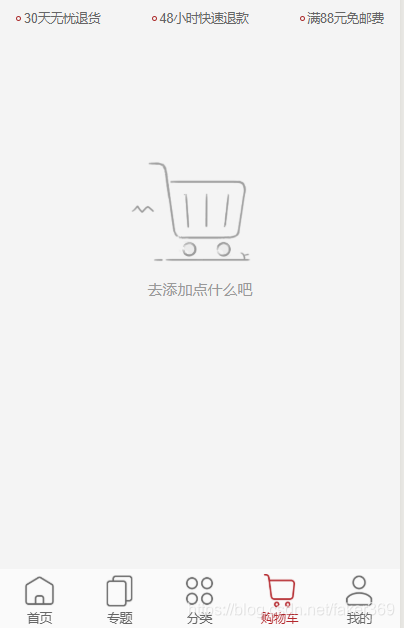
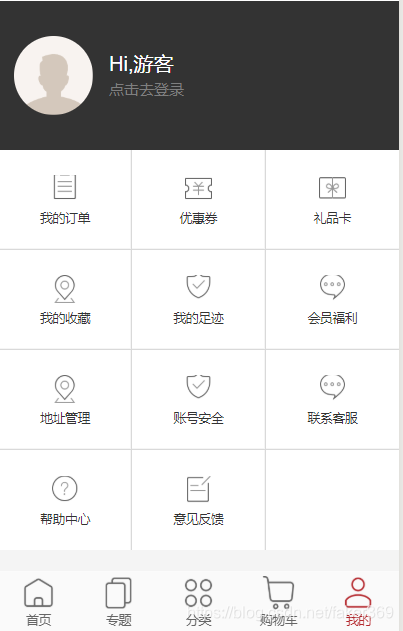
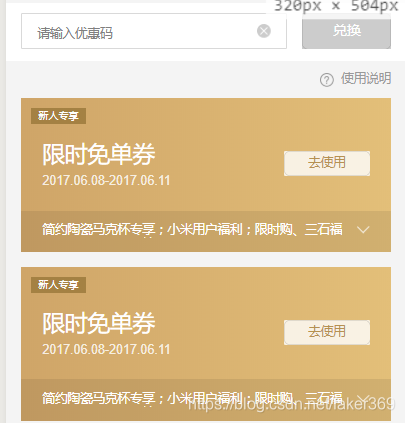
接下来为大家展示一款比较大众的商城系统,由于商城系统大同小异,所以本项目就只展示功能,没有将商品放上去,主要功能有商品的展示、专题分区、分类(搜索专区)、购物车、个人主页(我的订单、我的收藏、账号安全、优惠券、反馈等等),其实就相当于早期的淘宝,基本功能还是比较齐全,有需要的同学可以结合自己的情况,自己添加商品上去。ok,废话不多说了!
主页界面
任务栏

商品搜索:

购物车:
个人主页
优惠券
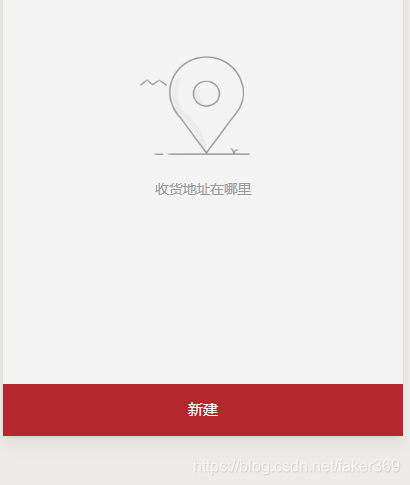
收获地址
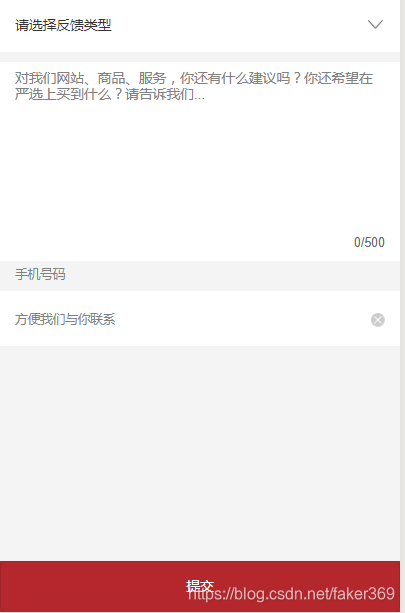
意见反馈
效果主要展示这些,接下来代码展示
主页代码:
{ "pages": [ "pages/index/index", "pages/catalog/catalog", "pages/newGoods/newGoods", "pages/hotGoods/hotGoods", "pages/ucenter/address/address", "pages/ucenter/addressAdd/addressAdd", "pages/ucenter/orderDetail/orderDetail", "pages/ucenter/footprint/footprint", "pages/ucenter/order/order", "pages/ucenter/feedback/feedback", "pages/ucenter/coupon/coupon", "pages/ucenter/collect/collect", "pages/auth/login/login", "pages/auth/register/register", "pages/auth/reset/reset", "pages/pay/pay", "pages/payResult/payResult", "pages/ucenter/index/index", "pages/topic/topic", "pages/comment/comment", "pages/commentPost/commentPost", "pages/topicComment/topicComment", "pages/brand/brand", "pages/brandDetail/brandDetail", "pages/search/search", "pages/category/category", "pages/cart/cart", "pages/shopping/checkout/checkout", "pages/shopping/address/address", "pages/shopping/addressAdd/addressAdd", "pages/goods/goods", "pages/topicDetail/topicDetail" ], "window": { "backgroundTextStyle": "dark", "navigationBarBackgroundColor": "#fff", "navigationBarTitleText": "小程序商城", "navigationBarTextStyle": "black", "enablePullDownRefresh":false }, "tabBar": { "backgroundColor": "#fafafa", "borderStyle": "white", "selectedColor": "#b4282d", "color": "#666", "list": [ { "pagePath": "pages/index/index", "iconPath": "static/images/ic_menu_choice_nor.png", "selectedIconPath": "static/images/ic_menu_choice_pressed.png", "text": "首页" }, { "pagePath": "pages/topic/topic", "iconPath": "static/images/ic_menu_topic_nor.png", "selectedIconPath": "static/images/ic_menu_topic_pressed.png", "text": "专题" }, { "pagePath": "pages/catalog/catalog", "iconPath": "static/images/ic_menu_sort_nor.png", "selectedIconPath": "static/images/ic_menu_sort_pressed.png", "text": "分类" }, { "pagePath": "pages/cart/cart", "iconPath": "static/images/ic_menu_shoping_nor.png", "selectedIconPath": "static/images/ic_menu_shoping_pressed.png", "text": "购物车" }, { "pagePath": "pages/ucenter/index/index", "iconPath": "static/images/ic_menu_me_nor.png", "selectedIconPath": "static/images/ic_menu_me_pressed.png", "text": "我的" } ] }, "networkTimeout": { "request": 10000, "downloadFile": 10000 }, "debug": true, "sitemapLocation": "sitemap.json"}远程服务器配置
/** * 用户相关服务 */const util = require('../utils/util.js');const api = require('../config/api.js');/** * 调用微信登录 */function loginByWeixin() { let code = null; return new Promise(function (resolve, reject) { return util.login().then((res) => { code = res.code; return util.getUserInfo(); }).then((userInfo) => { //登录远程服务器 util.request(api.AuthLoginByWeixin, { code: code, userInfo: userInfo }, 'POST').then(res => { if (res.errno === 0) { //存储用户信息 wx.setStorageSync('userInfo', res.data.userInfo); wx.setStorageSync('token', res.data.token); resolve(res); } else { reject(res); } }).catch((err) => { reject(err); }); }).catch((err) => { reject(err); }) });}/** * 判断用户是否登录 */function checkLogin() { return new Promise(function (resolve, reject) { if (wx.getStorageSync('userInfo') && wx.getStorageSync('token')) { util.checkSession().then(() => { resolve(true); }).catch(() => { reject(false); }); } else { reject(false); } });}module.exports = { loginByWeixin, checkLogin,};在线支付
var app = getApp();var util = require('../../utils/util.js');var api = require('../../config/api.js');Page({ data: { orderId: 0, actualPrice: 0.00 }, onLoad: function (options) { // 页面初始化 options为页面跳转所带来的参数 this.setData({ orderId: options.orderId, actualPrice: options.actualPrice }) }, onReady: function () { }, onShow: function () { // 页面显示 }, onHide: function () { // 页面隐藏 }, onUnload: function () { // 页面关闭 }, //向服务请求支付参数 requestPayParam() { let that = this; util.request(api.PayPrepayId, { orderId: that.data.orderId, payType: 1 }).then(function (res) { if (res.errno === 0) { let payParam = res.data; wx.requestPayment({ 'timeStamp': payParam.timeStamp, 'nonceStr': payParam.timeStamp, 'package': payParam.nonceStr, 'signType': payParam.signType, 'paySign': payParam.paySign, 'success': function (res) { wx.redirectTo({ url: '/pages/payResult/payResult?status=true', }) }, 'fail': function (res) { wx.redirectTo({ url: '/pages/payResult/payResult?status=false', }) } }) } }); }, startPay() { this.requestPayParam(); }})<view class="container"> <view class="total"> <view class="label">订单金额</view> <view class="txt">{{actualPrice}}元</view> </view> <view class="pay-list"> <view class="h">请选择支付方式</view> <view class="b"> <!--<view class="item"> <view class="checkbox checked"></view> <view class="icon-alipay"></view> <view class="name">支付宝</view> </view> <view class="item"> <view class="checkbox"></view> <view class="icon-net"></view> <view class="name">网易支付</view> </view>--> <view class="item"> <view class="checkbox checked"></view> <image src="/static/images/wxpay.png" class="icon"></image> <view class="name">微信支付</view> </view> </view> </view> <view class="tips">小程序只支持微信支付,如需其它支付方式,请在网页版支付</view> <view class="pay-btn" bindtap="startPay">确定</view></view>篇幅原因,代码就先展示这些核心代码吧,要整个项目的可以加我微信











