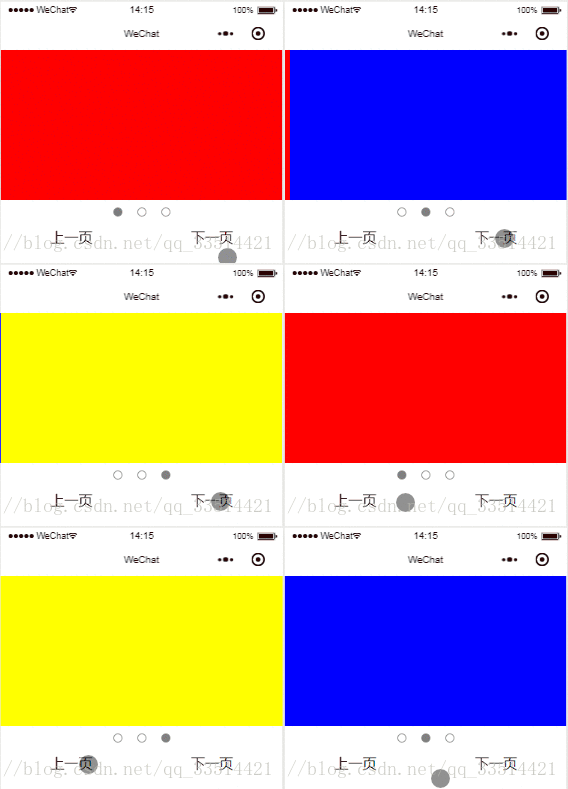
效果
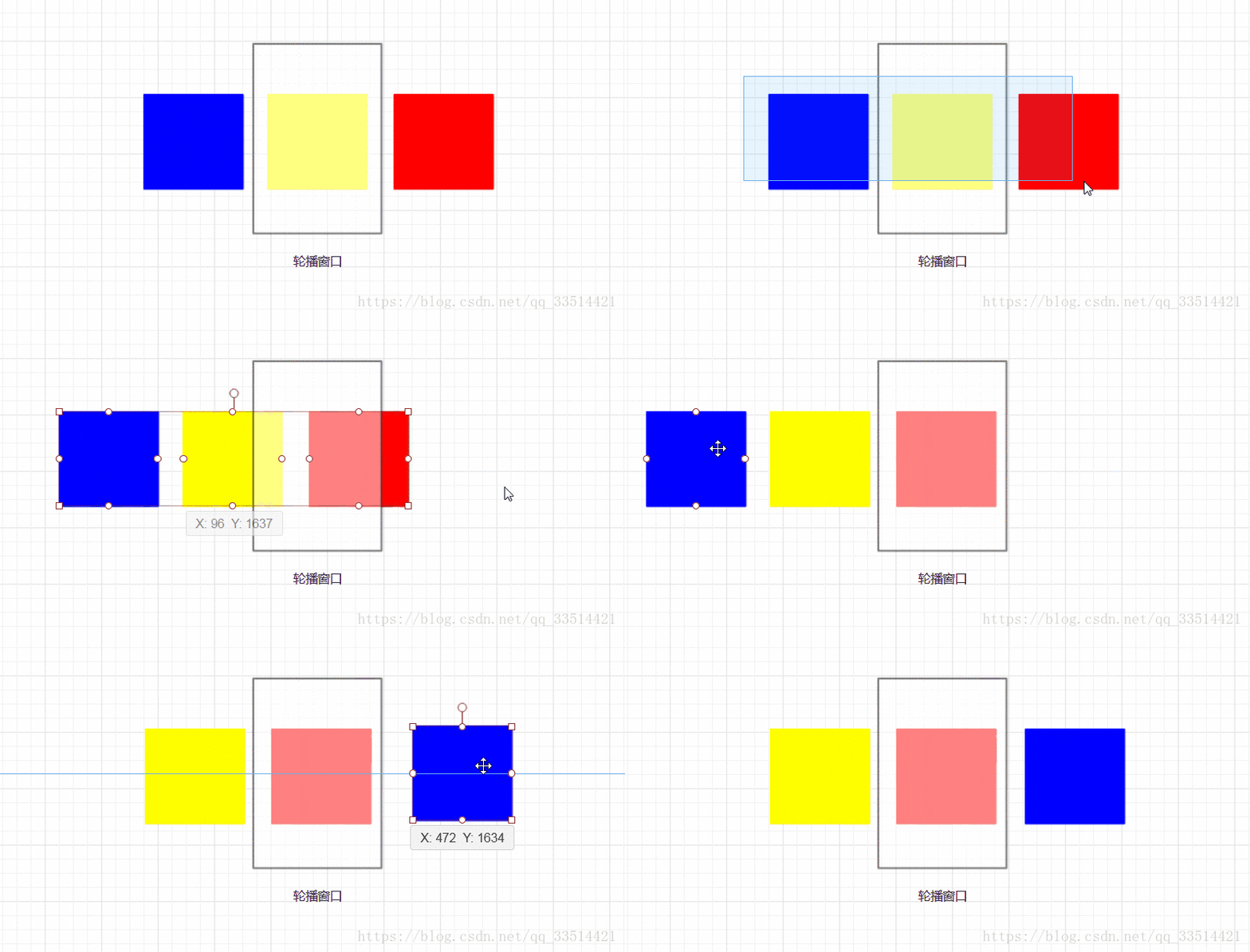
思路
下一页的原理如下,上一页则相反:先把最后的元素放到前面,再向前移动所有元素。
涉及到绝对定位、transition动画、延时函数setTimeout
缺点
本案例没有考虑通过轮播点来跳转轮播图。例如,想从第一个轮播图,跳到第三个,这个案列是需要修改才能做到。
代码
wxml
<view class='background'> <view class="image_container {{move == 1?'anim_pre':(move == 2?'anim_next':'left')}}" > <view class="image" wx:for="{{list}}" style='background:{{item}}'></view> </view></view><view class='btn'> <view class='pots {{pot == index?"gray":""}}' bindtap='pots' data-index="{{index}}" wx:for="{{list}}"></view></view><view class='btn' style='top:600rpx;'> <view style='margin:10rpx auto;' bindtap='pre'>上一页</view> <view style='margin:10rpx auto;' bindtap='next'>下一页</view></view>wxss
.background{ width: 100%; height: 400rpx; background: #eee; position: relative; z-index: 1; overflow: hidden;}.image_container{ position: absolute; display: flex;}.image{ width: 800rpx; height: 400rpx; float: left;}.anim_next{ transition: transform 0.8s; transform:translateX(-800rpx);}.anim_pre{ left: -800rpx; transition: transform 0.8s; transform:translate(800rpx,0);}.btn{ display: flex; align-items: center; justify-content: center;}.pots{ width: 20rpx; height: 20rpx; border: 2rpx solid gray; border-radius: 100%; margin: 20rpx;}.gray{ background: gray;}js
Page({ data: { list: ['red', 'blue', 'yellow'], pot: 0, move:0 }, onLoad: function () { }, pre:function(e){ if(this.data.move == 0){ var pot = --this.data.pot; pot = pot < 0 ? this.data.list.length - 1 : pot; var list = this.data.list; var last = list.pop(); list.unshift(last); this.setData({ pot: pot, list: list, move: 1 }) let that = this; setTimeout(function () { that.setData({ move: 0 }) }, 800) } }, next:function(e){ if(this.data.move == 0){ var pot = ++ this.data.pot; pot = pot > this.data.list.length - 1 ? 0 : pot; this.setData({ pot:pot, move:2 }) let that = this; setTimeout(function(){ var list = that.data.list; var first = list.shift(); list.push(first); that.setData({ list:list, move:0 }) },800) } }, })扩展
基于以上的原理,编写出更加美观的效果:
在线演示:www.lanyue.ink