


今天有个小师妹来问我怎样用微信小程序实现红包雨效果,如果用web很好实现,但是小程序不是那么容易,整合自己也有一年没摸过小程序了,决定试一试。
首先明确“红包雨”的需求:
- 随机位置掉落
- 随机红包样式
- 同一时间掉落个数随机
- 每个红包的掉落速度随机,但不能太快也不能太慢
首先看看我做的效果吧
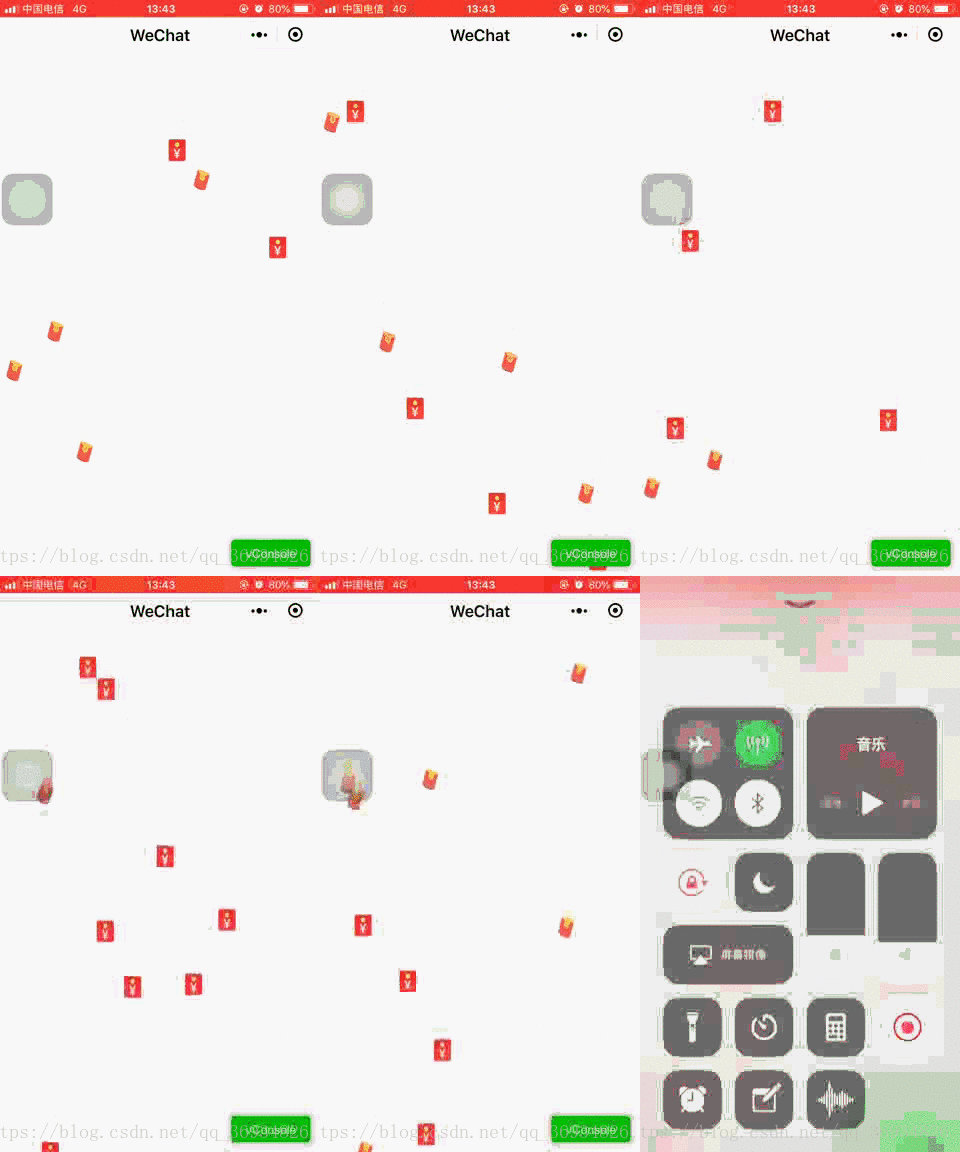
首先明确小程序实现红包雨和web网页实现红包雨难点上有什么不同:
- 小程序不能直接操作dom,web网页可以操作
- 小程序循环渲染wx:for内无法执行animation,web网页中animation执行无条件约束
- 小程序修改样式属性需要通过数据绑定无法直接修改,web网页可以直接取dom元素进行修改
好了那么问题来了怎样实现生成红包雨呢?小程序无法直接操作dom也就意味着不能向dom内添加元素,这里我的解决办法是先生成预设个数的红包在视窗外部(用户看不到),然后修改每个红包的样式来实现动画(当然用css keyframes帧动画也可以,我这里使用的是js修改属性)
话不多说直接上代码吧,代码内有注释
wxml:
<view wx:for="{{packetList}}" wx:for-index="index" wx:for-item="items"> <image class="red-packet" src="{{items.src}}" style="position:fixed;top:{{items.top}}px;left:{{items.left}}px;-webkit-transition:{{items.speed}}ms linear 0ms;transition:{{items.speed}}ms linear 0ms"> </image></view>wxss:
.red-packet{ width: 20px; height: 25px; z-index: 100; transition-property:transform,top; transform-origin:50% 50% 0; -webkit-transition-property:transform,top; -webkit-transform-origin:50% 50% 0;}js:
Page({ /** * 页面的初始数据 */ data: { windowWidth:"",//窗口宽度 windowHeigh:"",//窗口高度 packetList:[{}],//红包队列 packetNum:200,//总共红包的数量 showInter:''// 循环动画定时器 }, /** * 生命周期函数--监听页面加载 */ onLoad: function (options) { var that = this; // 获取手机屏幕宽高 wx.getSystemInfo({ success: function (res) { that.setData({ windowWidth: res.windowWidth, windowHeigh: res.windowHeight, top: res.windowHeight-100 //设置红包初始位置 }) } }) //建立临时红包列表 var packetList=[]; //建立临时红包图片数组 var srcList = ["../images/packet-one.png", "../images/packet-two.png"]; //生成初始化红包 for(var i=0;i<that.data.packetNum;i++){ // 生成随机位置(水平位置) var left = Math.random() * that.data.windowWidth-20; // 优化位置,防止红包越界现象,保证每个红包都在屏幕之内 if(left<0){ left+=20; } else if (left > that.data.windowWidth){ left-=20; } // 建立临时单个红包 var packet = { src: srcList[Math.ceil(Math.random() * 2) - 1], top: -30, left:left, speed:Math.random() * 2500+3000 //生成随机掉落时间,保证每个掉落时间保持在3秒到5.5秒之间 } // 将单个红包装入临时红包列表 packetList.push(packet); // 将生成的临时红包列表更新至页面数据,页面内进行渲染 that.setData({ packetList: packetList }) } // 初始化动画执行当前索引 var tempIndex=0; // 开始定时器,每隔1秒掉落一次红包 that.data.showInter=setInterval(function(){ // 生成当前掉落红包的个数,1-3个 var showNum = Math.ceil(Math.random() * 3); // 防止数组越界 if (tempIndex * showNum>=that.data.packetNum){ // 如果所有预生成的红包已经掉落完,清除定时器 clearInterval(that.data.showInter); }else{ switch (showNum){ case 1: //设置临时红包列表当前索引下的top值,此处top值为动画运动的最终top值 packetList[tempIndex].top = that.data.windowHeigh; // 当前次掉落几个红包,索引值就加几 tempIndex+=1; break; case 2: packetList[tempIndex].top = that.data.windowHeigh; packetList[tempIndex + 1].top = that.data.windowHeigh; tempIndex+=2; break; case 3: packetList[tempIndex].top = that.data.windowHeigh; packetList[tempIndex + 1].top = that.data.windowHeigh; packetList[tempIndex + 2].top = that.data.windowHeigh; tempIndex += 3; break; default: console.log(); } // 更新红包列表数据 that.setData({ packetList: packetList }) } },1000) }})好了红包雨就这样实现了,其实还是蛮有意思的。
微信小程序









