


The course of true love never did run smooth.
真爱无坦途。
新建集合
1.打开云开发控制台,数据库
2.添加集合users
添加代码
onAdd: function () { const db = wx.cloud.database() db.collection('users').add({ data: { count: 1 }, success: res => { // 在返回结果中会包含新创建的记录的 _id this.setData({ counterId: res._id, count: 1 }) wx.showToast({ title: '新增记录成功', }) console.log('[数据库] [新增记录] 成功,记录 _id: ', res._id) }, fail: err => { wx.showToast({ icon: 'none', title: '新增记录失败' }) console.error('[数据库] [新增记录] 失败:', err) } }) },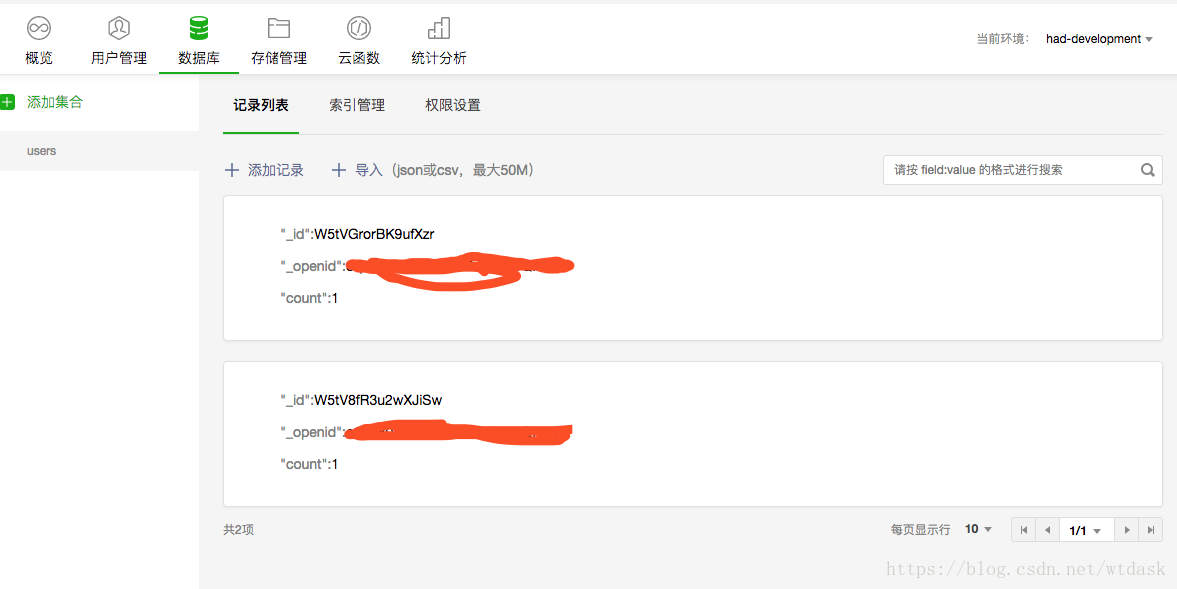
查询记录
onQuery: function() { const db = wx.cloud.database() // 查询当前用户所有的 counters db.collection('users').where({ _openid: this.data.openid }).get({ success: res => { console.log(res); this.setData({ queryResult: JSON.stringify(res.data, null, 2) }) console.log('[数据库] [查询记录] 成功: ', res) }, fail: err => { wx.showToast({ icon: 'none', title: '查询记录失败' }) console.error('[数据库] [查询记录] 失败:', err) } }) },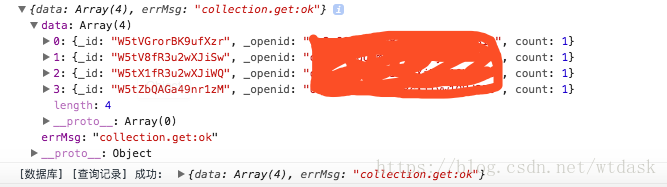
更新记录
onCounterInc: function() { const db = wx.cloud.database() const newCount = this.data.count + 1 db.collection('users').doc(this.data.counterId).update({ data: { count: newCount }, success: res => { console.log(res); this.setData({ count: newCount }) }, fail: err => { icon: 'none', console.error('[数据库] [更新记录] 失败:', err) } }) }, onCounterDec: function() { const db = wx.cloud.database() const newCount = this.data.count - 1 db.collection('users').doc(this.data.counterId).update({ data: { count: newCount }, success: res => { this.setData({ count: newCount }) }, fail: err => { icon: 'none', console.error('[数据库] [更新记录] 失败:', err) } }) },
删除记录
if (this.data.counterId) { const db = wx.cloud.database() db.collection('users').doc(this.data.counterId).remove({ success: res => { wx.showToast({ title: '删除成功', }) this.setData({ counterId: '', count: null, }) }, fail: err => { wx.showToast({ icon: 'none', title: '删除失败', }) console.error('[数据库] [删除记录] 失败:', err) } }) } else { wx.showToast({ title: '无记录可删,请见创建一个记录', }) }这个官方的demo做的可以,通俗易懂
微信小程序












