


在本地项目中开发完接口以后,小程序如何调用,方法如下:
1、我本地提供的接口地址为:http://localhost:8080/services/findQhCallNum?year=2017,2018/
2、成功启动本地项目,并且在浏览器测试是可以正常访问,返回数据为json格式,如下:
{"result":[{"legend":"18 行政服务中心","year":"2018","xAxis":"2","yAxis":"5"},{"legend":"18 行政服务中心","year":"2018","xAxis":"1","yAxis":"52"}],"resultCode":"0","resultMsg":"查询请求响应成功"}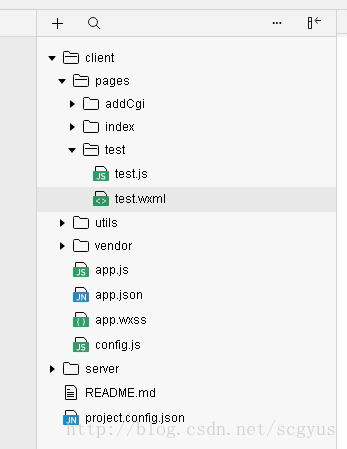
4、新建test目录创建js和wxml目录
test.js代码如下:
var app = getApp()Page({ data:{ data:"数据展示", xAxis:"月份", yAxis:"统计量", year:"年份" }, onLoad:function(){ var that =this; wx.request({ url: 'http://localhost:8080/services/findQhCallNum?year=2018', header: { 'content-type': 'application/json' }, success: function (res) { console.log(res.data.result) that.setData( { list: res.data.result } ) } }) } }) <view class="data">展示数据</view><view wx:for="{{list}}"> {{year}}: {{item.year}} {{xAxis}}: {{item.xAxis}} {{yAxis}}: {{item.yAxis}}</view>
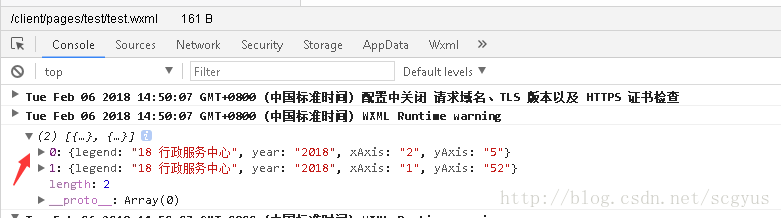
控制台也可以看到返回的数据信息:
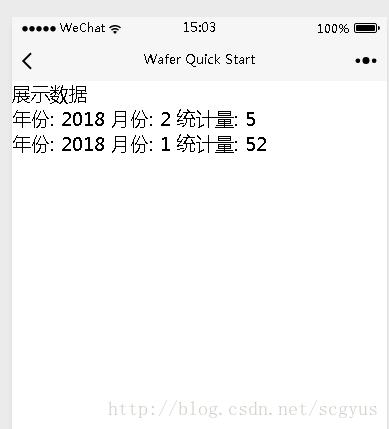
完成以上步骤小程序内部就可以调用本地接口获取需要的数据。
作者:scgyus
转载请注明出处:http://blog.csdn.net/scgyus/










