


微信小程序wx.request接口
wx.request是小程序客户端与服务器端交互的接口
HTTPS 请求
一个微信小程序,只能同时(同时不能大于5个)有5个网络请求
wx.request(OBJECT)
发起网络请求
urldataheadermethoddataTypewx.request({ url: 'test.php', //仅为示例,并非真实的接口地址 data: { x: '' , y: '' }, header: { 'content-type': 'application/json' // 默认值 }, success: function(res) { console.log(res.data) }})四种网络请求:
(wx.request)
(wx.uploadFile)
(wx.downloadFile)
(wx.connectSocket)
var request = { url: '', data: {}, method: '', success: function (res) { }, fail: function () { }, complete: function () { }}wx.openSetting 来跳转到设置授权界面
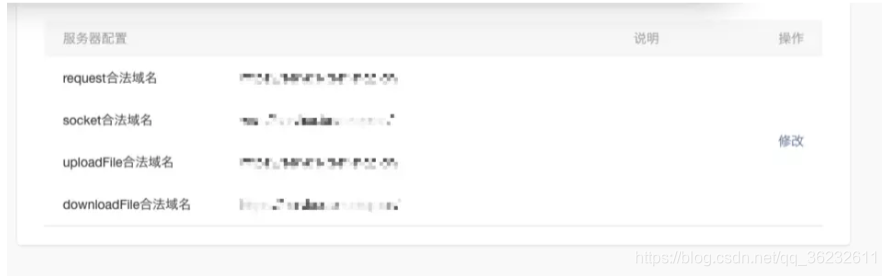
/* index.js */// 若有用户信息存在则继续Page({ onLoad () { wx.getStorage({ key: 'userinfo', success: (res) => { this.setUserinfo(res) }, fail: (res) => { api.login().then((res) => { this.setUserinfo(res) }).catch(e => { if (e.errMsg && e.errMsg === 'getUserInfo:fail auth deny') { this.setData({ isauth: false }) } }) } }) }, toSetting() { wx.openSetting({ success: (res) => { this.setData({ isauth: res.authSetting['scope.userInfo'] }) if (res.authSetting['scope.userInfo']) { api.login().then((res) => { this.setUserinfo(res) }) } } }) }})// setUserinfo 就是对用户信息做一下处理 不具体展开了/* index.wxml */<view class="unauth" wx:if="{{!isauth}}"> <image class="unauth-img" src="../../images/auth.png"></image> <text class="unauth-text">检查到您没打开授权</text> <button class="color-button unauth-button" bindtap="toSetting">去设置</button></view><view class="container" wx:else>...</view>function queryRequest(data){ wx.request({ url:"https://example.com/api/", data:data, header:{ // "Content-Type":"application/json" }, success:function(res){ console.log(res.data) }, fail:function(err){ console.log(err) } })}服务器设置:
上传文件
// Content-type为multipart/form-datafunction uploadFile(file,data) { wx.uploadFile({ url: 'http://example.com/upload', filePath: file, name: 'file', formData:data, success:function(res){ console.log(res.data) }, fail:function(err){ console.log(err) } })}下载文件
function downloadFile(url,typ,success){ wx.downloadFile({ url:url, type:type, success:function(res){ if(success){ success(res.tempFilePath) } }, fail:function(err){ console.log(err) } })}function svaeFile(tempFile,success){ wx.saveFile({ tempFilePath:tempFile, success:function(res){ var svaedFile=res.savedFilePath if(success){ success(svaeFile) } } })}









