


1.首先是wxml文件布局设计
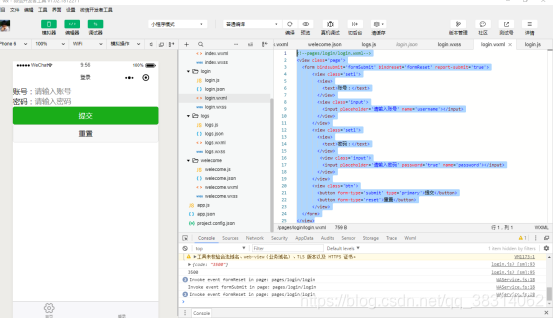
<!--pages/login/login.wxml--><view class='page'> <form bindsubmit='formSubmit' bindreset='formReset' report-submit='true'> <view class='set1'> <view> <text>账号:</text> </view> <view class='input'> <input placeholder='请输入账号' name='username'></input> </view> </view> <view class='set1'> <view> <text>密码:</text> </view> <view class='input'> <input placeholder='请输入密码' password='true' name='password'></input> </view> </view> <view class='btn'> <button form-type='submit' type='primary'>提交</button> <button form-type='reset'>重置</button> </view> </form></view>样式
/* pages/login/login.wxss */.page{ margin: 0rpx,50rpx,50rpx,50rpx;}.set1{ margin: 0rpx,0rpx,50rpx,0rpx; width: 100%; display: flex; flex-direction: row; align-items: center;}.btn{ width: 100%}2.既然是登录,就需要对用户名密码进行校验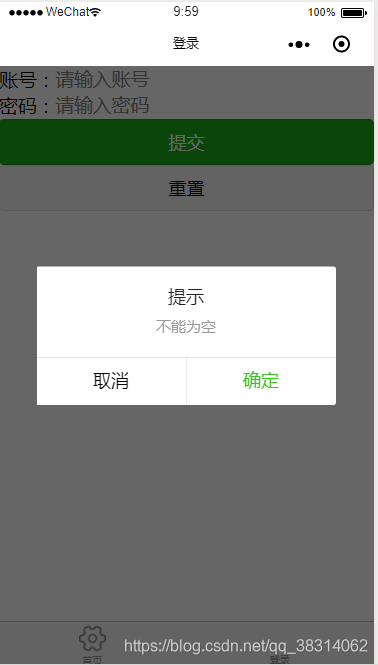
用户名或密码为空时发出提示信息,参考API:https://developers.weixin.qq.com/miniprogram/dev/api/wx.showModal.html
//校验 if(username == "" || password == ""){ wx.showModal({ title: '提示', content: '不能为空', }) }输入的用户名需要发送给后台做校验,用户名密码正确则跳转到下一个页面pages/welecome/welecome。用户名密码错误则后台返回错误信息并提示用户名或密码错误。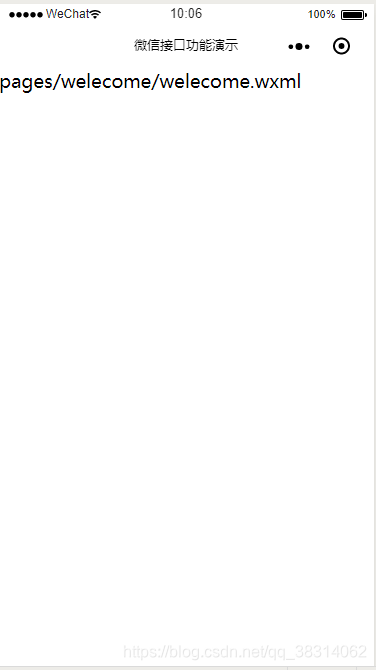
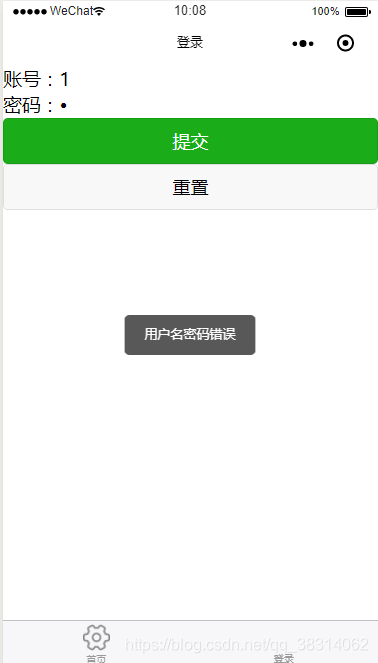
用户名密码输入错误时
具体实现代码如下: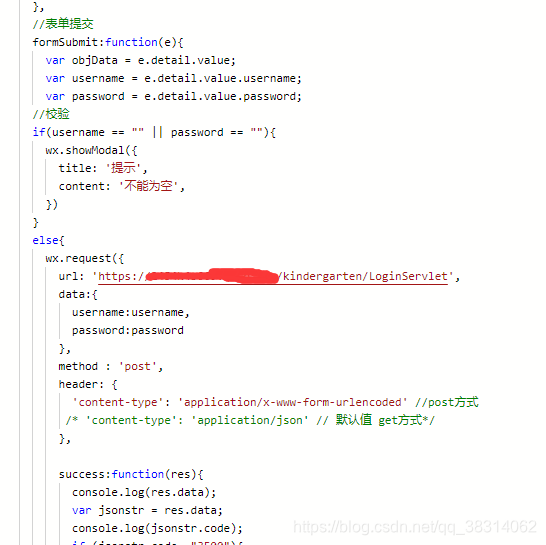
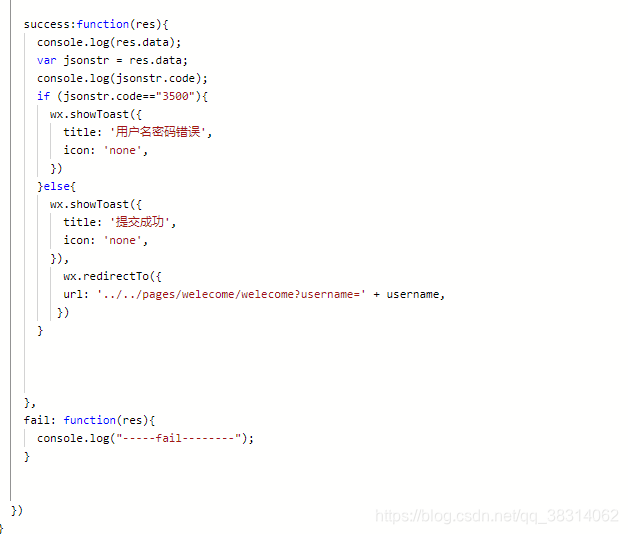
我的后台用的是Java,只是作为测试。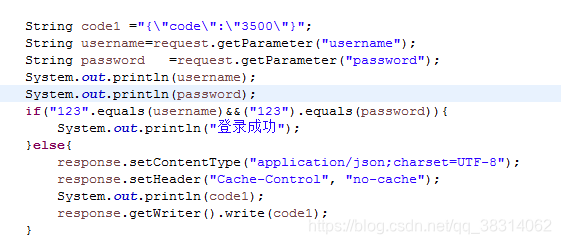
刚刚接触微信小程序,开始写登录时花了点时间,因为刚刚开始不太熟悉微信小程序的语法,不过参考API很快就写出来了。













