


写论坛不难,重点是各页面之间的信息传递!
先放成品图,虽然有点单调。。。。但是麻雀虽小五脏俱全!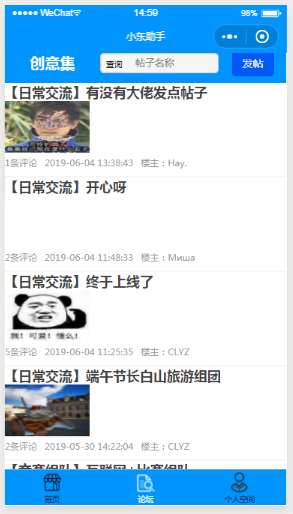
论坛功能:
1. 发帖(带图片)
2. 浏览各帖
3. 评论
4. 搜素帖子
5. 作者删自己的贴
以上是论坛必备的功能,缺哪个都不完整哦~
贴心代码详解(四)会讲搜索部分

查询结果: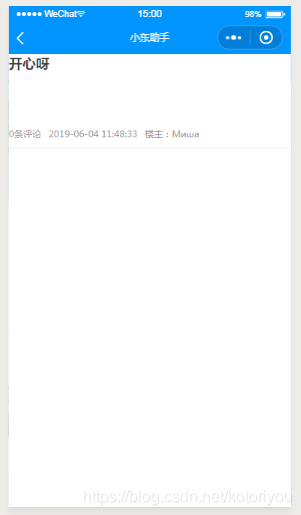
js
// pages/find/find.jsvar app = getApp();Page({ /** * 页面的初始数据 */ data: { keyword:"" }, /** * 生命周期函数--监听页面加载 */ onLoad: function (options) { console.log(options.name) var that=this wx.request({ url: app.globalData.url+'community/search', data:{ keyword:options.find }, method: 'GET', header: { 'content-type': 'application/json' }, success:function(res) { that.setData( { list: res.data.data }) }, fail:function(res){ console.log('submit fail'); } }) }, /** * 生命周期函数--监听页面初次渲染完成 */ onReady: function () { }, /** * 生命周期函数--监听页面显示 */ onShow: function () { }, /** * 生命周期函数--监听页面隐藏 */ onHide: function () { }, /** * 生命周期函数--监听页面卸载 */ onUnload: function () { }, /** * 页面相关事件处理函数--监听用户下拉动作 */ onPullDownRefresh: function () { }, /** * 页面上拉触底事件的处理函数 */ onReachBottom: function () { }, /** * 用户点击右上角分享 */ onShareAppMessage: function () { }})wxml
<view wx:for="{{list}}" wx:key="list"><navigator url="../detail/detail?id={{item.id}}" open-type="navigate" > <view class="title">{{item.title}}</view> <view class="pic"> <image style="width:30%;height:69px;" src="{{item.pic}}"/> <view class="info"> <view class="desc"> <text>{{item.viewsNumber}}条评论</text> <text>{{item.time}}</text> <text>楼主:{{item.writer}}</text> <view class="opr"> </view> </view> </view></view><view class="hr"></view></navigator></view>这个搜索页面还是非常简单的,比前几个评论发帖什么的都容易,仔细看看一定能看懂的,这个页面甚至没用到iview weapp组件,大家可以对比前几篇学习。










