


效果图
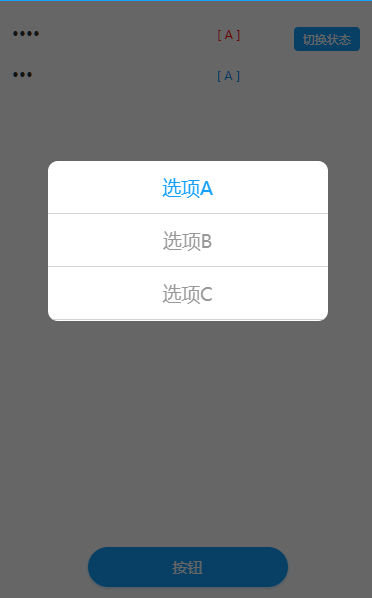
wxml
给需要点击的view增加事件
bindtap="goAlert"
<!-- 弹框 --> <view class='bg' wx:if="{{alert==1}}"> <view class='bg-alert'> <view wx:for="{{alertLlist}}" data-index='{{index}}' class="{{selected==index?'show-alert':'hidden-alert'}}" bindtap='selected'>{{item}}</view> </view> </view>wxss
/*弹窗 */.bg{ width: 100%; height: 100%; position: fixed; top: 0rpx; left: 0rpx; background: rgba(0, 0, 0, 0.6)}.bg-alert{ width:560rpx; height: 320rpx; background-color: #fff; border-radius: 20rpx; margin: 320rpx auto;}.gb-txt{ height: 106rpx; border-bottom: 2rpx solid #d2d3d5; text-align: center; line-height: 106rpx;}.show-alert{ color: #14a1fd; height: 106rpx; border-bottom: 2rpx solid #d2d3d5; text-align: center; line-height: 106rpx;}.hidden-alert{ color: #999; height: 106rpx; border-bottom: 2rpx solid #d2d3d5; text-align: center; line-height: 106rpx;}js
Page({/*** 页面的初始数据*/data: {alert: 0,alertLlist: ['选项A', '选项B','选项C'],selected: 0,index:0}, selected: function (e) { // console.log(e) let that = this let index = e.currentTarget.dataset.index // console.log(index) if (index == 0) { that.setData({ selected: 0, alert: 0 }) } else if (index == 1) { that.setData({ selected: 1, alert: 0 }) } else{ that.setData({ selected: 2, alert: 0 }) } }, goAlert :function (){ let that = this that.setData({ alert:1 }) },










